Vertiv | SmartCabinet | User Manual 47
System Installation
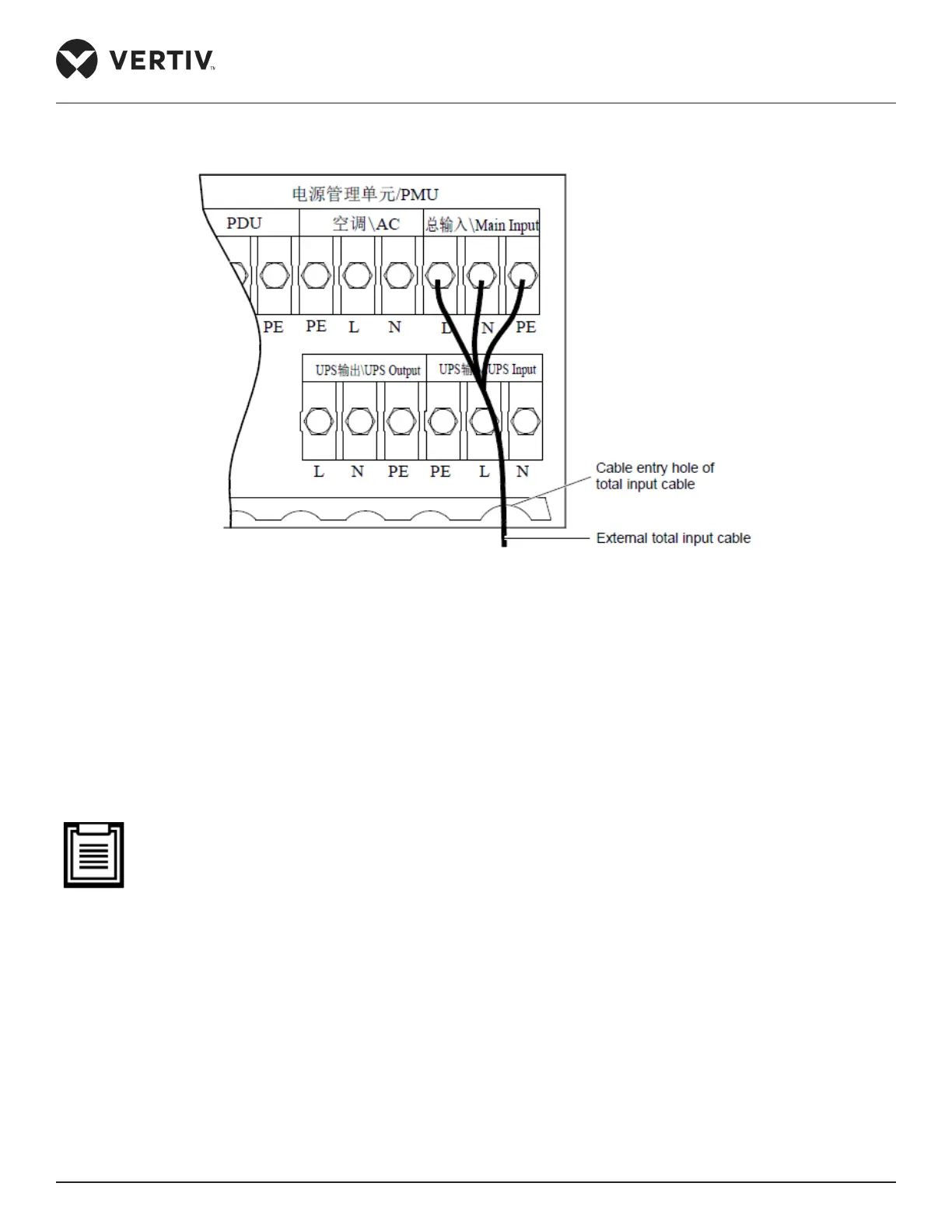
Figure 2-37 Connecting the Total input cables
3. Place the cable in the cable entry hole of the total input cable.
4. Restore the cover plate.
5. The general input cables need to be bound at the rear cable rack of the PMU to avoid loosening of the
cables.
Connecting the cables of the Indoor and Outdoor units
• The integrated condenser unit doesn’t contain things that are only for the standard unit.
Following are the steps that need to be observed for connecting the cables of the indoor and outdoor unit:
1. Open the cover plate for the cable connection of the outdoor unit.
2. Lead the connecting cable (5-core) between the indoor and outdoor unit.
3. Lead the 485 control cable (2-core, insert-type) through the cable entry hole on the cover plate. Connect the
cable to the corresponding terminal stud of the indoor unit based on the labels on the cable end.
Figure 2-38 shows the connections for the preceding steps:



 To Next Page