Equipment and Installation
Description of the Device
Phoropter head
Operator’s side
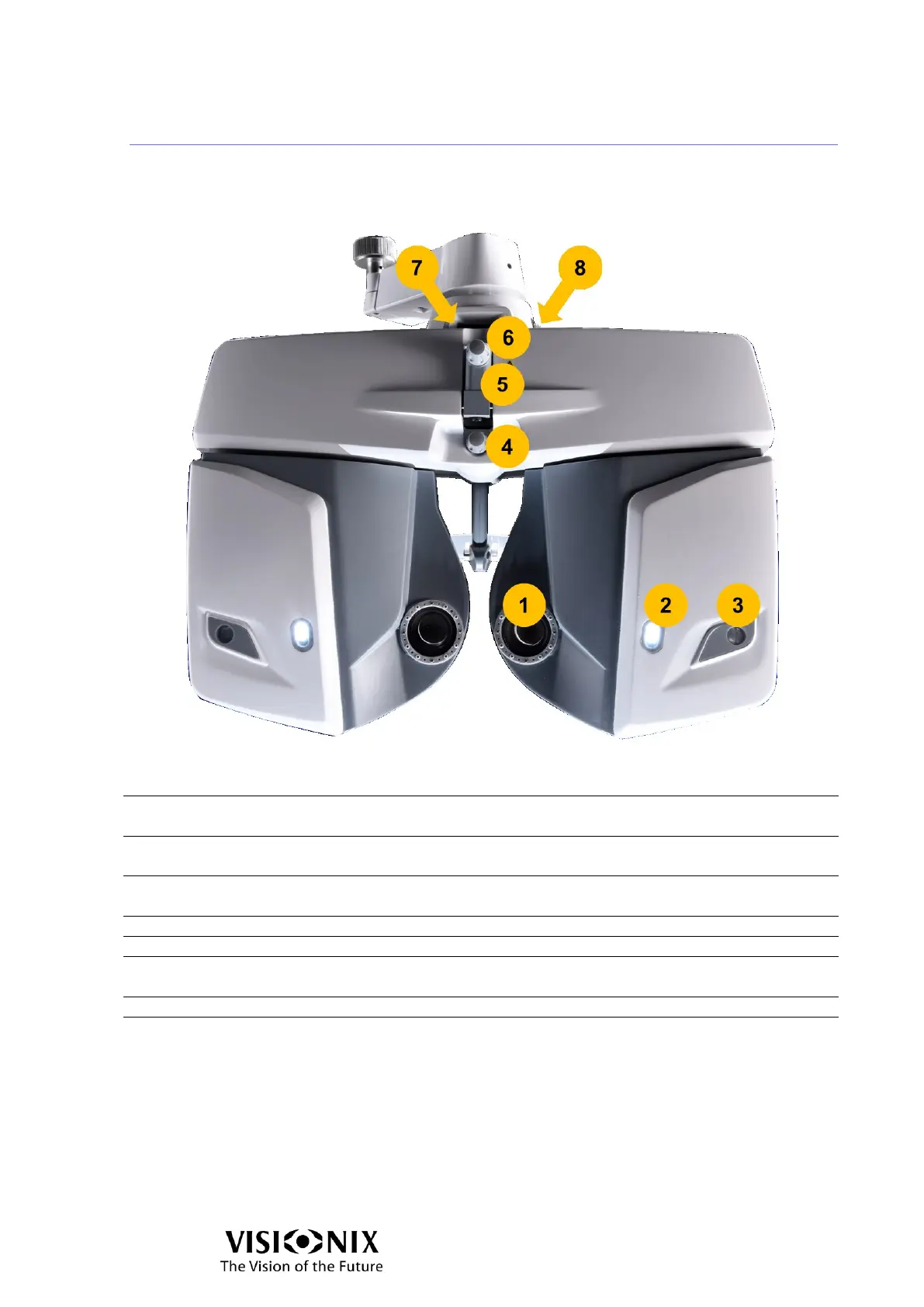
VX65 Operator’s side
The patient tries various lenses in order to determine the
patient's refraction.
When the near vision test is activated the light is on,
when the far vision test is activated, the light is off.
The position of patient’s cornea can be observed through
the window.
Enables to adjust the forehead position.
The near vision rod is inserted and attached here.
Near vision rod clamp
screw
Enables to fix the near vision rod.
Indicates the level position.
Levels the instrument body.



 To Next Page