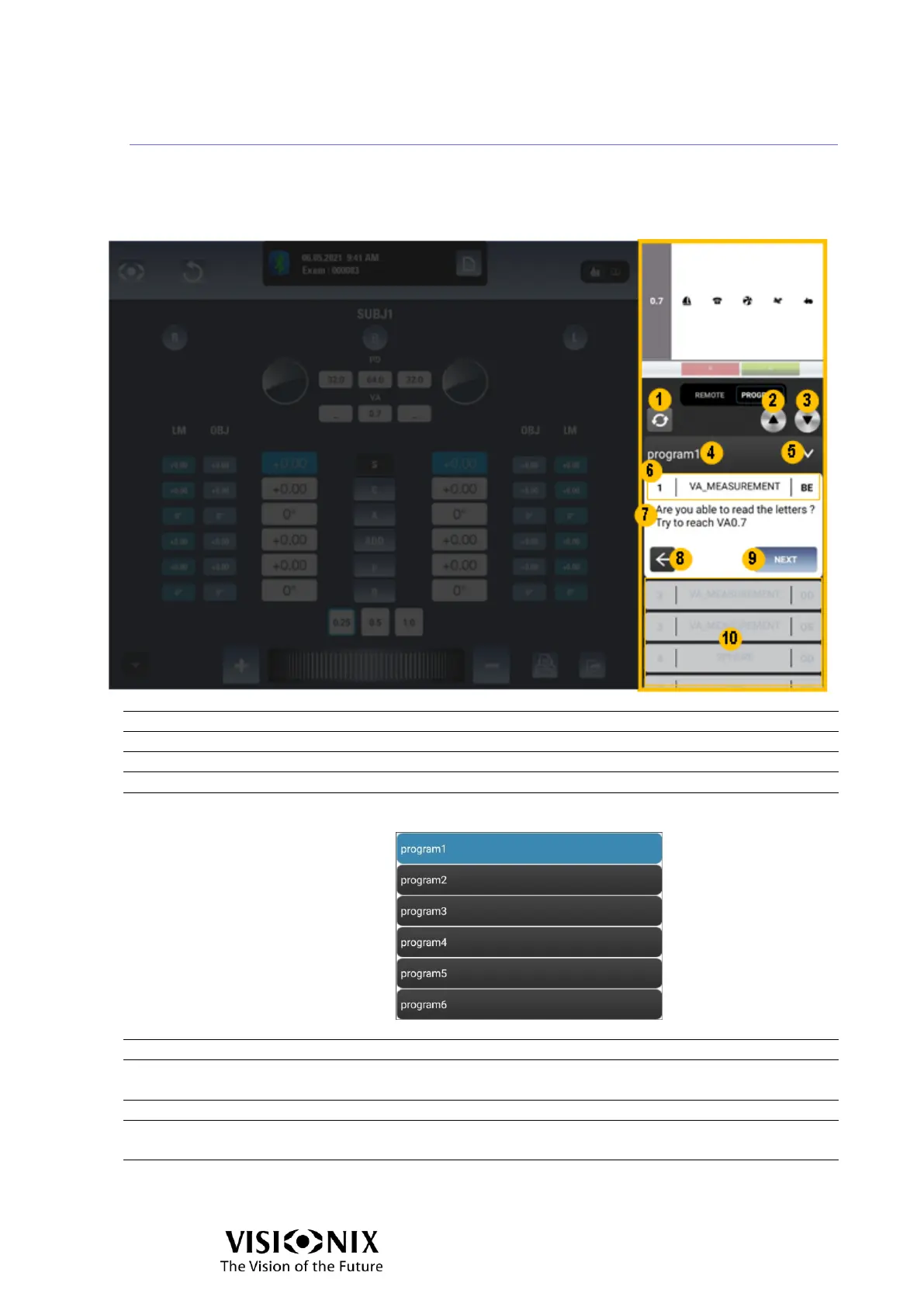
Examination interface: Program mode
When Program mode is enabled, the chart display management is reduced to the
character change and the VA modification.
It is possible to switch between programs and programs steps as needed.
Enables you to reorganize the distribution order.
Decrease the acuity. The letters become larger.
Increase the acuity. The letters become smaller.
Show the name of the running program.
Enables you to select the program to be run. It opens the
following window:
The currently selected program is highlighted in blue.
Step number | Step name | Concerned eye/eyes.
Here, the instructions to make the tests for the current
step are displayed.
Tap on it to go to the previous step.
Tap on it to go to the next step or to end the exam (at the
last step).
Show the next/previous steps included in the program.



 To Next Page