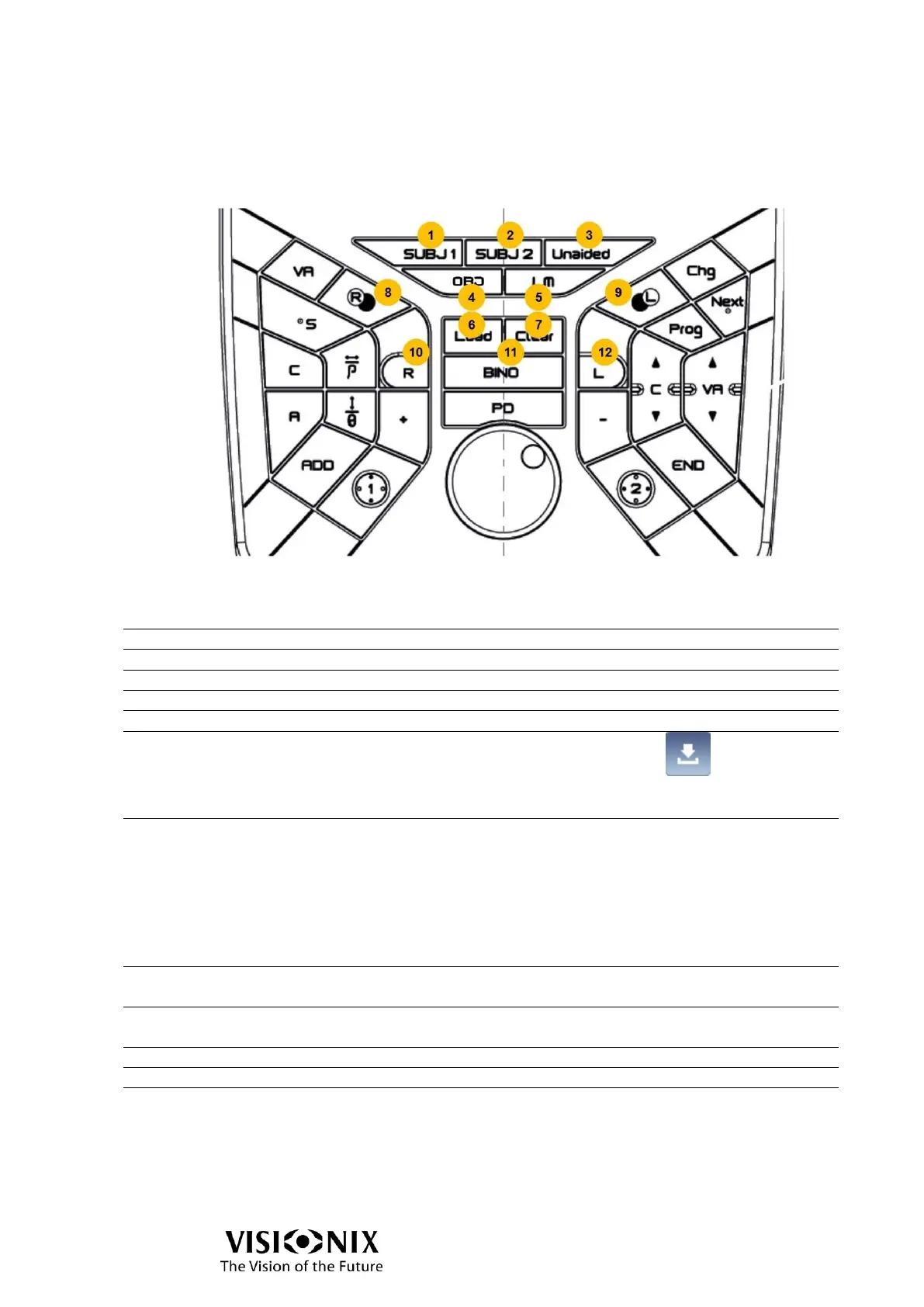
Use of keyboard in Exam file interface
The keyboard can be partially used in Exam file interface. The available functions are:
Control of data
Same action than Input data button . According to
the settings, it:
Loads automatically the last OBJ/LM data
Erase the current refraction.
Remarks:
When a refraction is called, the values are updated in phoropter head.
If the clicked button of refraction corresponds to an empty data (ex: click on LM while there
is no LM), there is no action.
Open/Close the eyes
Alternating opening/closing of right eye; no action on left
eye
Alternating opening/closing of left eye; no action on right
eye
Right eye open, left eye closed
Right eye and left eye open
Left eye open, right eye closed



 To Next Page