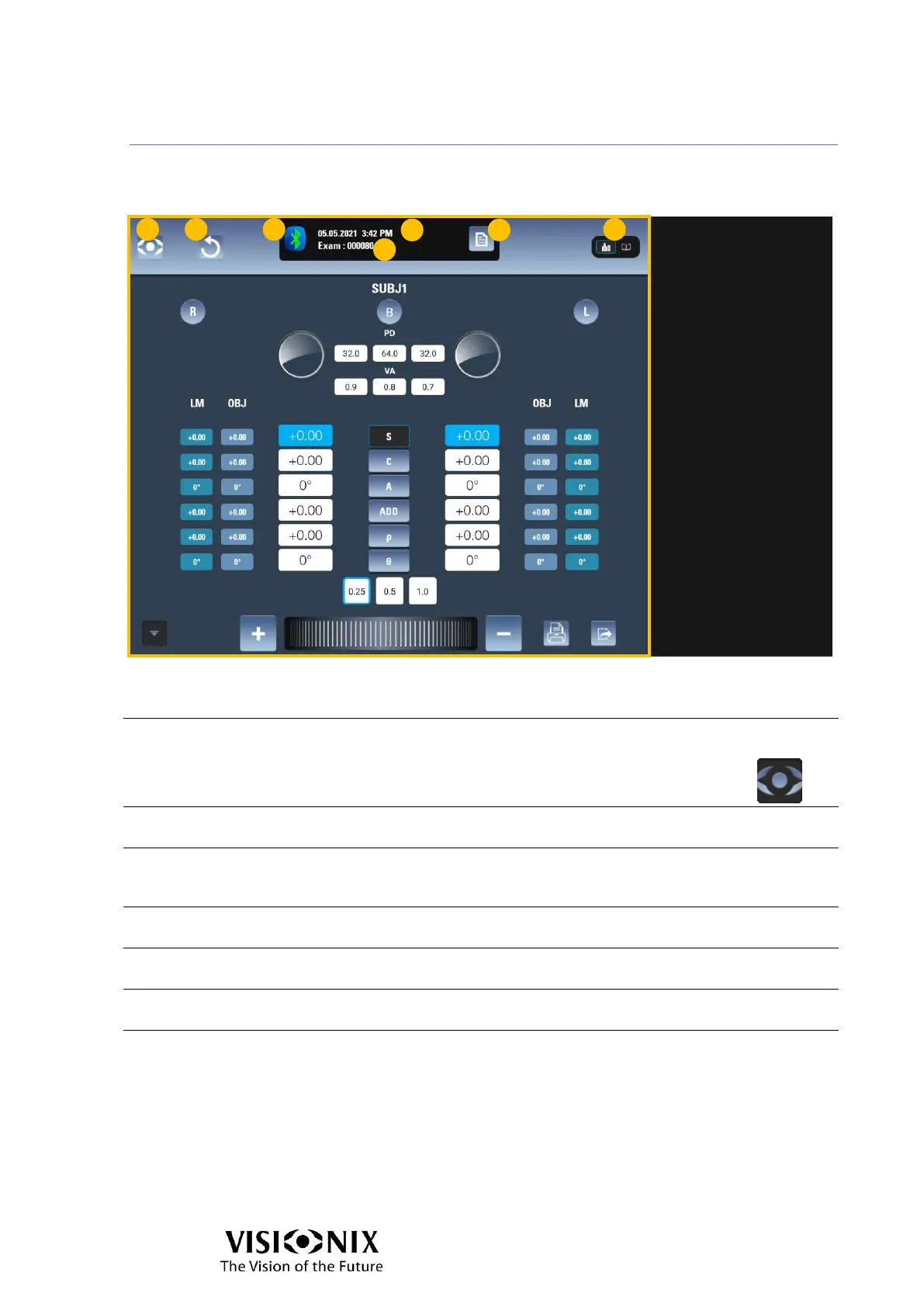
Examination interface: Automatic mode
Heading Area
Menu button
Opens the main menu
To close the main menu, in the heading area, to the right of the menu, select .
Reset button
Resets the subjective refraction (SUBJ1 or SUBJ2) to zero.
Indication of connection with phoropter head
Green: connected
Red: not connected
Time
Displays the date and time
ID
An automatically generated ID for the exam.
Open Exam File
Opens the Exam File interface.
Far/Near vision mode indicator/selector
Indicates whether the current part of the exam is for far or near vision To select the
Far/Near vision: Tap to select far vision, or to select near vision.



 To Next Page