See also
Input data window page 42
Increase Value button
Tap to raise the value that is currently selected by the increment indicated in the Step
field (#14).
Adjust Value dial
Drag to the right or left to raise or lower the currently selected value.
Decrease Value button
Tap to reduce the value that is currently selected by the increment indicated in the
Step field (#14).
Print button
Tap to print the exam on the external printer. Only available if a printer is defined.
Export button
Performs export action and end the exam.
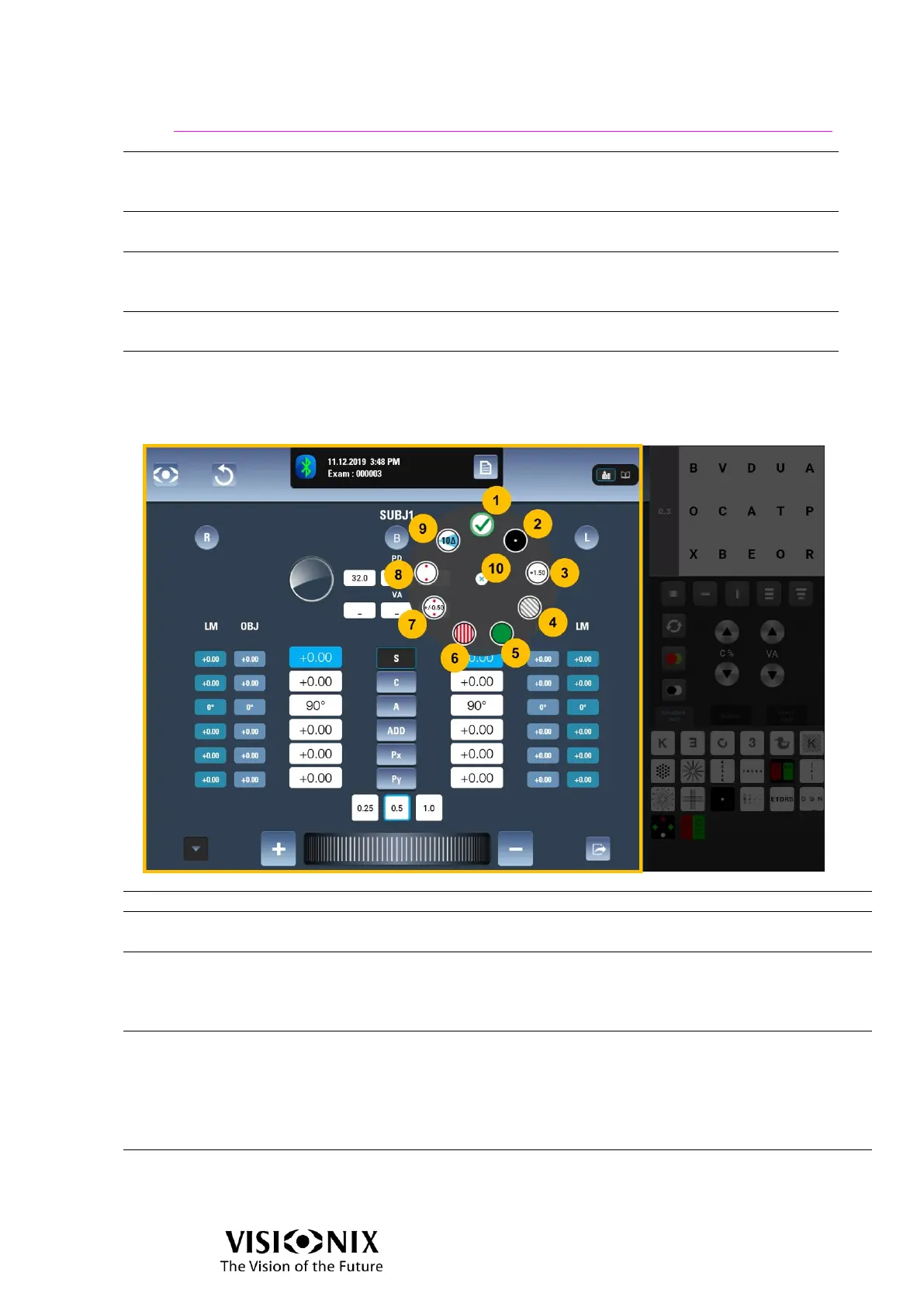
Removes all accessories from both eyes
Opaque disk with small hole. Used to determine if a patient’s
vision problem is pathological or a refraction error.
+1.50D; low reflection coated.
Compensates for working distance during retinoscopy.
For example, the standard 1.50D lens compensates for the
convenient working distance of 26 inches.
For binocular vision tests using polarization dissociation.
The polarized filters are according to the settings:
Non pola: button is disabled.
Linear pola: calls linear polarized filters (orientation is 45°
on left eye, 135° on right eye).
Circular pola: calls circular polarized filters
For binocular vision tests using red/green dissociation.
Red on right eye



 To Next Page