R/L mode activated in the settings
(2a): Alternating opening/closing of right eye; no action on left eye
(2b): Not displayed
(2c): Alternating opening/closing of left eye; no action on right eye
See also
Use of keyboard (optional)>Open/Close the eyes page 50
How do I select the correct obturation '(closed or open)? page 71
Refraction configuration page 58
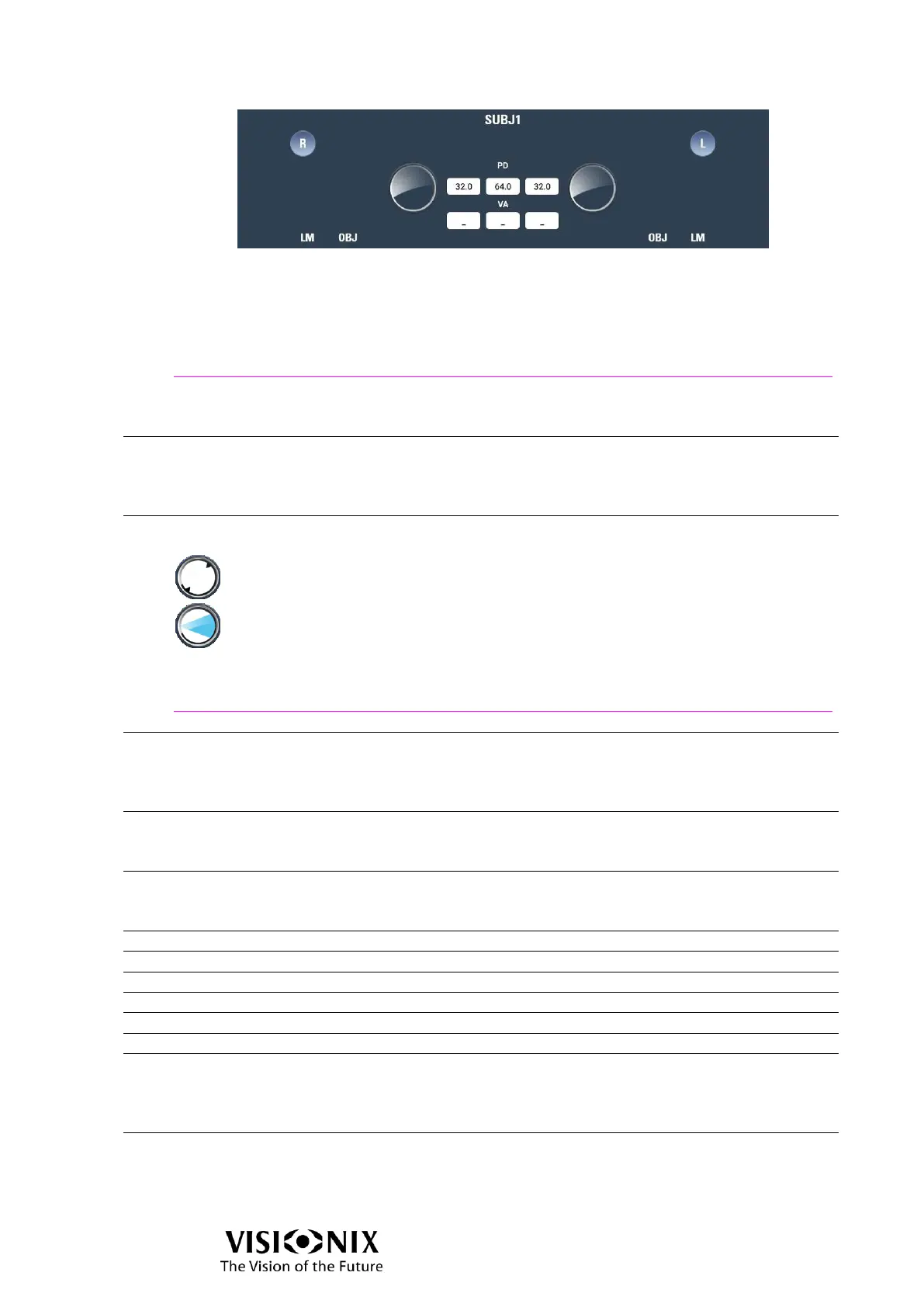
PD
Displays the pupillary distance. The value in the middle is total PD, the sum of the right
PD and the left PD.
To modify the PD, tap its value and adjust tapping on +/- buttons (#16/#18).
Status of the eyes & Accessories button
Displays the status of the eye (axis orientation, prisms and used accessories).
The angle of the axis is indicated by the two triangles at the edge of the circle.
The angle of the prism is indicated by a triangle: the base of the triangle
corresponds to the base of the prism.
Tap on the circle will open the accessories selector.
See also
Accessories page 36
VA
Displays the patient's visual acuity
Three values are displayed: the VA of the right eye, of the left eye, and between them
the binocular VA.
LM value
Displays the data of LM (6a: right eye; 6b left eye)
If there is no data, the values are 0.
OBJ value
Displays the data of OBJ (7a: right eye; 7b left eye)
If there is no data, the values are 0.
Addition (applied only in near vision position)
Prism (horizontal or power)
Step
The increment by which the currently selected value is raised or lowered each time the
Increase Value (#16) or Decrease Value (#18) buttons are tapped, or when the Adjust
Value dial (#17) is moved to the right or left one notch.
Input data button
Opens Input data pop-up which allows to load incoming data (OBJ, LM) or to set
manually the data.



 To Next Page