Red Maddox
Horizontal
or
Red Maddox Vertical
For phoria tests.
Horizontal on right eye
Vertical on left eye
For cylinder and axis adjustment
3 choices: ±0.25; ±0.50; DUAL
See also
Interface when cross cylinder is used page 37
How do I use the cross cylinder? page 72
For sphere or addition adjustment
±0.50D
For binocular vision tests
6 ∆ base-up on right eye
10 ∆ base-in on left eye
Tap on it to close the accessories selector.
Remarks:
Select an accessory taping on it in the accessories selector. It will close the selector, call the
accessory and the corresponding test.
Currently selected accessories are marked with a green check mark (#1 in the screenshot).
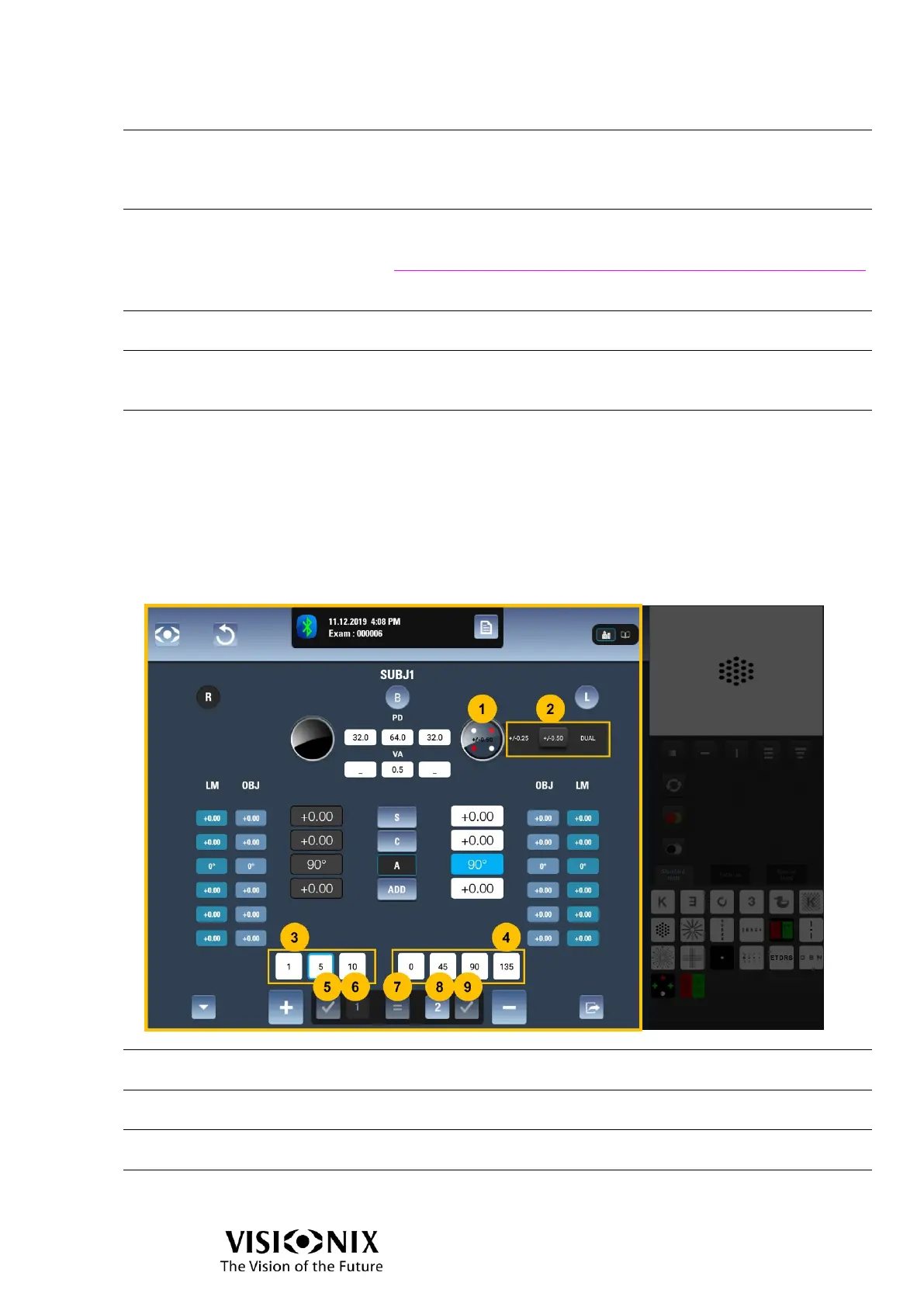
Interface when cross cylinder is used
Interface with +/-0.25 / +/-0.50 cross cylinder
Displays the current status of cross cylinder.
Cross-cylinder value
selector
Allows to select the cross cylinder value: ±0.25, ±0.50 or
DUAL.
Displayed only when axis is selected
Allows to select the step of modification of the axis
Displayed only when axis is selected



 To Next Page