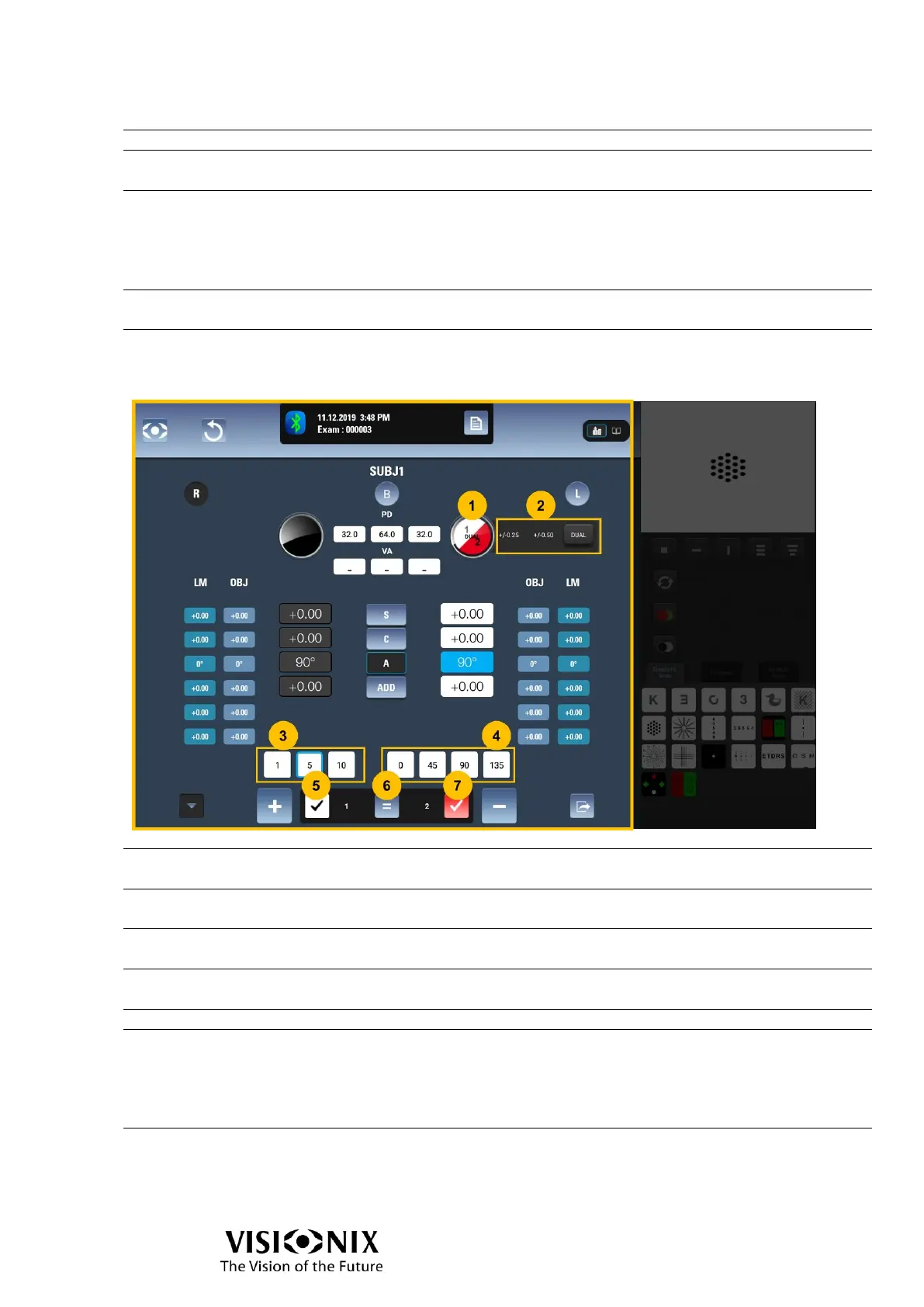
Allows to select directly special values of axis: 0/45/90/135°.
Validates the position ‘1’ is the preferred position.
Calls the “1” position of cross cylinder
When DUAL is used, only indication of ‘1’ (not a button).
Validates there is no preference between ‘1’ and ‘2’.
When axis is selected, click on equal moves to cylinder
selection.
When cylinder is selected, click on equal removes the cross
cylinder and selects sphere.
Calls the “2” position of cross cylinder
When DUAL is used, only indication of ‘2’ (not a button).
Validates the position ‘2’ is the preferred position.
Interface with DUAL cross cylinder
DUAL Cross-
cylinder display
Displays the current status of cross cylinder.
Cross-cylinder value
selector
Allows to select the cross cylinder value: ±0.25, ±0.50 or
DUAL.
Displayed only when axis is selected
Allows to select the step of modification of the axis
Direct access to axis
values
Displayed only when axis is selected
Allows to select directly special values of axis: 0/45/90/135°.
Validates the position ‘1’ is the preferred position.
Validates there is no preference between ‘1’ and ‘2’.
When axis is selected, click on equal moves to cylinder
selection.
When cylinder is selected, click on equal removes the cross
cylinder and selects sphere.
Validates the position ‘2’ is the preferred position.



 To Next Page