EasyManua.ls Logo

Visionix vx65 - Refraction Area

Visionix vx65
87 pages
Print Icon
To Next Page IconTo Next Page
To Previous Page IconTo Previous Page
Loading...
Using the VX65
VX65 User Guide
34 / 86
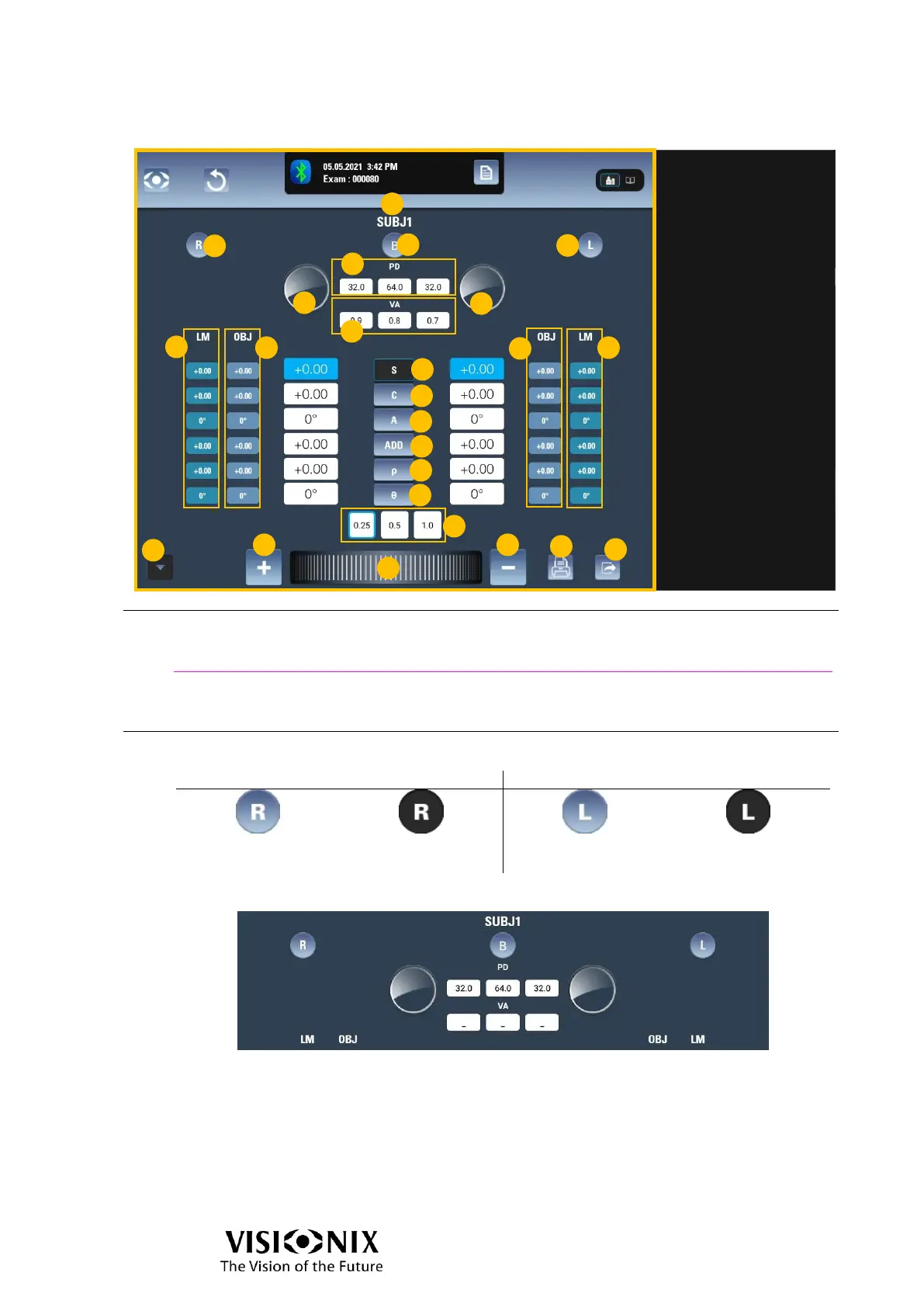
Refraction area
No.
Description
1
Selected data-set
The name of the data set that is currently active.
See also
How do I display other refractions? page 75
How do I copy/paste data? page 75
How do I clear data? page 75
2
Eye obturation buttons
The meaning of the display is:
Right eye
Left eye
Right eye is
opened
Right eye is closed
Left eye is opened
Left eye is closed
The number of buttons depends on the settings:
R/B/L mode activated in the settings
(2a): Open right eye, close left eye
(2b): Open both eyes
(2c): Close right eye, open left eye
1
2a
2b
2c
4a
4b
3
5
6a
7a
6b
7b
15
20
16
18
17
19
14
8
9
10
11
12
13

Table of Contents

Related product manuals