Setting up the System
Connecting the phoropter head to the phoropter arm
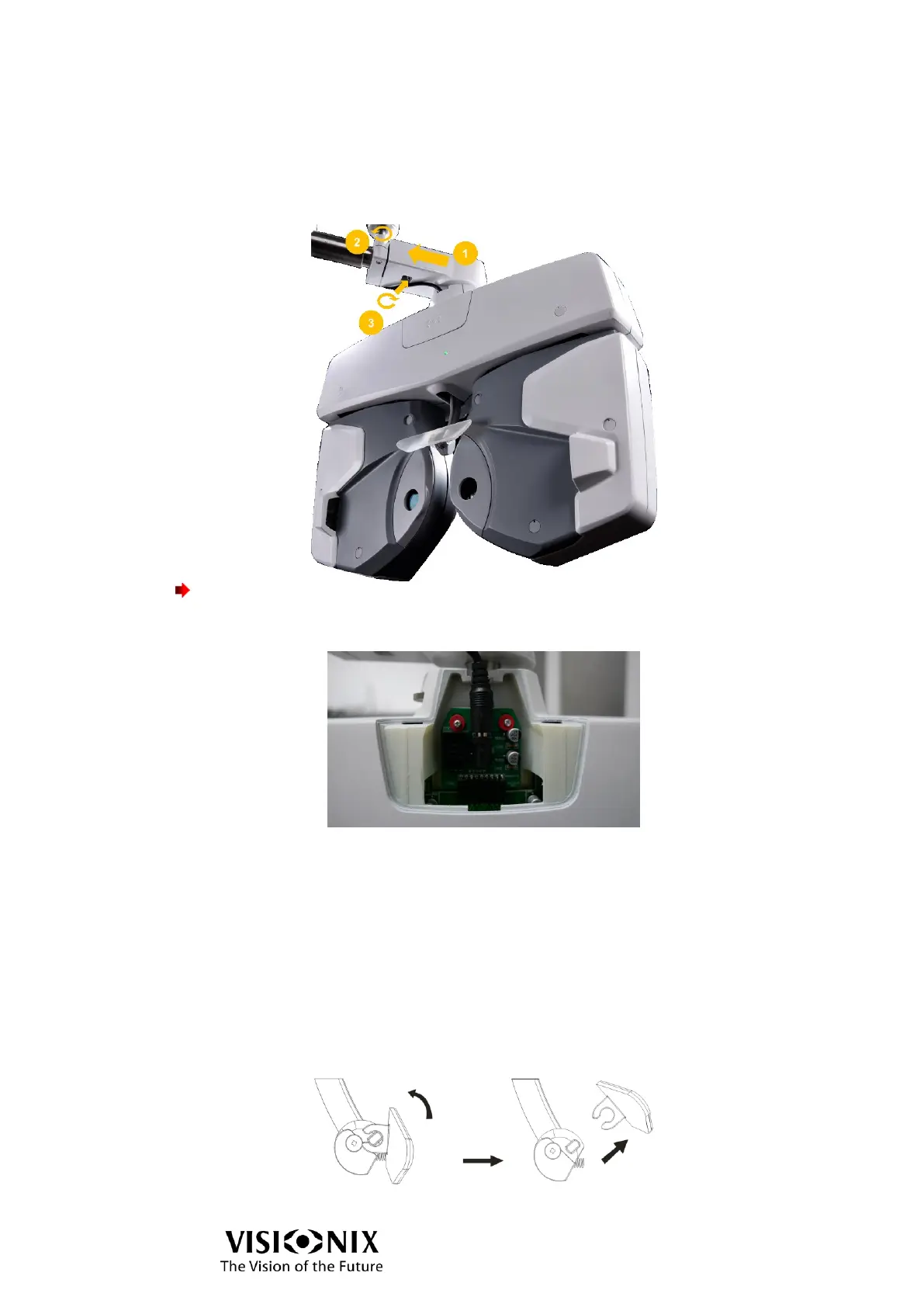
When connecting the phoropter head to the phoropter arm, it is very important to insert the
pole as shown in the picture below (1) and to secure with the screw (2).
Important!
➢ To prevent the unit from falling, make sure to secure the safety screw (3).
Plugging the phoropter head to main power
➢ Remove the trapdoor at the top of the unit.
➢ Plug the phoropter head to main power.
Note: as the VX65 is usually connected to a consultation unit, there is no ON / OFF button,
when the phoropter head is plugged in, it is switched on.
Attaching the face shield and forehead rest
➢ Attach the face shield to the forehead rest, as shown in the illustration.
The face shield is fixed by properly mating it with the face shield magnet.
To remove the forehead rest:
➢ See it from a side, turn it up and pull off.
To mount the forehead rest:
➢ Reversely follow the removing procedure.



 To Next Page