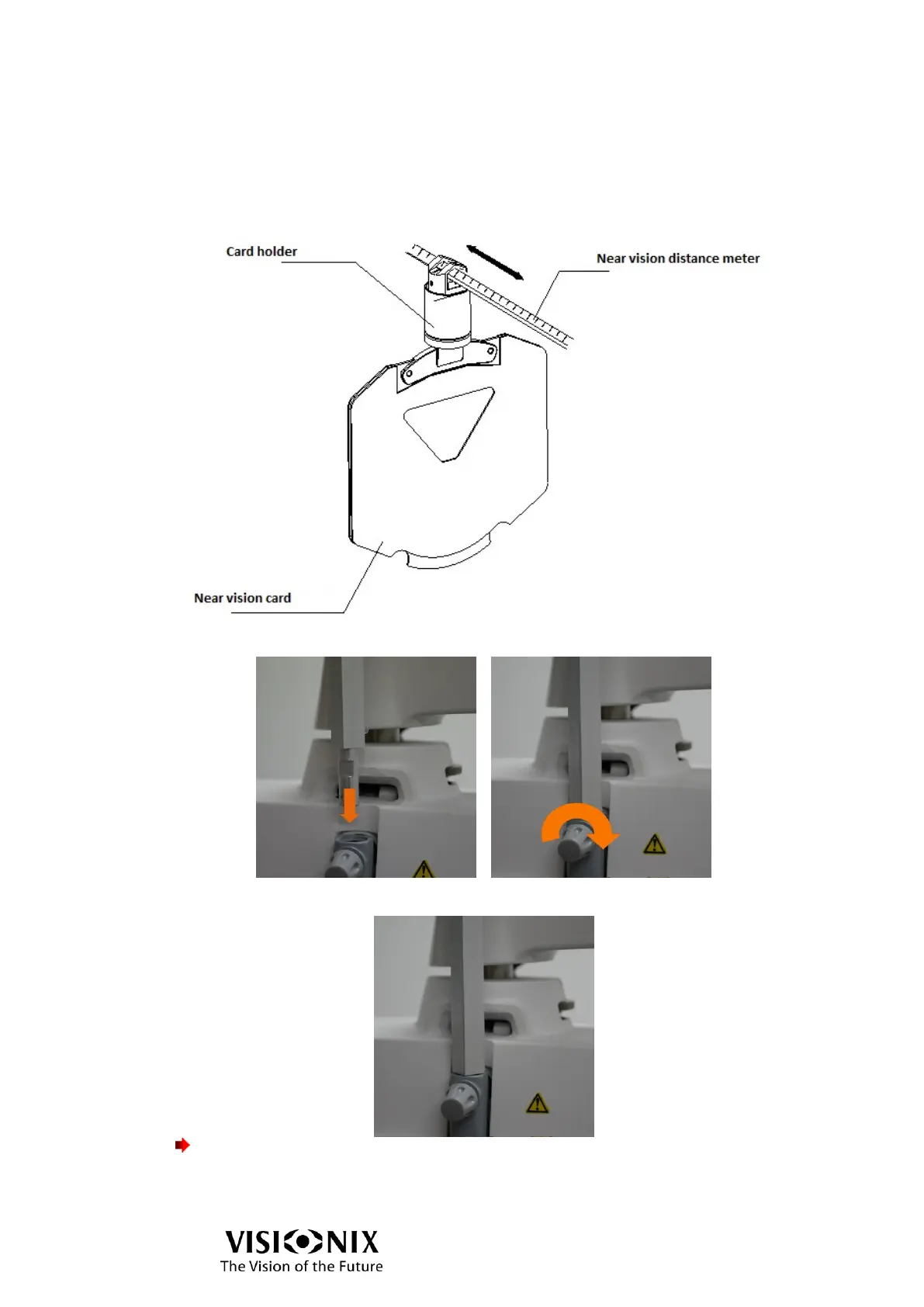
Assembling the near vision card
➢ Insert the card holder in the top end of the near vision rod.
The card holder is designed to slide along the rod.
➢ As shown in the illustration below, insert the near vision card in the spring attached to the
card holder.
➢ Insert the near vision rod into the near vision rod mount and firmly fasten with the set
screw.
When not in use:
➢ Hold it upright as shown in the picture below.
Important!
To avoid injury due to contact, do not bring the face close to the near vision rod.



 To Next Page