EasyManua.ls Logo

Visionix vx65 - Exam File Interface; Overview of the Exam File Interface

Visionix vx65
87 pages
Print Icon
To Next Page IconTo Next Page
To Previous Page IconTo Previous Page
Loading...
Using the VX65
VX65 User Guide
45 / 86
Exam File Interface
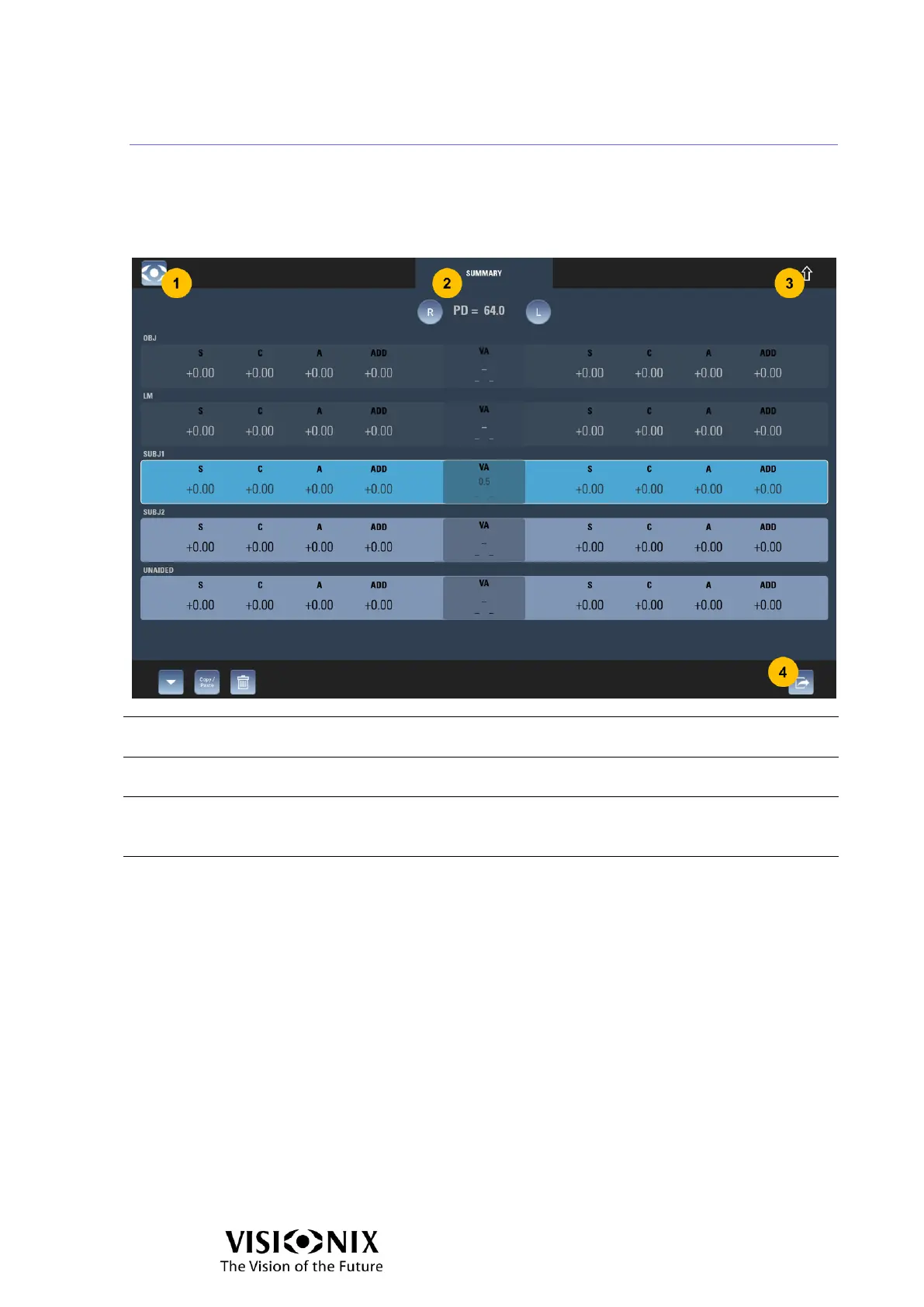
Exam file interface is an overview of all the refractions for the current exam. It allows to
compare different refraction, erase data, load data, copy /paste data.
Overview of the Exam File Interface
No.
Description
1
Menu button
Tap on it to open the Menu.
2
Summary title
It explains it is the summary of the eye exam.
3
Return button
Tap on it close the Exam file interface and display the previous interface (can be
examination interface manual mode or examination interface automatic mode).
4
End exam button
Tap on it to execute end the exam actions (export, reset the phoropter head and start
new exam).

Table of Contents

Related product manuals