Connecting the phoropter to the chart display
There are two possible configurations (1 & 2), first you need to check which one corresponds
to you:
● Configuration 1: your chart display is directly connected to the tablet.
● Configuration 2: your chart display is connected to the VXBox.
You need to set the VX65 application depending on the configuration you are in.
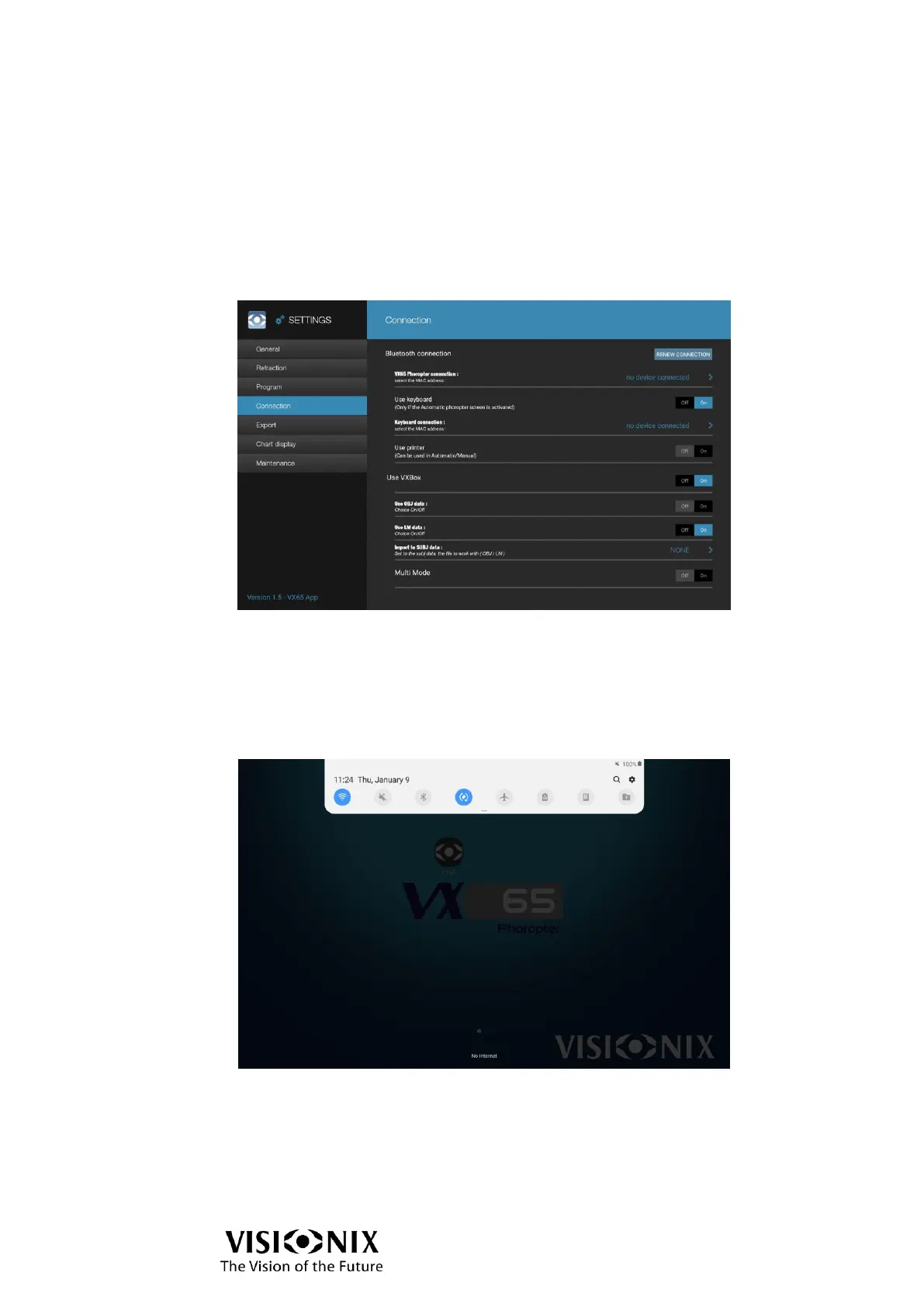
➢ Go to Menu > Settings > Connection.
The following interface is displayed:
Procedure related to Configuration 1 (chart display only):
Configure VX65
➢ Deactivate the Use VXBox.
Connect
➢ Make sure the Wi-Fi stick is connected before switching the chart display on.
➢ Go to the Settings menu of the tablet.
➢ Select Wi-Fi and activate it.
The device searches for the available Wi-Fi networks.
➢ Select the VX24/19ONLY.



 To Next Page