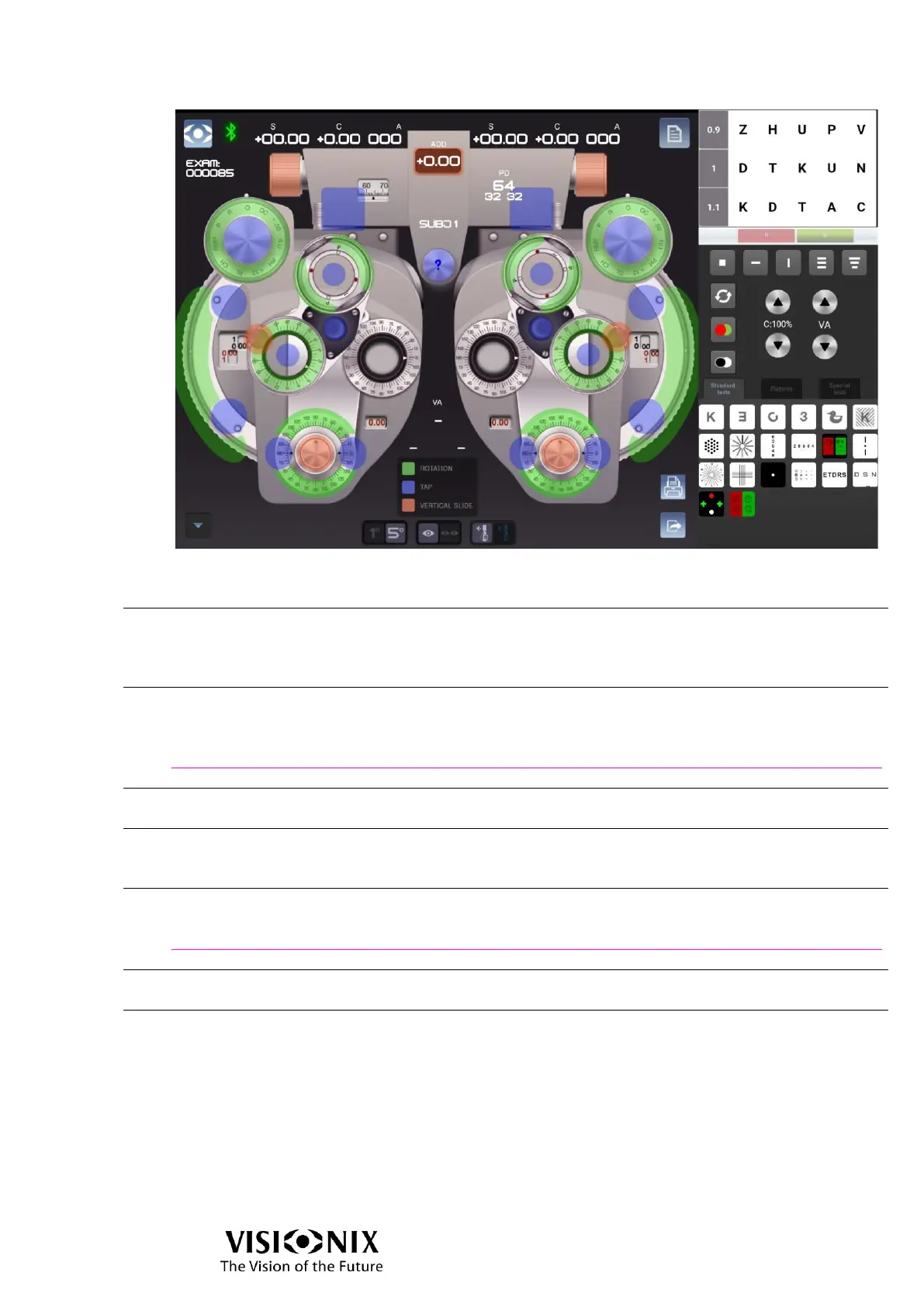
Red means you may slide the button to change the value.
Blue means you may tap the button to change the value.
Green means you may rotate the button to change the value.
Visual Acuity (VA) values:
Top middle: VA value both eyes
Bottom left: VA value right eye
Bottom right: VA value left eye
Input data button
Opens Input data pop-up which allows to load incoming data (OBJ, LM) or to set manually
the data.
See also
Input data window page 42
Axis step toggle
Selection between 1° step and 5° step.
Mono/Bino toggle
Selection between monocular modification and binocular modification.
Binocular modification is available for Sphere.
Manual interactions or retinoscopy buttons toggle
Selection between manual interaction and retinoscopy buttons.
See also
Retinoscopy activated page 32
Print button
Print exam report on the external printer.
Export button
Performs export actions and end the exam.



 To Next Page