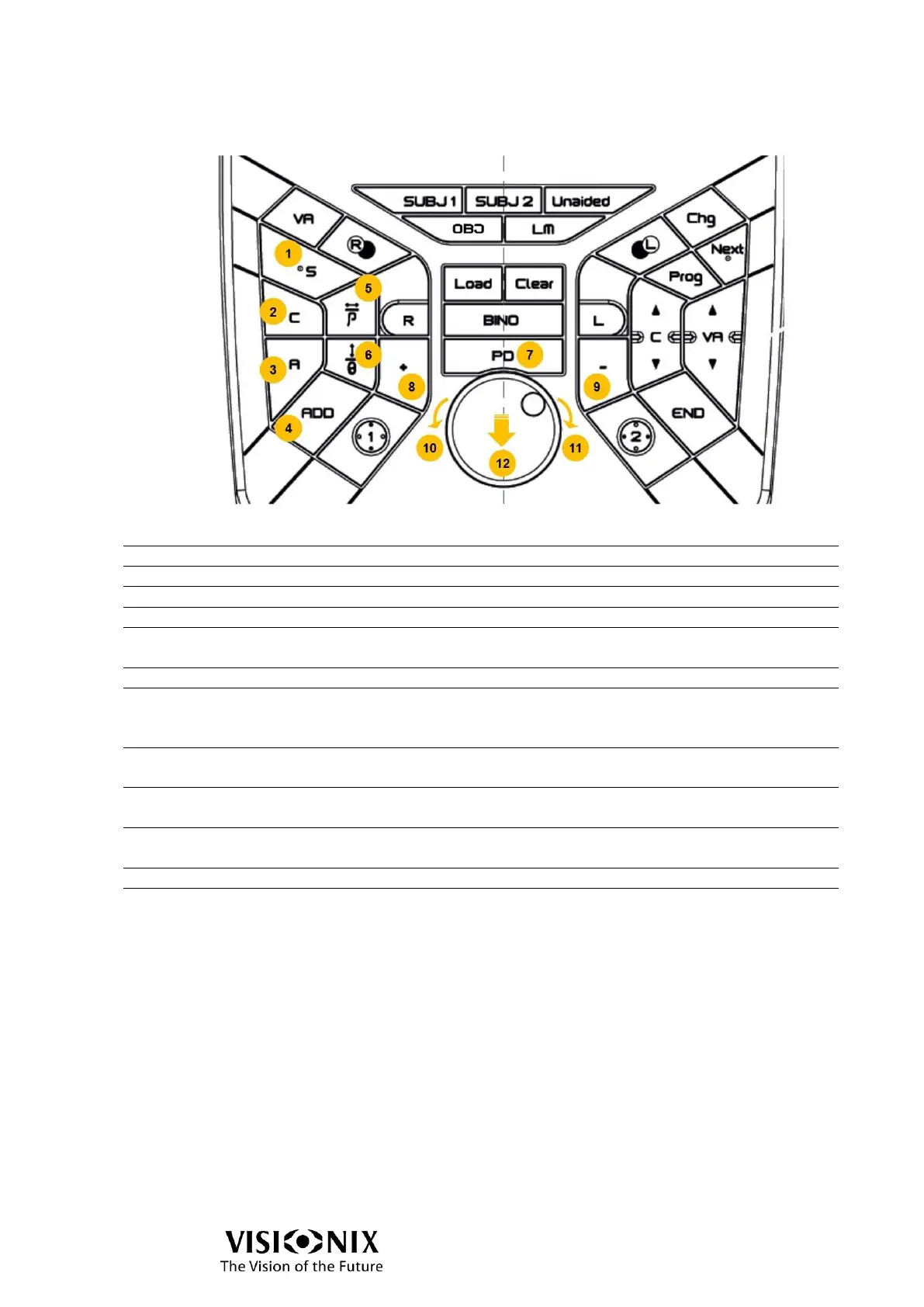
Click on it to select the Sphere.
Click on it to select the Cylinder.
Click on it to select the Axis.
Click on it to select the Addition.
Prism (horizontal or
power)
Click on it to select the Prism (horizontal or power).
Click on it to select the Prism (vertical or axis).
Click on it to adjust the PD value.
It selects by default PD bino and insert centering
crosses.
Click on it to increase the selected value. The value will
be changed according to the selected step.
Click on it to decrease the selected value. The value will
be changed according to the selected step.
Knob rotation anti
clockwise
Click on it to:
Go to the next field when refraction area is selected:
sphere > cylinder > axis > sphere > …
- OR –
Addition > Px > Py > Addition > …
Go to the next step of cross cylinder (equivalent to click
on = on the screen)
Remark:
For sphere, cylinder, axis, addition, prisms:
If 1 eye is opened, value of this eye will be selected.
If both eyes are opened, value of both eyes will be selected.



 To Next Page