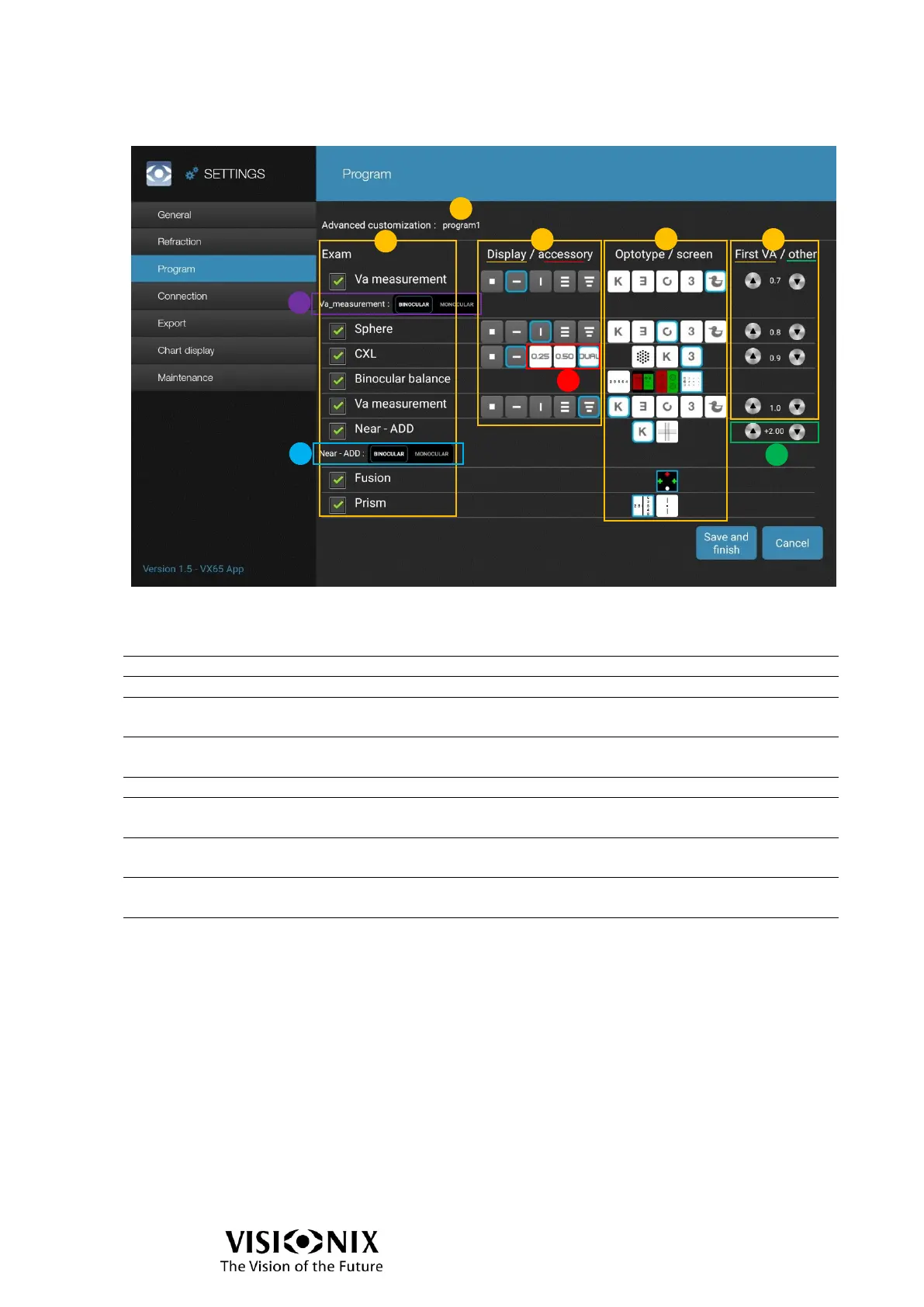
Program: Advanced customization
Current program to be configured.
Enable/Disable availability in the program.
Tap on a button to choose the type of optotype which will
be used for the corresponding test.
Tap on a button to choose the type of chart test to be
used for the corresponding test.
Default VA to be displayed at the beginning of the test.
Choose between binocular (right eye, left eye and then
both eyes) and monocular (right eye and then left eye).
Choose between binocular (both eyes) and monocular
(right eye and then left eye).
Tap on a button to choose the type of crossed cylinder to
be used for the corresponding test.
Default addition value to be added at the beginning of the
test.



 To Next Page