Operation
7.6 Operating the window wiper
120
Operator’s Manual | 4080T Basic Line | 1000408123 | 05/2019 | [en]
7.6
Operating the window wiper
7.6.1
Operating the front window wiper
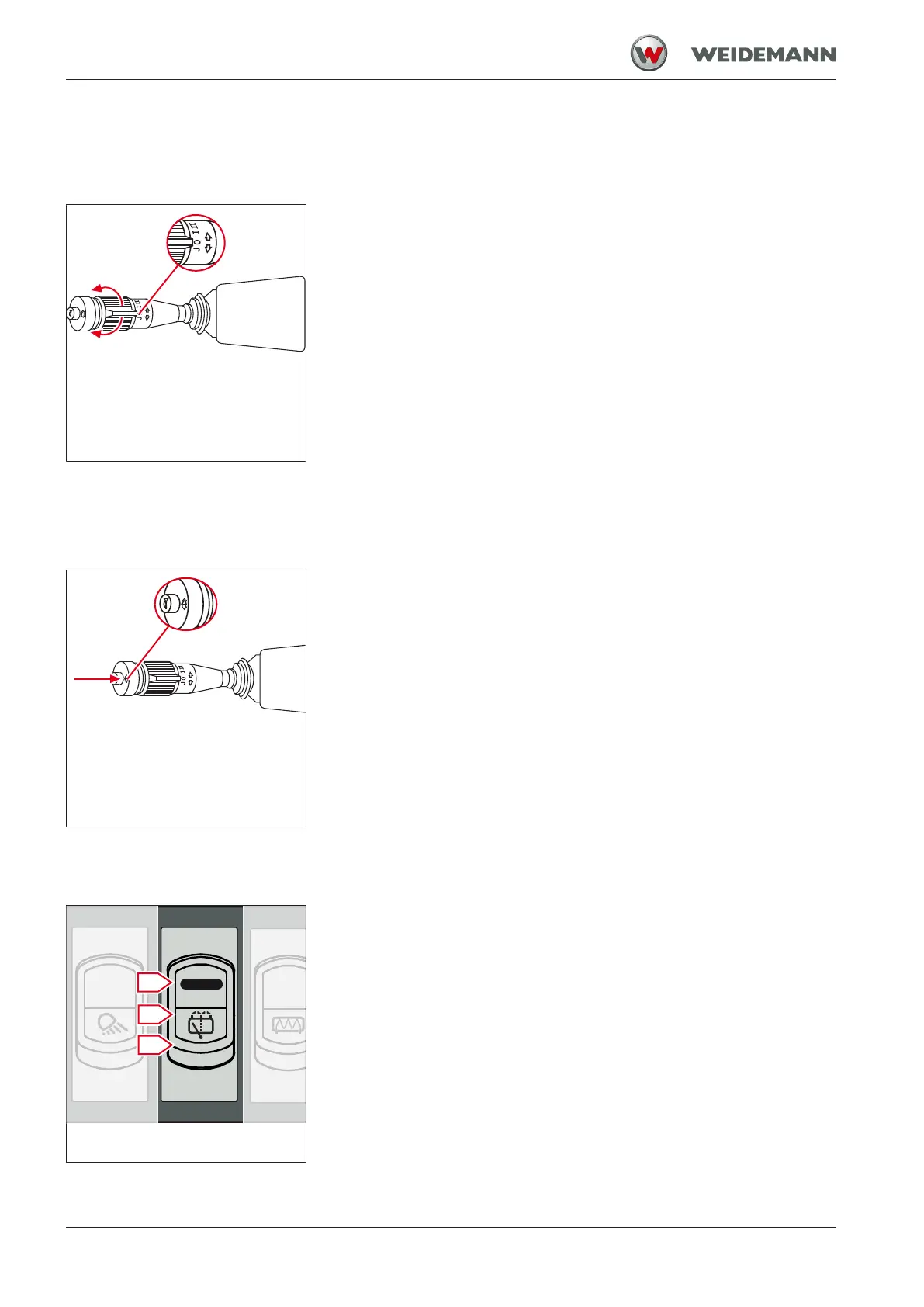
Fig.102: Operating the front window
wiper
The vehicle is equipped with a window wiper for the front window. The
window wiper is operated with the rotary switch on the steering column
switch.
1. Turn the rotary switch on the steering column switch to position J.
ð Interval wiping is switched on.
2. Turn the rotary switch on the steering column switch to position I.
ð Slow continuous wiping is switched on.
3. Turn the rotary switch on the steering column switch to position II.
ð Fast continuous wiping is enabled.
4. Turn the rotary switch on the steering column switch to position 0.
ð The window wiper returns to its initial position and is switched off.
7.6.2
Operating the front washer system
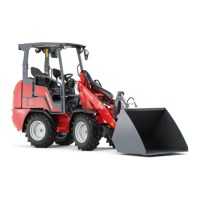
Fig.103: Operating the front washer
system
The washer system for the front window is operated with the switch on
the steering column switch.
1. Press and hold the switch on the steering column switch.
ð The front washer system is switched on.
2. Release the switch on the steering column switch.
ð The front washer system is switched off.
The tank for the washer system is located behind the rear cab wall in the
engine compartment. Check fill level regularly and refill if necessary. Fur-
ther information can be found in the chapter see Window wiper water
level on page 194.
7.6.3
Operating the rear window wiper and washer system
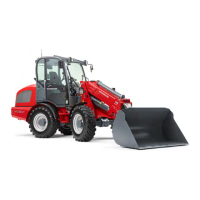
Fig.104: Switch for the rear window
wiper
The rear window wiper is operated with a switch in the switch panel in the
roof of the cab. The switch has three positions.
▪ Move the switch to position I.
ð Window wiper for the rear window is switched on.
▪ Move the switch to position II.
ð The washer system is switched on.
▪ Move the switch to position 0.
ð The window wiper and washer system are switched off.


 To Next Page