Need help?
Do you have a question about the Winkhaus blueMatic EAV4 and is the answer not in the manual?
Provides general information about the product and its usage.
Details the specific applications and conditions for the blueMatic EAV4/EAV4+ system.
Outlines incorrect usage scenarios and their implications for the locking system.
Defines warning symbols and icons used throughout the manual for clarity and safety.
Provides essential safety guidelines for installation and operation of the locking system.
Specific safety instructions and precautions for using the blueMatic EAV4+ system.
Safety advice for using smartphones in conjunction with the EAV4+ system.
Information regarding wireless operation, potential interference, and range.
Details about the doorControl app, its support, and requirements.
Safety considerations when using external access control systems with the lock.
Defines technical terms and abbreviations used in the manual.
Description of the autoLock AV4D system, its features, and operation.
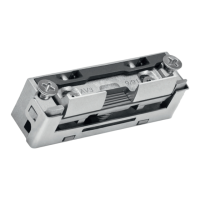
Details about the motor housing for EAV4 and EAV4+ models, including scope of delivery.
Information on the lock housing suitable for autoLock AV4D/AV4 and AV3 systems.
Description of keep rails, extension keeps, and single keeps for the locking system.
Details about center keeps for retrofitting with various door types and materials.
Explanation of the magnetic clip's function and usage with extension/single keep rails.
Information on magnetic clips combined with keeps for specific profile adjustments.
Details on spacer plates for profile adjustment of magnetic clip keeps.
Guidelines for routing cables and components for the locking system installation.
Instructions for installing and adjusting the magnetic clip for door status detection.
Procedure for adjusting the magnetic clip for optimal performance and tolerance compensation.
Information on cable transitions for connecting components between door sash and frame.
Detailed instructions for installing the T-KÜ-T1 cable transition sash and frame parts.
Step-by-step guide for assembling the motor housing plug and its connection.
Instructions for installing the T-HT KÜ M1188 cable transition, particularly for timber doors.
General guidelines and checks for the overall installation of the locking system.
Diagram illustrating the general wiring and connection of system components.
Instructions for connecting swing door drives or openers to the locking system.
Details on connecting to the programmable output for controlling swing door openers.
Using time control functions to manage swing door opener operations with the locking system.
Guidelines for integrating non-Winkhaus access control systems with the locking system.
General instructions for ACS installation on frame and sash sides.
Specific installation details for fingerprint ACS on the sash side.
Installation of ACS with tappet contact and fingerprint functionality.
Description and function of the T-LED EAV4+/BM+ STATUS accessory.
Explanation of the day/night function for managing access modes.
Details on how to lock and unlock the door using various methods.
Steps for initializing the EAV4+ system with the doorControl app.
Guide on how to set up a new lock or connect to an existing one via the app.
Instructions for scanning the QR code to identify and configure the lock.
Steps for naming and designating the locking system within the app.
Procedure for setting a secure password for the super administrator.
Explanation of user roles and rights management within the doorControl app.
Confirmation and final steps after successfully setting up a new lock.
Managing lock access and control via Bluetooth and WLAN connections.
How to use the doorControl app for various functions.
Instructions on how to unlock the door using the app via Bluetooth or WLAN.
Overview of app settings, including user, groups, and system configurations.
Guide to creating and configuring user groups and time profiles for access.
Instructions on creating, configuring, and managing user profiles within the app.
Accessing and modifying global settings and system information in the app.
Checking system status, app version, and firmware updates.
Managing firmware, parameters, help, and signal generator settings via the app.
Procedures for resetting the lock to factory settings.
How to reset to factory settings using the admin password.
Steps to reset to factory settings without an admin password using a reset switch.
Specifications for the DIN rail mountable power supply unit.
Technical details of the frame power supply, including input, output, and dimensions.
Specifications for the EAV4 motor housing, including voltage, current, and dimensions.
Specifications for the EAV4+ motor housing, including WLAN and Bluetooth details.
General specifications and sash part details for the T-KÜ-T1 FT cable transition.
Technical requirements and limitations for the doorControl app.
Description and function of the test device for checking locking system functions.
Information on the LED accessory for status indication and motor feedback.
Classification of electromechanical locks based on EN 14846 standards.
Details on the DIN 18251-3 certification for safety-relevant characteristics.
 General
| Brand | Winkhaus |
|---|---|
| Model | blueMatic EAV4 |
| Category | Door locks |
| Language | English |


 To Next Page