5107364126
5
EN
blueMatic EAV4 / EAV4+ Installation, Operating and
Maintenance Instructions
Aug. Winkhaus GmbH & Co. KG ∙ Berkeser Straße 6 ∙ 98617 Meiningen
T +49 369 3950 - 0 ∙ www.winkhaus.com ∙ Subject to technical changes
Attention!
The admin’s app password must be available!
5.4 Reset options
5.4.1 Reset to factory settings
(with existing admin password)
A reason for resetting the factory settings can be a house sale, for instance.
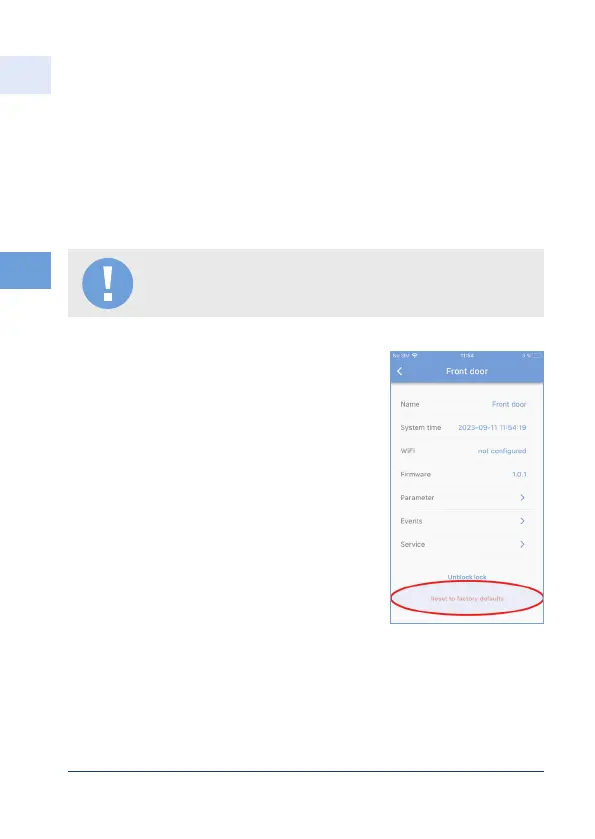
Then select "Teach in new lock" in the app and
afterwards the option "Reset to factory settings"
Result all users/other settings deleted
If the locking system is to be taught in again, the
initialisation QR code must be available see
Chapter 5.1 First initialisation.



 To Next Page