510736494
5
EN
blueMatic EAV4 / EAV4+ Installation, Operating and
Maintenance Instructions
Aug. Winkhaus GmbH & Co. KG ∙ Berkeser Straße 6 ∙ 98617 Meiningen
T +49 369 3950 - 0 ∙ www.winkhaus.com ∙ Subject to technical changes
5 App doorControl
5.1 Initialization
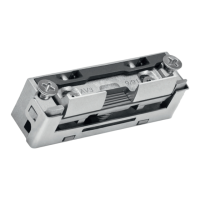
Install the electronic locking system EAV4+ according to the specifications in
Chapters 1 – 4 and establish the electrical connection. The locking system is then
ready to be taught and administered in the smartphone of the respective door
owner, for instance.
The Winkhaus doorControl app is designed to administer various users and
groups, including time profiles, with regard to their authorisation and to enable
unlocking via smartphone. Various locking settings and logging via app are also
possible. The app is available for iOS and Android in German, English, Spanish,
French, Dutch and other languages.
Notice: Initial initialisation is only possible via Bluetooth® (not
WLAN). Bluetooth® must be activated on the smartphone!
When initialising, check whether a current update is available
and if so, install it.
Recommendation: enable automatic app updates.
Notice:
Always store the QR code securely – protected against
use / copying by unknown persons.
Attention! Make sure to initialise the app! Unused QR code
contains access data and can be misused!



 To Next Page