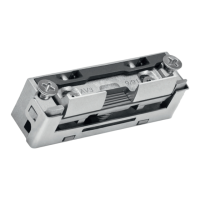
blueMatic EAV4 / EAV4+ 510736415Installation, Operating and
Maintenance Instructions
1
EN
Aug. Winkhaus GmbH & Co. KG ∙ Berkeser Straße 6 ∙ 98617 Meiningen
T +49 369 3950 - 0 ∙ www.winkhaus.com ∙ Subject to technical changes
https://www.winkhaus.com/doorControl
1.5.4 Notes on the doorControl App (only EAV4+)
• Support period for the app after product discontinuation: 2 years
• Available app languages: EN/EN/ES/NL/FR as well as in other national
languages
• Before initial start-up, it is strictly mandatory to check whether a (firmware)
update is available and installed!
• During the firmware update, the system cannot be used or can only be used
to a limited extent!
• Never disconnect the system from the power supply during the update
process! Damage may occur as a result. Repeat the update.
• In the case of tappet contacts, the door sash must be closed during the
update!
• Due to the large number of mobile devices/smartphones available, it cannot
be guaranteed that the Winkhaus doorControl App will work on all devices
and in full, see also doorControl website (FAQ).
• A Bluetooth® or WLAN connection is required to use the app (not necessarily
an Internet connection).
• Only app and firmware updates require an Internet connection of the
smartphone.
Notice: The lock does not connect to the Internet, but only to
the smartphone via WLAN.
Winkhaus records the following telemetric data for analysis and root cause
research:
• Number of motor cycles
• Under voltage
• Poor operation/movement
• Opening attempts
• Operating system/version + smartphone type
• App/firmware version
• Within the app, only the smartphone functions of the camera are used (to
scan the QR code).



 To Next Page