5107364128
5
EN
blueMatic EAV4 / EAV4+ Installation, Operating and
Maintenance Instructions
Aug. Winkhaus GmbH & Co. KG ∙ Berkeser Straße 6 ∙ 98617 Meiningen
T +49 369 3950 - 0 ∙ www.winkhaus.com ∙ Subject to technical changes
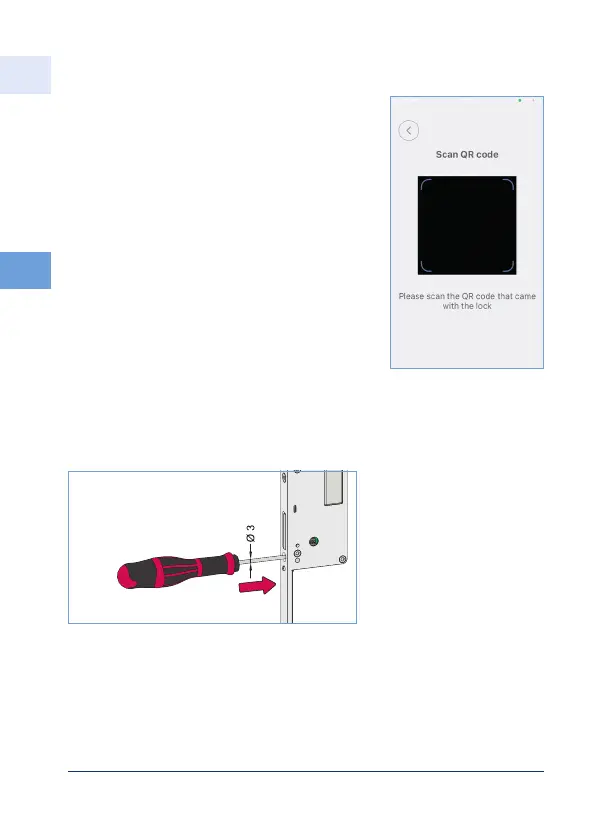
Figure 5.4.2-2:
Insert a thin object (e.g.
screwdriver or wire with
a diameter of approx.
3 mm) straight into the
hole
• Briefly press reset switch with 3 mm
screwdriver or similar within 10 seconds.
• Message in app: "Restored to factory
settings"
• Then reinsert the screw and tighten it.
Before pressing the reset switch, it must be
activated via the app and is then active for
10 seconds.
• Scan QR code with the app (e.g. on motor
housing label)
• In the app, select "Teach in new lock", after
that the "Reset to factory settings" option.



 To Next Page