• When replacing the black imaging kit, save the cyan, magenta, and yellow developer units from the used
imaging kit.
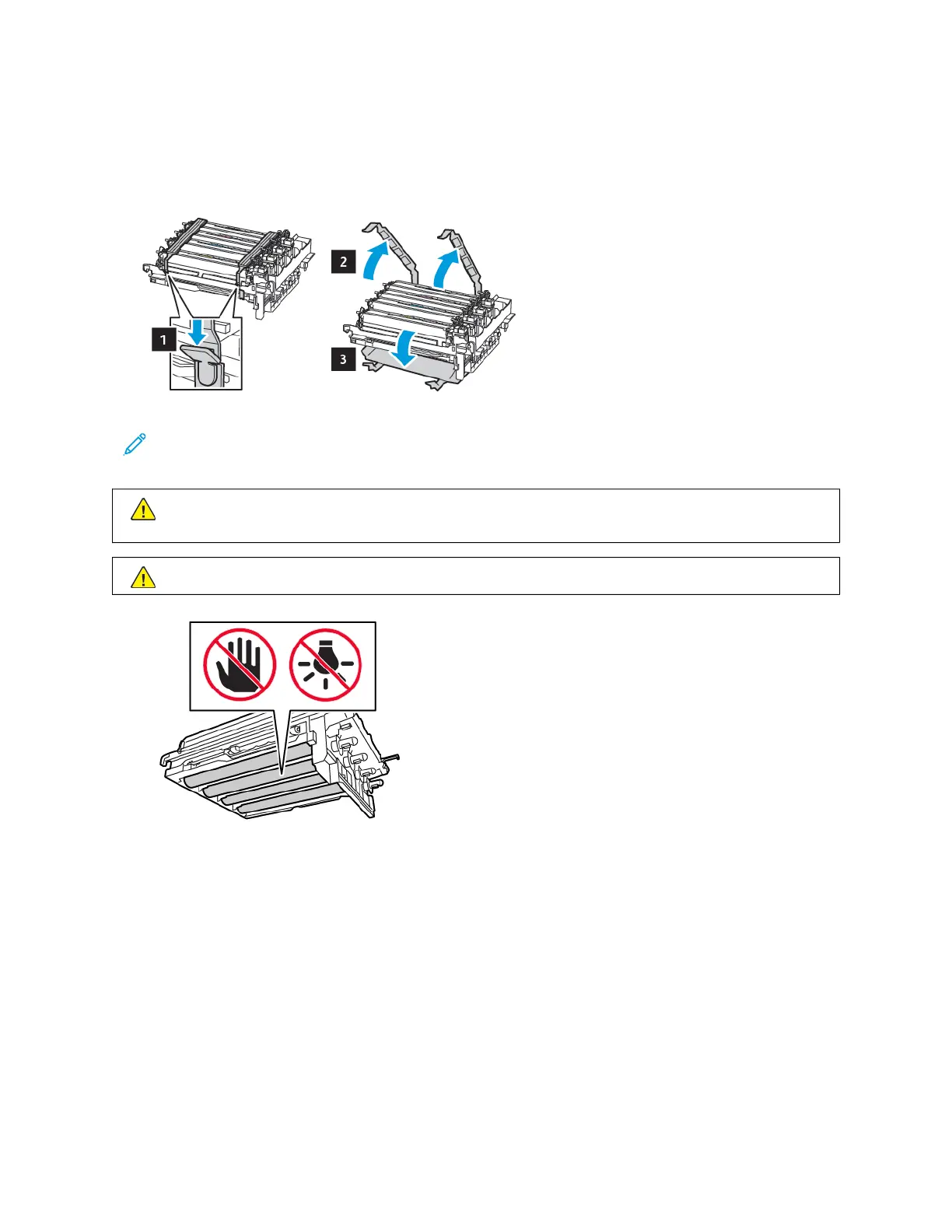
8. Remove the packing material.
Note: If you are replacing the black imaging kit, then insert the magenta, cyan, and yellow developer units
into the new imaging kit.
WWaarrnniinngg:: Do not expose the imaging kit to direct light. Extended exposure to light may cause print
quality problems.
WWaarrnniinngg:: Do not touch the photoconductor drum. Doing so may affect the quality of future print jobs.
Xerox
®
C310 Color Printer User Guide 159
Maintain the Printer





 To Next Page