78 / 99 www.xovis.com
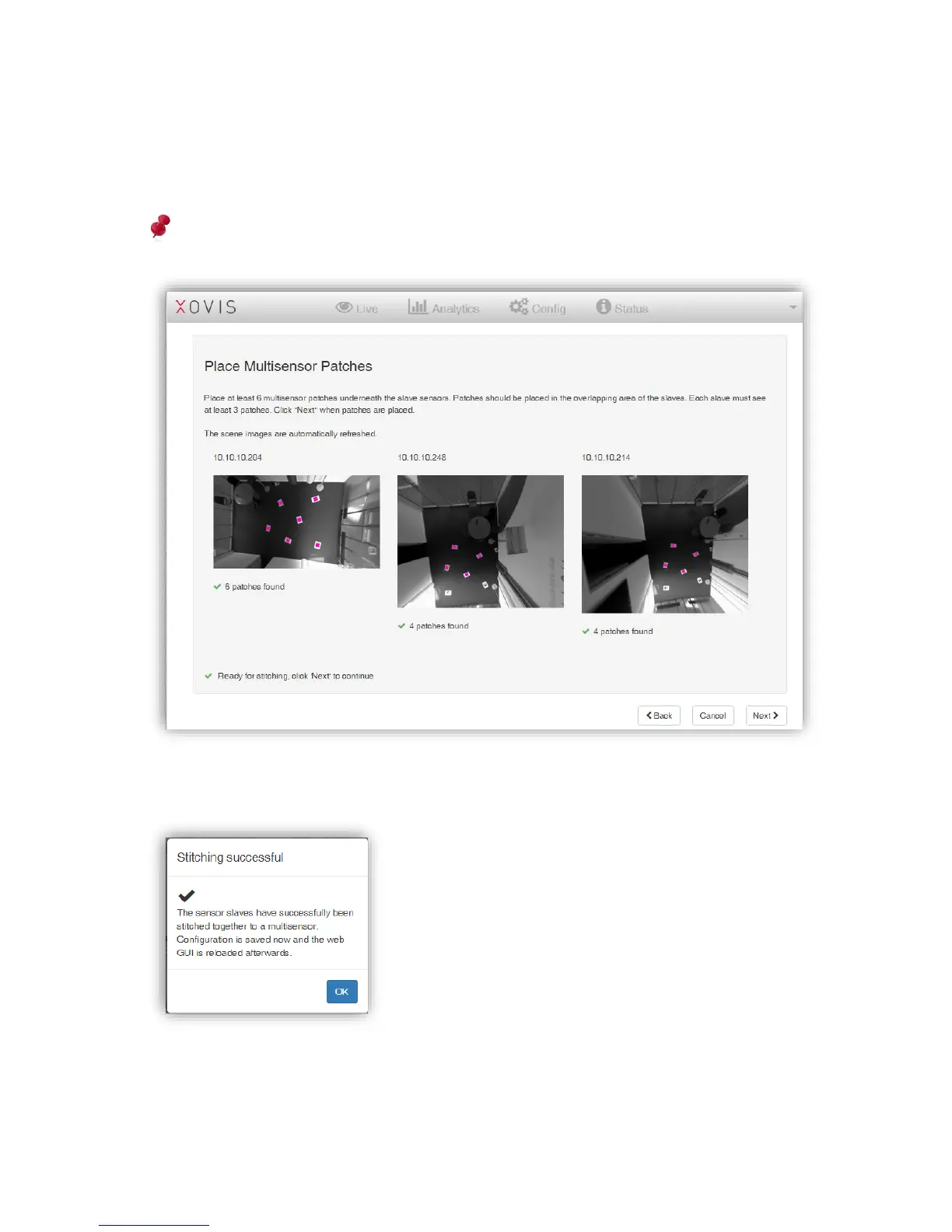
On the stitching screen the wizard indicates the number of tags recognized through each
sensor. The accepted tags will be highlighted in purple color. If there are enough visible tags
(at least 3 per sensor), the notification “Ready for stitching” appears on the bottom left side.
Attention: Make sure to never use a specific tag (e.g. ‘A’) more than once in a multisensor
stitching process.
After clicking on the button “Next” the master sensor performs the stitching and confirms it
with the following popup:
After clicking “OK”, the GUI is reloaded. The “Live” and the “Config” tab now contain a “Multi-
Sensor” and a “Single-Sensor”-View.



 To Next Page