6-1
6
Maintenance and Inspection
6
Maintenance and Inspection
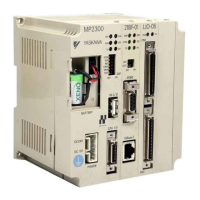
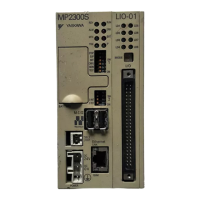
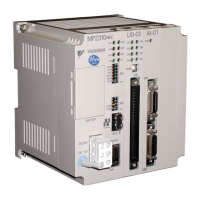
This chapter explains daily and regular inspection items to ensure that the MP2300 can always
be used at its best conditions.
6.1
Inspection Items
- - - - - - - - - - - - - - - - - - - - - - - - - - - - - - - - - - - - - - - - - - 6-2
6.1.1
Daily Inspections
- - - - - - - - - - - - - - - - - - - - - - - - - - - - - - - - - - - - - - - - - - - - - - - - - - 6-2
6.1.2
Regular Inspections
- - - - - - - - - - - - - - - - - - - - - - - - - - - - - - - - - - - - - - - - - - - - - - - - 6-3
6.2
Replacing the Basic Module Battery
- - - - - - - - - - - - - - - - - - - - - - - - - - - - 6-4
6.2.1
Procedure
- - - - - - - - - - - - - - - - - - - - - - - - - - - - - - - - - - - - - - - - - - - - - - - - - - - - - - - 6-4
6.3
Troubleshooting
- - - - - - - - - - - - - - - - - - - - - - - - - - - - - - - - - - - - - - - - - - 6-5
6.3.1
Basic Flow of Troubleshooting
- - - - - - - - - - - - - - - - - - - - - - - - - - - - - - - - - - - - - - - - 6-5
6.3.2
MP2300 Error Check Flowchart
- - - - - - - - - - - - - - - - - - - - - - - - - - - - - - - - - - - - - - - 6-6
6.3.3
LED Indicators
- - - - - - - - - - - - - - - - - - - - - - - - - - - - - - - - - - - - - - - - - - - - - - - - - - - 6-7
6.4
Troubleshooting System Errors
- - - - - - - - - - - - - - - - - - - - - - - - - - - - - - - 6-9
6.4.1
Outline of System Registers
- - - - - - - - - - - - - - - - - - - - - - - - - - - - - - - - - - - - - - - - - - 6-9
6.4.2
Accessing System Registers
- - - - - - - - - - - - - - - - - - - - - - - - - - - - - - - - - - - - - - - - 6-10
6.4.3
Troubleshooting When ERR is Lit
- - - - - - - - - - - - - - - - - - - - - - - - - - - - - - - - - - - - - 6-12
6.4.4
Troubleshooting When ALM is Lit
- - - - - - - - - - - - - - - - - - - - - - - - - - - - - - - - - - - - - 6-13
6.4.5
System Register Configuration and Error Status
- - - - - - - - - - - - - - - - - - - - - - - - - - - 6-14
6.5
Motion Program Alarms
- - - - - - - - - - - - - - - - - - - - - - - - - - - - - - - - - - - - 6-24
6.5.1
Motion Program Alarm Configuration
- - - - - - - - - - - - - - - - - - - - - - - - - - - - - - - - - - - 6-24
6.5.2
Motion Program Alarm Code List
- - - - - - - - - - - - - - - - - - - - - - - - - - - - - - - - - - - - - 6-24
6.6
List of Causes for Command Error Occurrence
- - - - - - - - - - - - - - - - - - - 6-26
6.7
Troubleshooting Motion Errors
- - - - - - - - - - - - - - - - - - - - - - - - - - - - - - - 6-30
6.7.1
Overview of Motion Errors
- - - - - - - - - - - - - - - - - - - - - - - - - - - - - - - - - - - - - - - - - - 6-30
6.7.2
Motion Error Details and Corrections
- - - - - - - - - - - - - - - - - - - - - - - - - - - - - - - - - - - 6-31
6.7.3
Servo Driver Status and Servo Driver Error Codes
- - - - - - - - - - - - - - - - - - - - - - - - - 6-36



 To Next Page