APPLICATIONS OF Σ-SERIES PRODUCTS
3.7.2 Using Servo ON Input Signal
132
3.7.2 Using Servo ON Input Signal
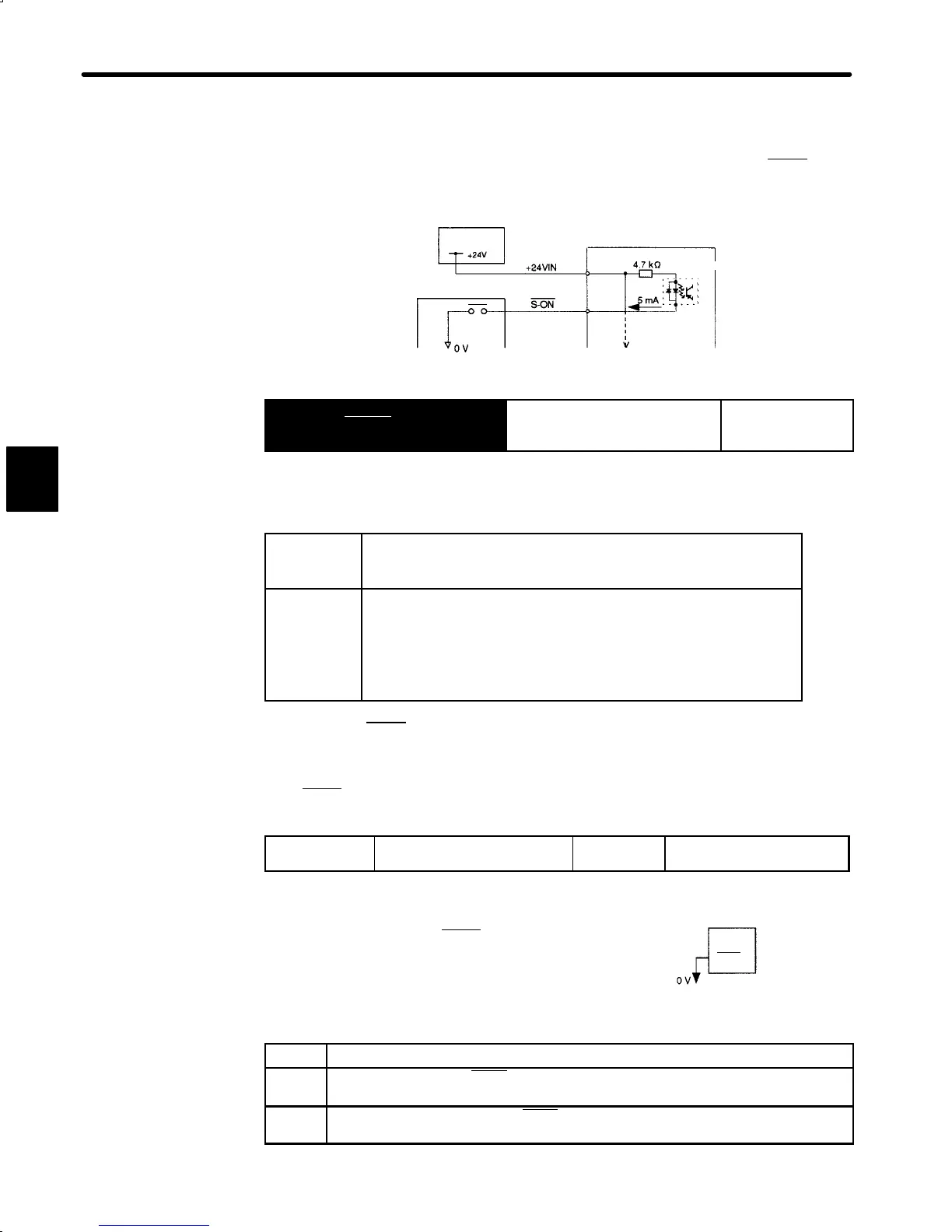
1) This section describes how to wire and use contact input signal “servo ON (S-ON).” Use
this signal to forcibly turn the servomotor OFF from the host controller.
I/O power
supply
Servopack
Host controller
Photocoupler
1CN-47
1CN-40
→ Input S-ON 1CN-40
Servo ON For Speed/Torque
Control and
Position Control
This signal is used to turn the motor ON or OFF.
ON: 1CN-40
is at low
level
Turns the motor ON. This is normal operation state. Motor is oper-
ated according to input signals.
(called “servo ON state”).
OFF:
1CN-40 is at
high level
Turns the motor OFF. This is inoperable state (called “servo OFF
state“).
If the servo is turned OFF during motor operation, the motor is decel-
erated to a stop by applying dynamic brake (standard setting).
This function can be selected by setting bits 6 and 7 of memory
switch Cn-01.
NOTE Do not use the S-ON
signal to start or stop the motor. Always use an input reference to
start and stop the motor.
2) If the S-ON
signal is not to be used, set the following memory switch to 1:
Cn-01 Bit 0
Use of Servo ON Input Signal Factory
Setting: 0
For Speed/Torque Control
and Position Control
This memory switch is used to enable or disable
the servo ON input signal S-ON
(1CN-40).
When external short-circuit wiring is omitted, set
the memory switch to “1.”
Setting Meaning
0
Uses servo ON signal S-ON.
(When 1CN-40 is open, servo is OFF. When 1CN-14 is at 0 V, servo is ON.)
1
Does not use servo ON signal S-ON.
(Always servo is ON. Equivalent to shortcircuit 1CN-14 and 0V.)
3
Servopack
When S-ON is not used, this short-circuit
wiring can be omitted.
1CN-40
(S-ON)


 To Next Page
 Loading...