EasyManua.ls Logo

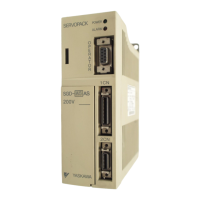
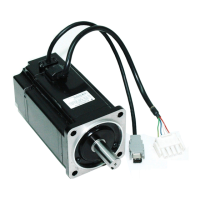
YASKAWA SGM H Series - User Manual

YASKAWA SGM H Series
615 pages
Print Icon
To Next Page IconTo Next Page
Loading...
(217) 352-9330 | sales@artisantg.com | artisantg.com
-~
ARTISAN
®
~I
TECHNOLOGY
GROUP
Your
definitive source
for
quality
pre-owned
equipment.
Artisan Technology
Group
Full-service,
independent
repair
center
with
experienced
engineers
and
technicians
on staff.
We
buy
your
excess,
underutilized,
and
idle
equipment
along
with
credit
for
buybacks
and
trade-ins
.
Custom
engineering
so
your
equipment
works
exactly as
you
specify.
Critical
and
expedited
services
Leasing
/
Rentals/
Demos
In
stock/
Ready-to-ship
!TAR-certified
secure
asset
solutions
Expert
team
I
Trust
guarantee
I
100%
satisfaction
All
tr
ademarks,
br
a
nd
names, a
nd
br
a
nd
s a
pp
earing here
in
are
th
e property of
th
e
ir
r
es
pecti
ve
ow
ner
s.
Find the Yaskawa SGDM-08ADA at our website: Click HERE

Table of Contents

Questions and Answers

  • G
    Gail GlassAug 10, 2025
    What to do if YASKAWA SGM H show a dividing ratio setting error?
    • A
      Anthony EllisAug 11, 2025
      If your YASKAWA Servo Drives are showing a dividing ratio setting error, it could be due to an incorrect setting of the dividing ratio (Pn212). This setting might be unacceptable or exceed the value for the connected encoder resolution. To resolve this, correct the setting of Pn212, then turn the control power OFF and then ON again. Alternatively, the error could be caused by a fault in the SERVOPACK EEPROM or the related circuit, in which case, you should replace the SERVOPACK.
  • H
    harristhomasAug 15, 2025
    Why YASKAWA SGM H display 'Encoder Model Unmatched' error?
    • J
      John CannonAug 15, 2025
      If your YASKAWA Servo Drives display an 'Encoder Model Unmatched' error, it could be because the connected serial encoder is not supported by the SGDM SERVOPACK. The suggested solution is to replace the servomotor with an SGDM SERVOPACK supported model. Another potential cause is a SERVOPACK board fault, which would require replacing the SERVOPACK.
  • G
    Gloria CurryAug 21, 2025
    What to do if YASKAWA SGM H Servo Drives show Parameter Setting Error?
    • M
      Mallory HessAug 21, 2025
      If YASKAWA Servo Drives display a Parameter Setting Error, it could be due to an out-of-range parameter being set or loaded. Try resetting all parameters within the range or reload the correct parameter. If the issue persists, the circuit board (1PWB) may be defective, requiring replacement of the servo amplifier.
  • D
    Darrell MejiaAug 26, 2025
    What causes YASKAWA Servo Drives to display A.02 Parameter Breakdown?
    • T
      Todd TorresAug 26, 2025
      The A.02 Parameter Breakdown error in YASKAWA Servo Drives can be caused by a power interruption during parameter writing, leading to an alarm upon the next power cycle. It may also indicate a defective circuit board (1PWB). To resolve this: * Initialize parameters using Fn005, then re-enter the settings. * If the problem continues, replace the servo amplifier.
  • T
    theresa13Aug 30, 2025
    What to do if YASKAWA SGM H Servo Drives show Servomotor and Amplifier Combination Error?
    • S
      Steven MedinaAug 30, 2025
      If your YASKAWA Servo Drives are showing a Servomotor and Amplifier Combination Error, it could be due to exceeding the acceptable range of servomotor capacities. In this case, replace the servomotor to achieve an acceptable combination. Another potential cause is improperly written encoder parameters, which would also necessitate replacing the servomotor.
  • A
    aaroncraigSep 4, 2025
    Why YASKAWA Servo Drives display Main Circuit Detection Error?
    • T
      Theresa BakerSep 4, 2025
      YASKAWA Servo Drives may display a Main Circuit Detection Error if the circuit board (1PWB or 2PWB) is defective. The suggested solution is to replace the servo amplifier.

YASKAWA SGM H Series Specifications

General IconGeneral
SeriesSGM H Series
TypeServo Drives
ManufacturerYASKAWA
Power Range0.05 kW to 15 kW
Rated Output PowerVaries by model (0.05 kW to 15 kW)
Communication InterfaceMECHATROLINK-II, MECHATROLINK-III, EtherCAT
Protection ClassIP65 (excluding shaft-through portion)
Protection FeaturesOvercurrent, Overvoltage, Undervoltage, Overheating, Encoder Error
Ambient Temperature0°C to +40°C (without freezing)
Cooling MethodNatural Cooling, Forced Air Cooling (depending on model)
WeightVaries by model (0.5 kg to 10 kg)
Voltage Rating200 V to 400 V

Related product manuals