EasyManua.ls Logo

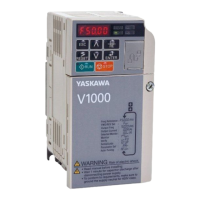
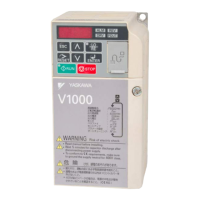
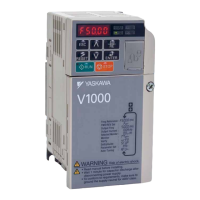
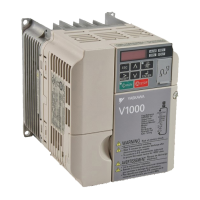
YASKAWA V1000 - User Manual

YASKAWA V1000
231 pages
Print Icon
To Next Page IconTo Next Page
Loading...

Table of Contents

Other manuals for YASKAWA V1000

Questions and Answers

  • M
    Monica MossSep 12, 2025
    How to prevent YASKAWA Media Converter motor from overheating due to overexcitation?
    • M
      Maria SullivanSep 12, 2025
      If the YASKAWA Media Converter motor overheats due to overexcitation, it increases the motor losses and temperature, potentially causing damage if prolonged. Prevent excessive overexcitation or apply proper cooling to the motor. Reduce the excitation deceleration gain (n3-13) and set L3-04 (Stall Prevention during Deceleration) to a value other than 4.
  • M
    Mario CastroSep 12, 2025
    What to do if YASKAWA Media Converter shows Option Communication Error?
    • C
      Cynthia NortonSep 12, 2025
      If you are experiencing an option communication error with your YASKAWA Media Converter, it could be due to several reasons: * No signal received from the PLC: Check for faulty or loose wiring and short circuits. Repair as needed. * Faulty communication cable or a short circuit: Inspect the cable for damage. * Damaged option card: If wiring is not the issue, replace the option card. * Improperly connected option card: Reinstall the option card, ensuring the connector pins are correctly aligned.
  • C
    ccastanedaSep 10, 2025
    How to troubleshoot option card fault in YASKAWA DC Drives?
    • E
      Erica GibsonSep 12, 2025
      An option card fault in YASKAWA DC Drives can occur due to several reasons: * Incompatible option card installed into port CN5-A: Connect the option to the correct option port. Note: PG option cards are supported by option ports CN5-B and CN5-C only. * Option connected to option port CN5-A was changed during run: De-energize the drive and plug the option into the drive according to Installation Procedure on page 18. * Faulty option card connection to port CN5-A, Option flash write mode, Communication ID error: Turn off the power. Check if the option is properly plugged into the option port. Replace the option if the fault continues to occur.
  • T
    Todd MaySep 9, 2025
    What causes an option card fault in YASKAWA V1000 Controller?
    • C
      Cassandra PotterSep 9, 2025
      An option card fault on your YASKAWA Controller can arise from several causes. First, ensure that the connected option is compatible with the drive. If not, connect a compatible option. Next, power off the system and inspect the connectors between the drive and the option for any issues. If the problem continues, the option may have a hardware fault, be in flash write mode, or have a communication ID error, in which case, replace the option.
  • R
    Rodney ChavezAug 23, 2025
    What to do if YASKAWA DC Drives show operation errors?
    • W
      William GuzmanAug 23, 2025
      If your YASKAWA DC Drives display operation errors, it indicates that parameter settings conflict with each other or do not match the hardware settings. To resolve this, correct the settings that caused the error to reset the system.
  • R
    Robert WilliamsSep 7, 2025
    What causes CC-Link Option self-diagnostics error in YASKAWA Controller?
    • J
      Jodi WrightSep 7, 2025
      A CC-Link Option self-diagnostics error on your YASKAWA Controller indicates a CC-Link Option hardware fault. Replace the CC-Link Option.
  • C
    Christine HamiltonSep 6, 2025
    What causes Station Address Error in YASKAWA Controller?
    • K
      Kristina RodriguezSep 6, 2025
      A Station Address Error on your YASKAWA Controller indicates that the address is outside the specified address range. To resolve this, set F6-10 to an address within the correct range.
  • H
    Holly HurstSep 5, 2025
    How to fix YASKAWA Controller CC-Link Option Communication Error?
    • A
      Amanda CortezSep 5, 2025
      If you're experiencing a CC-Link Option Communication Error with your YASKAWA Controller, here are a few things to check: * First, verify that the master controller (PLC) is still communicating. Check for faulty wiring, grounding issues, or disconnected wires and correct them. * Ensure the communication cable is properly connected. * Address potential data errors caused by noise by using Yaskawa's recommended cables or shielded alternatives, grounding the shield on both the PLC and option unit sides. Consider installing a surge absorber on the magnetic contactor coil if it's a noise source. * If the problem persists after checking these, the CC-Link Option may be damaged and need replacement.
  • C
    Caleb RandolphSep 3, 2025
    What to do if YASKAWA Controller shows Option Card Fault (port A)?
    • L
      Leslie MooreSep 4, 2025
      If the YASKAWA Controller displays an Option Card Fault (port A), it indicates that the option card or hardware is damaged. Replace the option card.
  • M
    Michael MckinneySep 2, 2025
    What causes an Option Card External Fault on a YASKAWA Controller?
    • Z
      zjohnsonSep 3, 2025
      An Option Card External Fault on the YASKAWA Controller can occur due to: * An external fault received from the PLC when F6-03 is not set to 3; remove the cause of the external fault. * A problem with the PLC program; check the PLC program and correct any issues.

Summary

Preface and General Safety

General Safety Information

Outlines essential safety precautions and conventions for using the drive.

Application Precautions

Details important considerations for applying the drive in various scenarios.

Receiving

Mechanical Installation

Electrical Installation

Start-Up Programming and Operation

Using the Digital LED Operator

Explains the functions of keys, displays, LEDs, and screen structure.

Drive and Programming Modes

Describes the two main modes: Drive Mode and Programming Mode.

Application Selection

Details various Application Presets for common applications.

Basic Drive Setup Adjustments

Explains essential parameter settings for initial drive operation.

Auto-Tuning

Describes types, preparations, and procedures for auto-tuning the motor.

Troubleshooting

Drive Alarms, Faults, and Errors

Describes types of alarms, faults, and errors and drive responses.

Fault Detection

Details fault displays, causes, and possible solutions for various errors.

Alarm Detection

Lists alarm codes, their causes, and possible solutions.

Operator Programming Errors

Explains oPE codes, causes, and possible solutions for programming errors.

Specifications

Parameter List

Standards Compliance

YASKAWA V1000 Specifications

General IconGeneral
Input Voltage3-Phase 200-240VAC, 3-Phase 380-480VAC
Output Voltage3-Phase 200-240VAC, 3-Phase 380-480VAC
Output Frequency0-400 Hz
Control MethodV/f control
Overload Capacity150% for 60 seconds
Protection FunctionsOvercurrent, Overvoltage, Undervoltage, Overheating, Short Circuit, Ground Fault
Communication OptionsModbus RTU
Ambient Temperature-10 to +50°C (14 to 122°F)
Storage Temperature-20°C to +65°C (-4°F to 149°F)
Humidity95% (non-condensing)
Cooling MethodForced Air Cooling
EnclosureIP20

Related product manuals