EasyManua.ls Logo

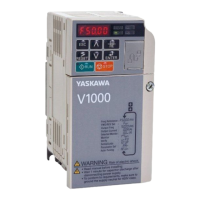
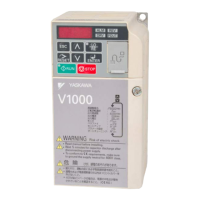
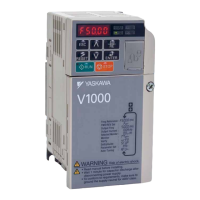
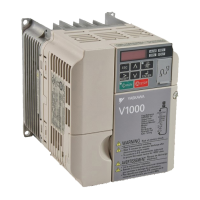
YASKAWA V1000 - User Manual

YASKAWA V1000
231 pages
Print Icon
To Next Page IconTo Next Page
Loading...

Table of Contents

Other manuals for YASKAWA V1000

Questions and Answers

  • M
    Meghan HodgesSep 1, 2025
    How to troubleshoot Motor Overheat Alarm (PTC Input) on YASKAWA Media Converter?
    • S
      Susan HortonSep 1, 2025
      If your YASKAWA Media Converter triggers a Motor Overheat Alarm (PTC Input), it could be due to a high surrounding temperature or a heavy load. Check the temperature around the drive, ensuring it's within specifications, and improve air circulation by installing a fan or air conditioner. Also, measure the output current, lower the load, and lower the carrier frequency (C6-02).
  • N
    Nicholas LynchAug 31, 2025
    What to do if YASKAWA DC Drives show an option card external fault?
    • M
      Michelle GardnerAug 31, 2025
      An option card external fault in YASKAWA DC Drives can be triggered by: * An external fault received from the PLC. Remove the cause of the external fault and reset the external fault input from the PLC. * A problem with the PLC program. Check the PLC program. * The PLC being in Idle Mode. Set the PLC to the Run Mode or set the parameter F6-54 = 0 (Enabled) to ignore errors while the PLC is in the Idle Mode.
  • F
    flynnjenniferAug 30, 2025
    Why am I getting explicit message communication errors on my YASKAWA DC Drives?
    • T
      Tammy BarnesAug 30, 2025
      Explicit message communication errors on YASKAWA DC Drives can occur due to several reasons: * Incorrect service code: Correct the service code. * Incorrect attribute: Correct the attribute. * Attempt to change a drive constant while the drive is running: Stop the drive. * Attempt to change a read-only attribute: Correct the service code or attribute setting. * Incorrect data size: Correct the data size. * Attempt to execute a service not defined for the attribute: Correct the service code or attribute setting. * Unsupported object specified: Correct the class or instance setting. * Attempt to change a drive constant to a value outside the setting range: Specify a value within the setting range.
  • J
    Julia WalkerAug 28, 2025
    How to fix option communication error in YASKAWA DC Drives?
    • N
      Nathan GrayAug 28, 2025
      An option communication error in YASKAWA DC Drives can occur due to several reasons: * No signal received from the PLC. In this case, check for faulty wiring and correct any wiring problems. * Faulty communications wiring. Inspect for disconnected cables and short circuits, repairing as needed. * Data error due to electrical interference. Counteract noise in the control circuit, main circuit, and ground wiring. If a magnetic contactor is the source of noise, install a surge absorber to the contactor coil. Use recommended cables or shielded lines, grounding the shield on the controller or drive input power side. Separate communication wiring from drive power lines, and install an EMC noise filter to the drive power supply input. Also, counteract noise in the master controller (PLC).
  • B
    Bobby LopezAug 27, 2025
    Why does my YASKAWA V1000 show an external fault?
    • K
      Katie TaylorAug 27, 2025
      If you're facing an external fault with your YASKAWA Controller, it indicates that an external fault signal is being sent from the upper controller (PLC). You should remove the cause of this external fault. Also, examine the PLC program for any issues and make the necessary corrections.
  • S
    Shawn MortonAug 26, 2025
    What to do if there is a serial communication transmission error on YASKAWA Controller?
    • H
      Hayden HamiltonAug 27, 2025
      A serial communication transmission error on your YASKAWA Controller could stem from a few issues. Begin by inspecting the communication wiring for faults like short circuits or improper connections; correct any wiring errors, remove ground shorts, and reconnect loose wires. Then, review the master side programming for errors and correct them. If problems persist, perform a self-diagnostics check. If the fault continues, consider replacing the drive.
  • E
    ericarichardsonAug 25, 2025
    How to fix option communication error on a YASKAWA V1000 Controller?
    • J
      Justin RomeroAug 26, 2025
      If you're encountering an option communication error with your YASKAWA Controller, it could be due to several reasons. First, ensure that the master controller (PLC) is receiving power. Next, verify the communication cable is properly connected and check for any faulty wiring. If noise is suspected, explore options to minimize its effects. Finally, if the problem persists after checking the wiring, consider replacing the option.
  • Z
    zcollinsAug 25, 2025
    What to do if YASKAWA DC Drives show minor faults and alarms?
    • M
      Matthew PadillaAug 25, 2025
      If your YASKAWA DC Drives are showing minor faults and alarms, remove the cause of the alarm or minor fault to automatically reset the system.

Summary

Preface and General Safety

General Safety Information

Outlines essential safety precautions and conventions for using the drive.

Application Precautions

Details important considerations for applying the drive in various scenarios.

Receiving

Mechanical Installation

Electrical Installation

Start-Up Programming and Operation

Using the Digital LED Operator

Explains the functions of keys, displays, LEDs, and screen structure.

Drive and Programming Modes

Describes the two main modes: Drive Mode and Programming Mode.

Application Selection

Details various Application Presets for common applications.

Basic Drive Setup Adjustments

Explains essential parameter settings for initial drive operation.

Auto-Tuning

Describes types, preparations, and procedures for auto-tuning the motor.

Troubleshooting

Drive Alarms, Faults, and Errors

Describes types of alarms, faults, and errors and drive responses.

Fault Detection

Details fault displays, causes, and possible solutions for various errors.

Alarm Detection

Lists alarm codes, their causes, and possible solutions.

Operator Programming Errors

Explains oPE codes, causes, and possible solutions for programming errors.

Specifications

Parameter List

Standards Compliance

YASKAWA V1000 Specifications

General IconGeneral
Input Voltage3-Phase 200-240VAC, 3-Phase 380-480VAC
Output Voltage3-Phase 200-240VAC, 3-Phase 380-480VAC
Output Frequency0-400 Hz
Control MethodV/f control
Overload Capacity150% for 60 seconds
Protection FunctionsOvercurrent, Overvoltage, Undervoltage, Overheating, Short Circuit, Ground Fault
Communication OptionsModbus RTU
Ambient Temperature-10 to +50°C (14 to 122°F)
Storage Temperature-20°C to +65°C (-4°F to 149°F)
Humidity95% (non-condensing)
Cooling MethodForced Air Cooling
EnclosureIP20

Related product manuals