SQ=çÑ=NPQ fåëíêìÅíáçå=j~åì~ä=`êçëëÄÉ~ã=PQM=ÉåMOE`lo F
SK=léÉê~íáçå
cáåÇáåÖ=óçìê=ï~ó=áå=íÜÉ=pã~êípbj
®
=ìëÉê=áåíÉêÑ~ÅÉ
6.3.3. Showing a full screen image
Procedure
1 On the menu, select View/Toggle Full Screen Image .
To undo the function, press <Shift + F3>.
6.3.4. Preparing the docking panel for operation
The docking panel is the area on the right-hand side of the user interface, where you can dock
various control panels on the main window.
6.3.4.1. Showing the docking panel
Procedure
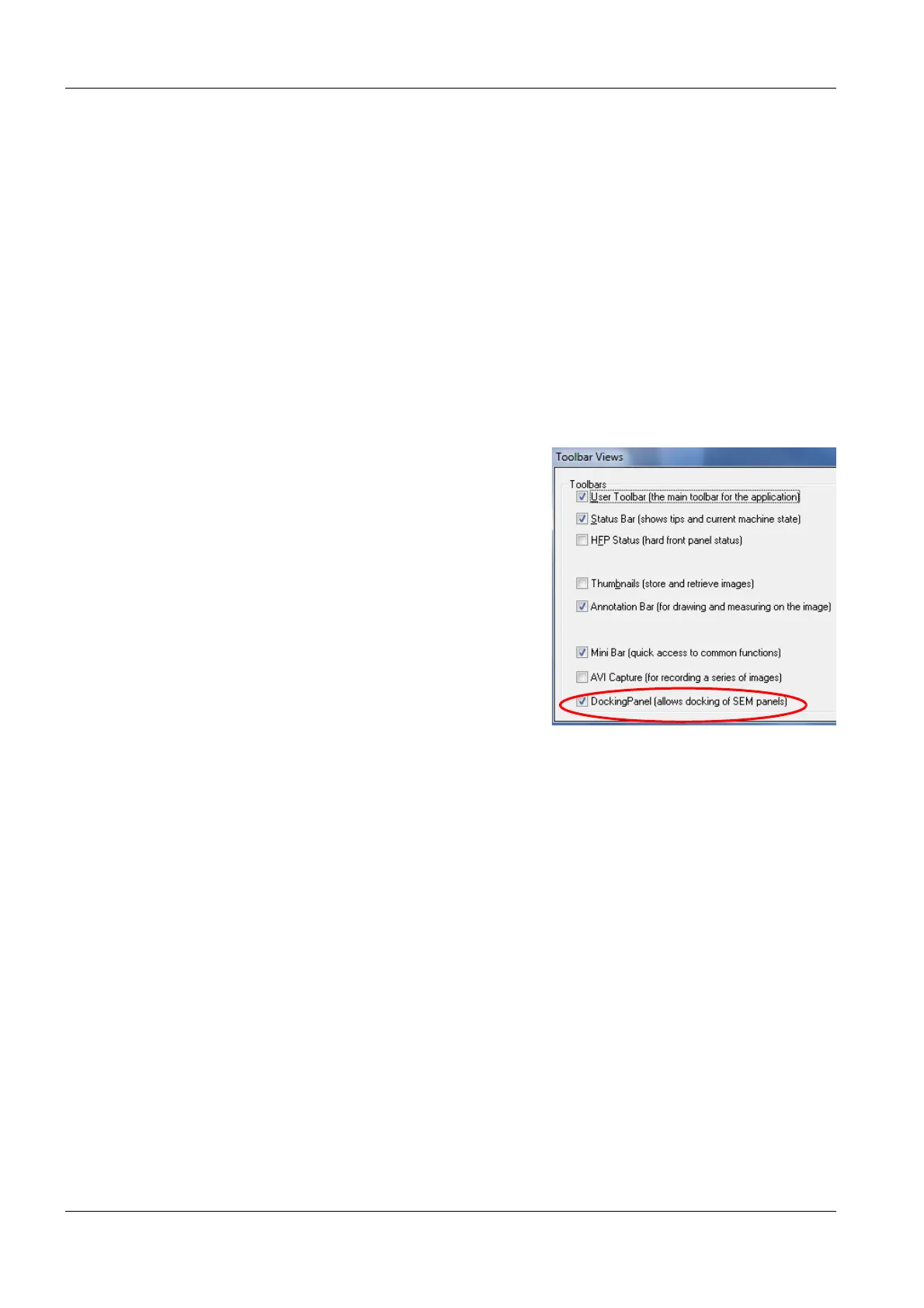
1 On the menu, select View/Toolbars.
2 Select the Docking Panel checkbox.
3 Click OK.
The docking panel opens.
To hide a docking panel, clear the Docking
Panel checkbox.


 To Next Page