SK=léÉê~íáçå
fåëíêìÅíáçå=j~åì~ä=`êçëëÄÉ~ã=PQM=ÉåMOE`loF =SR=çÑ=N PQ
cáåÇáåÖ=óçìê=ï~ó=áå=íÜÉ=pã~êípbj
®
=ìëÉê=áåíÉêÑ~ÅÉ
6.3.4.2. Adding control panels to the docking panel
Procedure
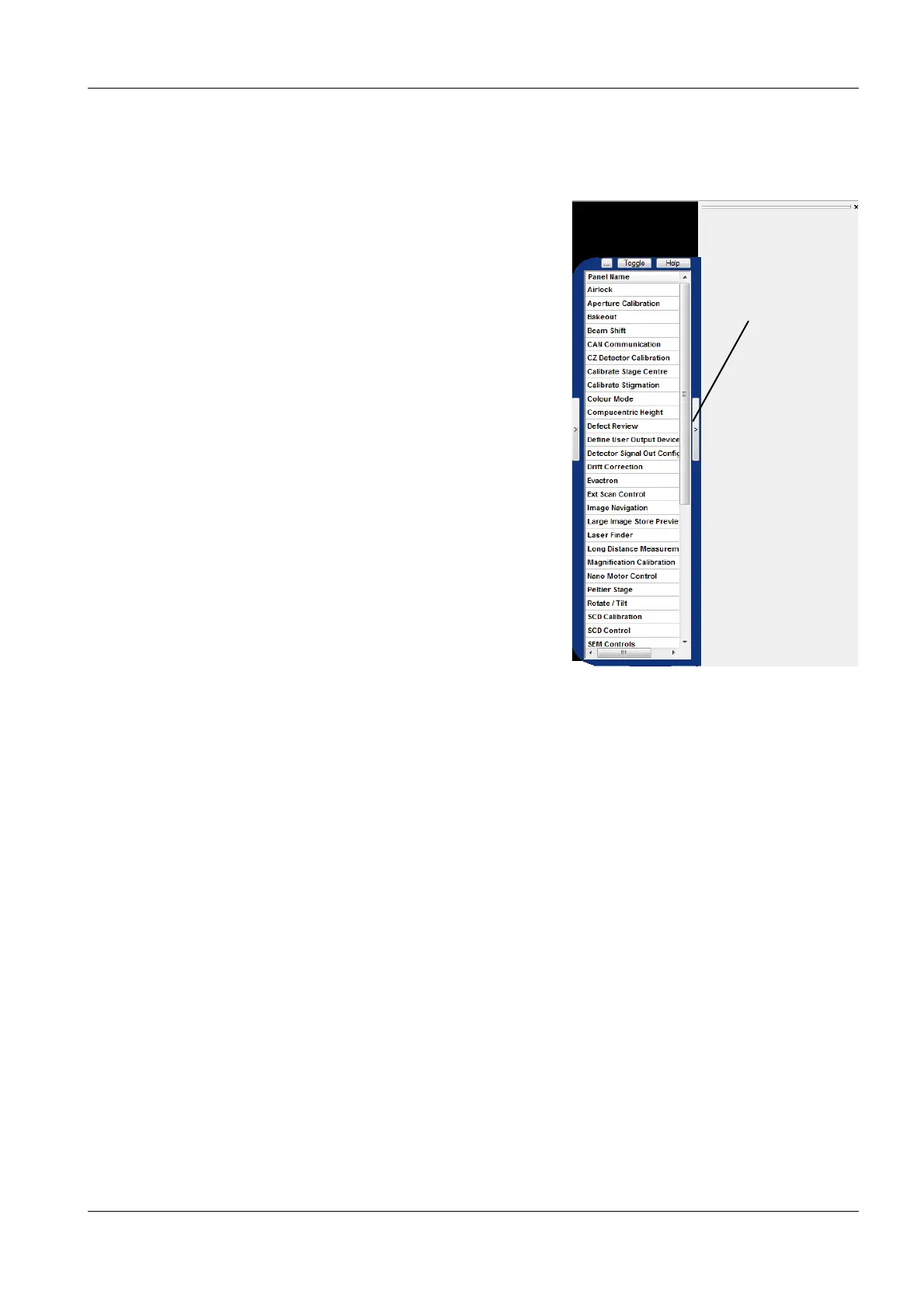
1 On the right side of the image area, click the ar-
row button (1) .
The Panel Configuration Bar is displayed
showing an alphabetical list of functions.
2 To select a control panel, double-right-click it.
The control panel is added to the docking pan-
el.
3 To minimise a control panel, select the arrow
button in the title bar.


 To Next Page