SK=léÉê~íáçå
fåëíêìÅíáçå=j~åì~ä=`êçëëÄÉ~ã=PQM=ÉåMOE`loF =VN=çÑ=N PQ
bäÉÅíêçå=ÄÉ~ã=ÇÉéçëáíáçå=çê=ÉíÅÜáåÖ=EïáíÜ=dfp=ìéÖê~ÇÉ=çåäóF
6.7.2. Depositing or etching with the electron beam
CAUTION
Danger of damaging GIS micro stage or specimen.
Make sure to position the specimen surface at a safe working distance.
Procedure
1 Open the Panel Configuration Bar.
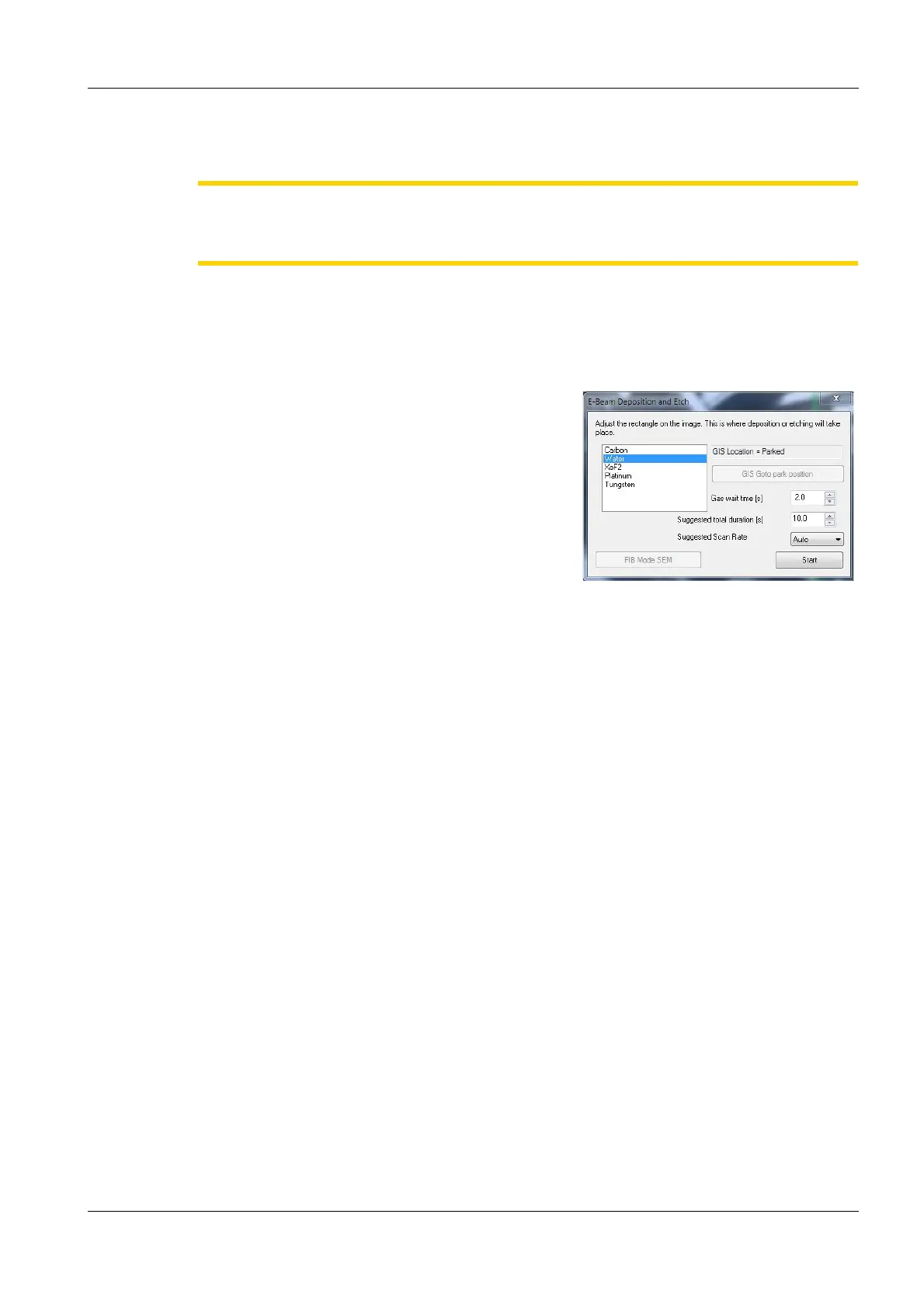
2 Double-click E-Beam Deposition and Etch.
The E-Beam Deposition and Etch panel
opens.
A deposition object is shown in the image
area.
3 Resize the deposition object to the appropriate
size.
4 Select the required precursor.
5Set a Gas Wait Time.
6Set a Total Duration Time.
7Set a Scan Rate.
8 Click Start.


 To Next Page