US=çÑ=NPQ fåëíêìÅíáçå=j~åì~ä=`êçëëÄÉ~ã=PQM=ÉåMOE`lo F
SK=léÉê~íáçå
pÉííáåÖ=pbj=é~ê~ãÉíÉêë
6.6.2.1. Selecting a detector
Procedure
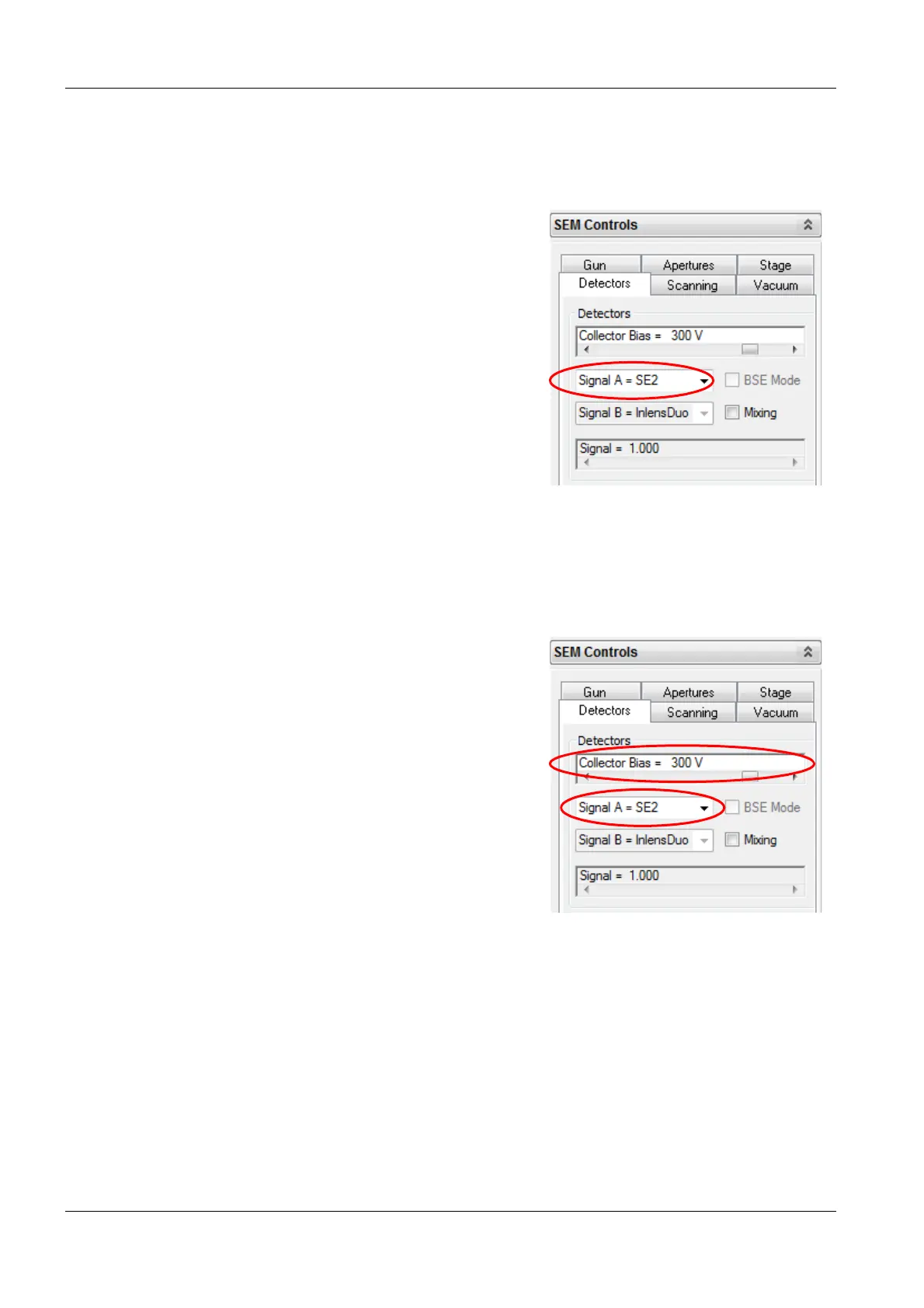
1 Select the Detectors tab.
2 From the Detectors drop-down list, select a
detector.
6.6.2.2. Using the SE2 detector
Procedure
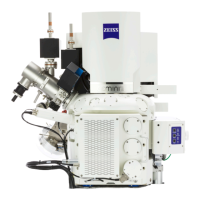
1 Select the SE2 detector.
2 To set the collector bias, move the Collector
Bias slider.


 To Next Page