EasyManua.ls Logo

Zeiss Crossbeam 340 - User Manual

Zeiss Crossbeam 340
134 pages
Print Icon
To Next Page IconTo Next Page
Loading...
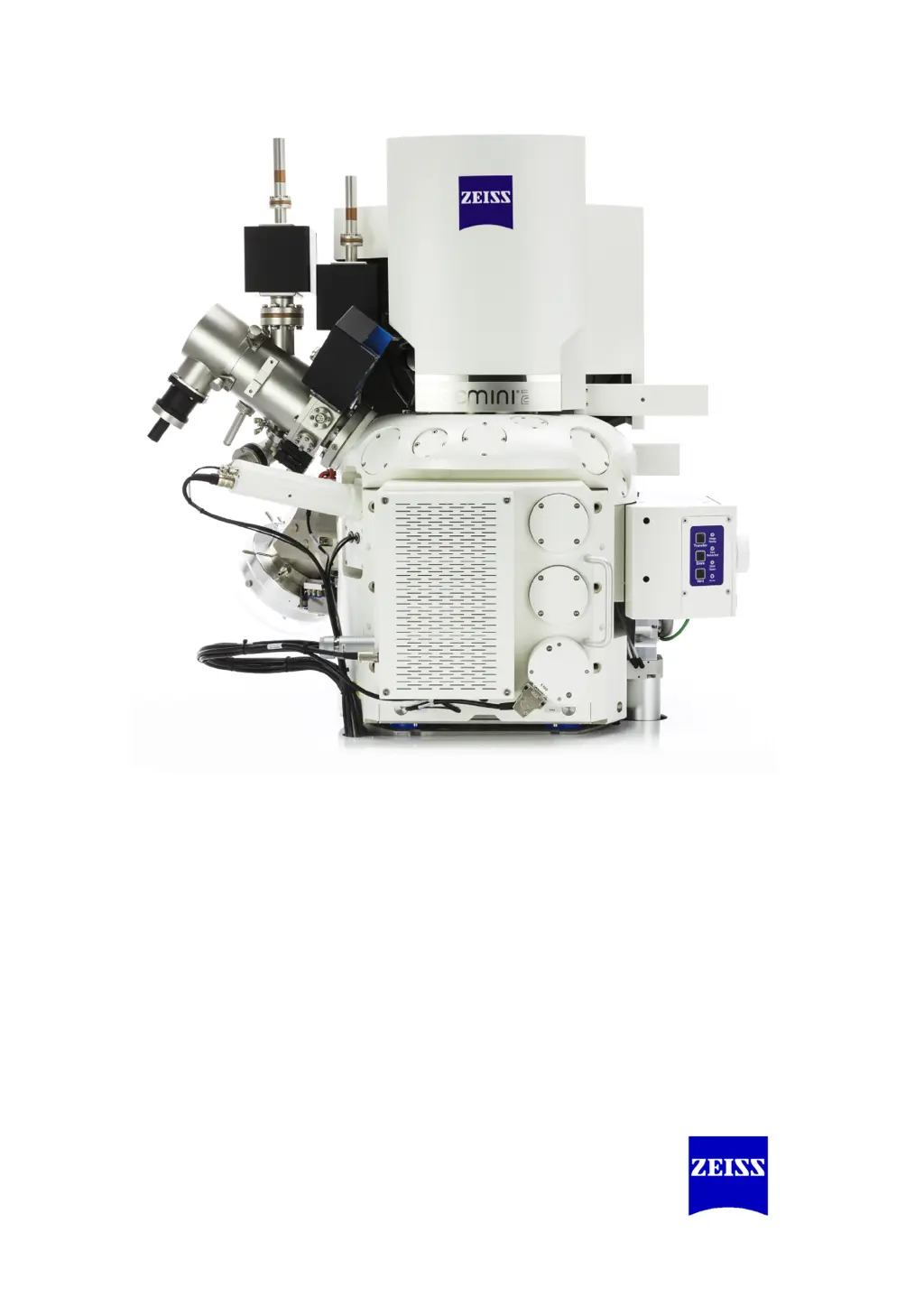
Crossbeam
®
340
Crossbeam
®
workstation
Instruction Manual

Table of Contents

Questions and Answers

Summary

About this Instruction Manual

Safety Instructions in this Manual

Explains risk levels and symbols used for safety warnings.

Typographical Conventions

Defines typography used for software, buttons, and text elements.

Definition of Terms

Provides definitions for technical terms used throughout the manual.

Safety

Intended Use

Describes the intended applications and functionalities of the Crossbeam 340 workstation.

Prevention of Accidents and Improper Use

Details accident prevention, improper use, and operator training requirements.

Safety Summary

Summarizes key hazards, including personal injury and property damage, with safety procedures.

Safety Equipment

Lists and describes safety devices and protective measures integrated into the microscope.

Description

Workstation

Describes the basic components and configuration of the Crossbeam 340 workstation.

Control Elements

Details the user interface and control mechanisms, including SmartSEM software and dual joystick.

Principle of Operation

Explains the fundamental operating principles, including vacuum system and electron optics.

Options

Lists available optional features, detectors, software functions, and sample holders.

Technical Data

Provides detailed technical specifications for performance, electron optics, and system components.

Customer Service

Information on contacting customer service and authorized service partners.

Radiation Protection

Contact information for radiation safety officer and guidance on radiation protection.

Transport and Storage

Transport

Provides instructions and safety precautions for transporting the microscope.

Storage

Details the recommended conditions for storing the packed microscope.

Installation

Operation

Switching on the Microscope

Step-by-step guide to powering on the microscope.

Starting the SmartSEM User Interface

Instructions for launching and logging into the SmartSEM® software interface.

Finding Your Way in the SmartSEM User Interface

Guidance on navigating the SmartSEM® interface, including toolbars and data zones.

Obtaining a First Image

A comprehensive guide to acquiring the initial image with the microscope.

Changing Between Vacuum Modes

Procedures for switching between High Vacuum (HV) and Variable Pressure (VP) modes.

Setting SEM Parameters

Details on adjusting key parameters for SEM operation, such as probe current and detector settings.

Electron Beam Deposition or Etching (with GIS Upgrade Only)

Instructions for material deposition or etching using the electron beam and GIS.

Crossbeam Operation

Procedures for operating the CrossBeam functionality, including adjustments and settings.

Using the Help Functions

Guide to accessing help resources and documentation within the SmartSEM® software.

Finishing the Work Session

Steps for properly concluding a work session, including shutting down components.

Changing to STANDBY Mode

Procedure for putting the microscope into standby mode for extended periods.

Switching off the Microscope

Steps for safely switching off the microscope and its components.

Switching off the Microscope in an Emergency (EMO)

Procedures for emergency shutdown using EMO button or main switch.

Maintenance and Repair

Maintenance Work

Outlines the scope of preventive maintenance performed by service representatives.

Maintenance Intervals

Specifies the recommended intervals for performing maintenance based on usage.

Change of Consumables and Chemicals

Lists consumables and chemicals that require periodic replacement.

Troubleshooting

Overview

Provides a table of common symptoms, reasons, and recommended actions for troubleshooting.

Chamber

Addresses troubleshooting specific to the specimen chamber, including door seals.

Column

Covers troubleshooting for the electron optical column, including gun head bakeout.

Power Circuit

Guides on checking circuit breakers and power-related issues.

Shutdown and Disposal

Putting the Microscope Out of Operation

Instructions for taking the microscope out of operation for extended periods.

Disposal

Guidance on the proper disposal of consumables and the microscope itself.

Parts and Tools

Important Consumables

Lists essential consumables with their part numbers for ordering.

Important Spare Parts

Lists important spare parts with their part numbers for ordering.

Tools and Accessories

Lists necessary tools and accessories for operation and maintenance.

Abbreviations

Glossary

Declaration of Conformity

Index

Summary

About this Instruction Manual

Safety Instructions in this Manual

Explains risk levels and symbols used for safety warnings.

Typographical Conventions

Defines typography used for software, buttons, and text elements.

Definition of Terms

Provides definitions for technical terms used throughout the manual.

Safety

Intended Use

Describes the intended applications and functionalities of the Crossbeam 340 workstation.

Prevention of Accidents and Improper Use

Details accident prevention, improper use, and operator training requirements.

Safety Summary

Summarizes key hazards, including personal injury and property damage, with safety procedures.

Safety Equipment

Lists and describes safety devices and protective measures integrated into the microscope.

Description

Workstation

Describes the basic components and configuration of the Crossbeam 340 workstation.

Control Elements

Details the user interface and control mechanisms, including SmartSEM software and dual joystick.

Principle of Operation

Explains the fundamental operating principles, including vacuum system and electron optics.

Options

Lists available optional features, detectors, software functions, and sample holders.

Technical Data

Provides detailed technical specifications for performance, electron optics, and system components.

Customer Service

Information on contacting customer service and authorized service partners.

Radiation Protection

Contact information for radiation safety officer and guidance on radiation protection.

Transport and Storage

Transport

Provides instructions and safety precautions for transporting the microscope.

Storage

Details the recommended conditions for storing the packed microscope.

Installation

Operation

Switching on the Microscope

Step-by-step guide to powering on the microscope.

Starting the SmartSEM User Interface

Instructions for launching and logging into the SmartSEM® software interface.

Finding Your Way in the SmartSEM User Interface

Guidance on navigating the SmartSEM® interface, including toolbars and data zones.

Obtaining a First Image

A comprehensive guide to acquiring the initial image with the microscope.

Changing Between Vacuum Modes

Procedures for switching between High Vacuum (HV) and Variable Pressure (VP) modes.

Setting SEM Parameters

Details on adjusting key parameters for SEM operation, such as probe current and detector settings.

Electron Beam Deposition or Etching (with GIS Upgrade Only)

Instructions for material deposition or etching using the electron beam and GIS.

Crossbeam Operation

Procedures for operating the CrossBeam functionality, including adjustments and settings.

Using the Help Functions

Guide to accessing help resources and documentation within the SmartSEM® software.

Finishing the Work Session

Steps for properly concluding a work session, including shutting down components.

Changing to STANDBY Mode

Procedure for putting the microscope into standby mode for extended periods.

Switching off the Microscope

Steps for safely switching off the microscope and its components.

Switching off the Microscope in an Emergency (EMO)

Procedures for emergency shutdown using EMO button or main switch.

Maintenance and Repair

Maintenance Work

Outlines the scope of preventive maintenance performed by service representatives.

Maintenance Intervals

Specifies the recommended intervals for performing maintenance based on usage.

Change of Consumables and Chemicals

Lists consumables and chemicals that require periodic replacement.

Troubleshooting

Overview

Provides a table of common symptoms, reasons, and recommended actions for troubleshooting.

Chamber

Addresses troubleshooting specific to the specimen chamber, including door seals.

Column

Covers troubleshooting for the electron optical column, including gun head bakeout.

Power Circuit

Guides on checking circuit breakers and power-related issues.

Shutdown and Disposal

Putting the Microscope Out of Operation

Instructions for taking the microscope out of operation for extended periods.

Disposal

Guidance on the proper disposal of consumables and the microscope itself.

Parts and Tools

Important Consumables

Lists essential consumables with their part numbers for ordering.

Important Spare Parts

Lists important spare parts with their part numbers for ordering.

Tools and Accessories

Lists necessary tools and accessories for operation and maintenance.

Abbreviations

Glossary

Declaration of Conformity

Index

Zeiss Crossbeam 340 Specifications

General IconGeneral
BrandZeiss
ModelCrossbeam 340
CategoryDesktop
LanguageEnglish