UM=çÑ=NPQ fåëíêìÅíáçå=j~åì~ä=`êçëëÄÉ~ã=PQM=ÉåMOE`lo F
SK=léÉê~íáçå
lÄí~áåáåÖ=~=Ñáêëí=áã~ÖÉ
6.4.8. Saving the image
Procedure
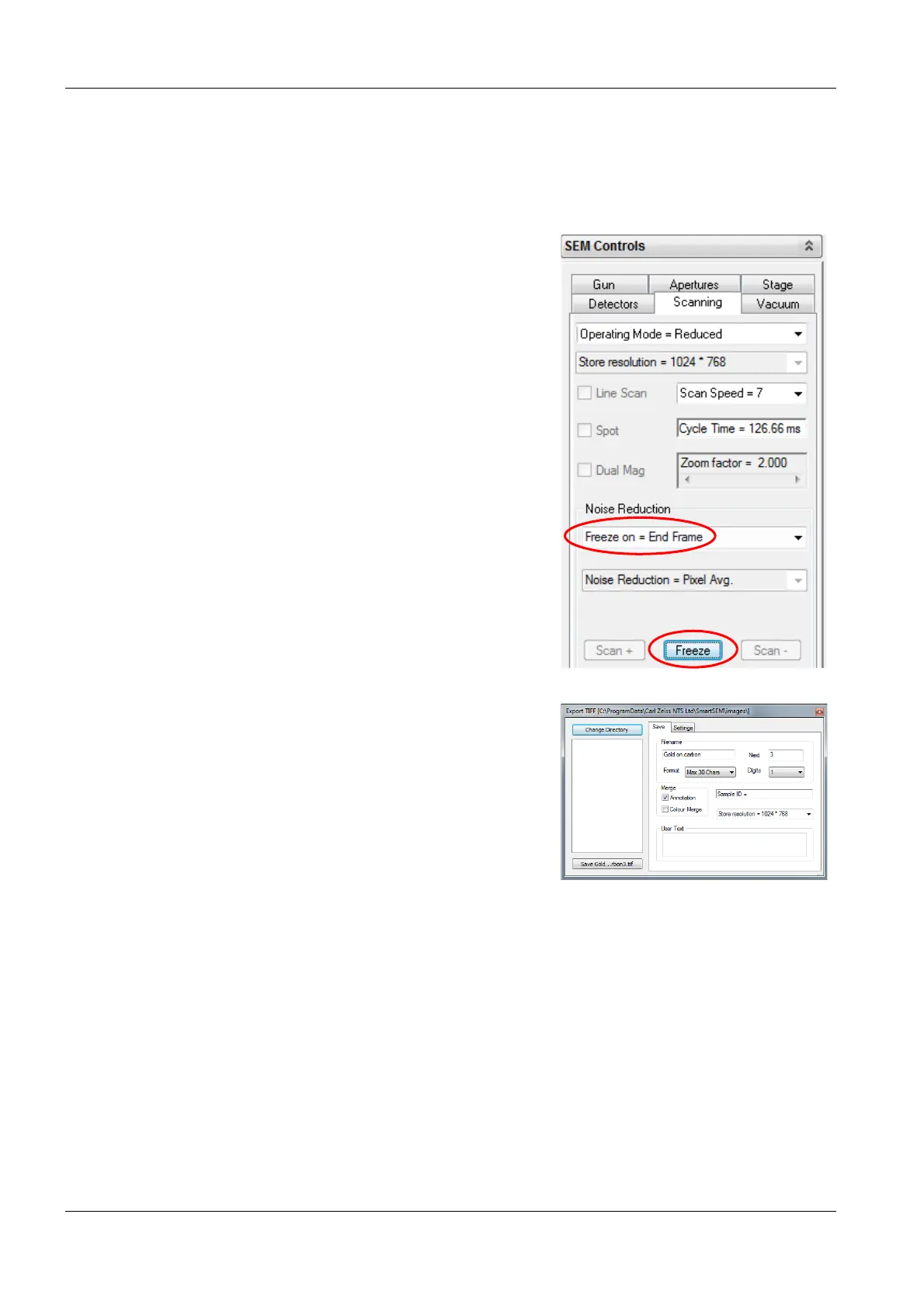
1 Stop the scan:
a Select the Scanning tab.
b In the Noise Reduction section, click the
drop-down list and select
Freeze on = End Frame.
c Click Freeze.
A red dot at the right bottom of the image area
indicates that the image is frozen.
2 On the menu, select File/Save Image.
3 Enter a path and a file name.
4 Click Save....tif.


 To Next Page