SK=léÉê~íáçå
fåëíêìÅíáçå=j~åì~ä=`êçëëÄÉ~ã=PQM=ÉåMOE`loF =TR=çÑ=N PQ
lÄí~áåáåÖ=~=Ñáêëí=áã~ÖÉ
6.4.6. Generating an image
Procedure
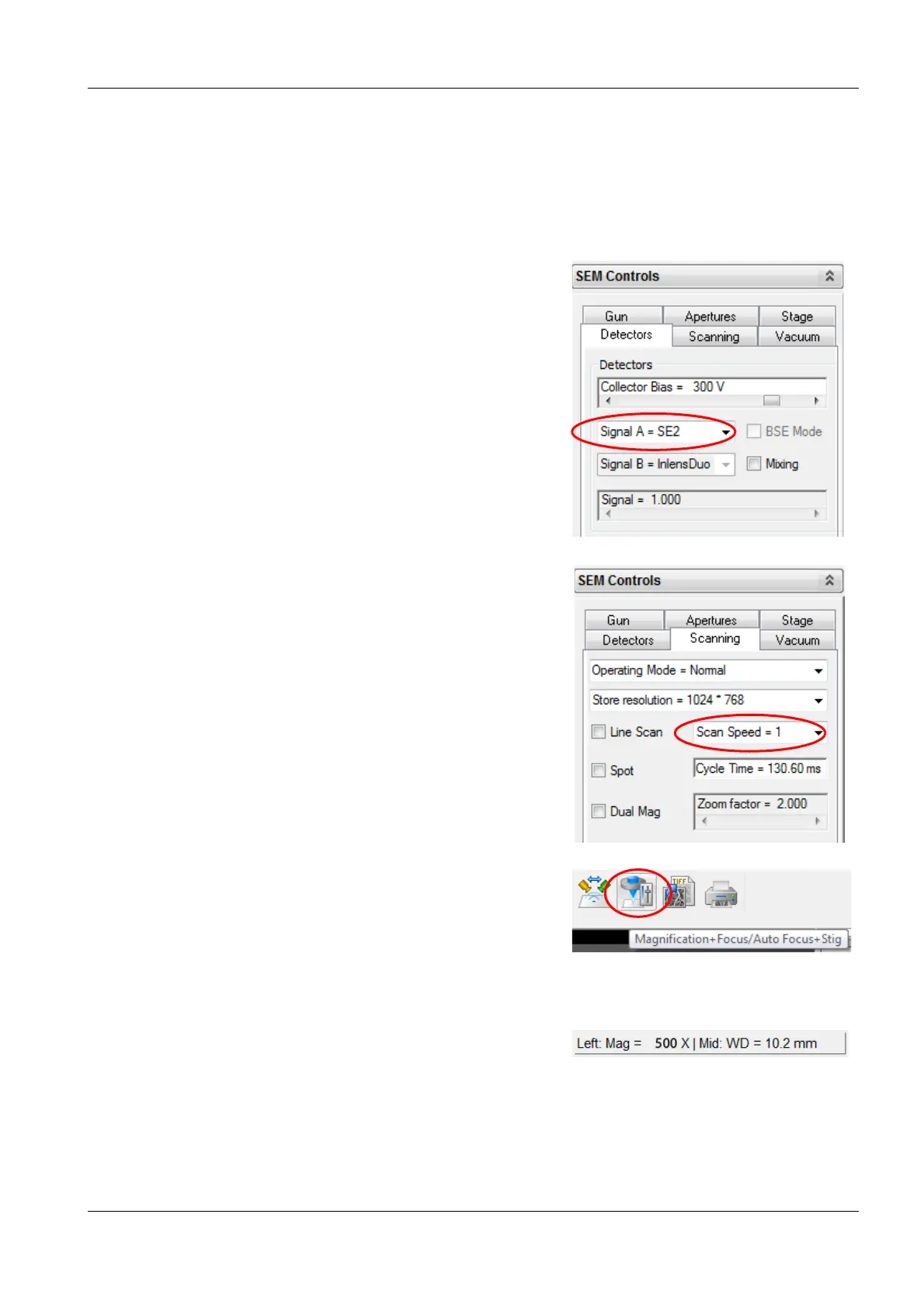
1 Select the Apertures tab.
2 From the drop-down list, select the aperture size 30 µm.
3 Select the Detectors tab.
4 From the Detectors drop-down list, select Sig-
nal A = SE2.
We recommend using the SE2 detector to ob-
tain the first image. This detector provides a
good signal-to-noise ratio even at long working
distances.
5 Select the Scanning tab.
6 From the drop-down list, select
Scan Speed = 1.
The lower the scan speed number, the faster
the electron beam scans across the specimen.
Scan Speed = 1 allows you to get an image
quickly.
7 Set the magnification to Mag = 500 x:
a In the toolbar, select the Magnification/
Focus icon.
Now, you can magnify and focus using the
mouse.
b Drive the mouse cursor into the image area.
c To adjust the magnification, hold down the
left mouse button and drag the mouse.
The current magnification is indicated in the status bar.
8 Set the focus:
a Hold down the mouse wheel and drag the mouse.


 To Next Page