TS=çÑ=NPQ fåëíêìÅíáçå=j~åì~ä=`êçëëÄÉ~ã=PQM=ÉåMOE`lo F
SK=léÉê~íáçå
lÄí~áåáåÖ=~=Ñáêëí=áã~ÖÉ
The current working distance (WD) is indicated in the status bar.
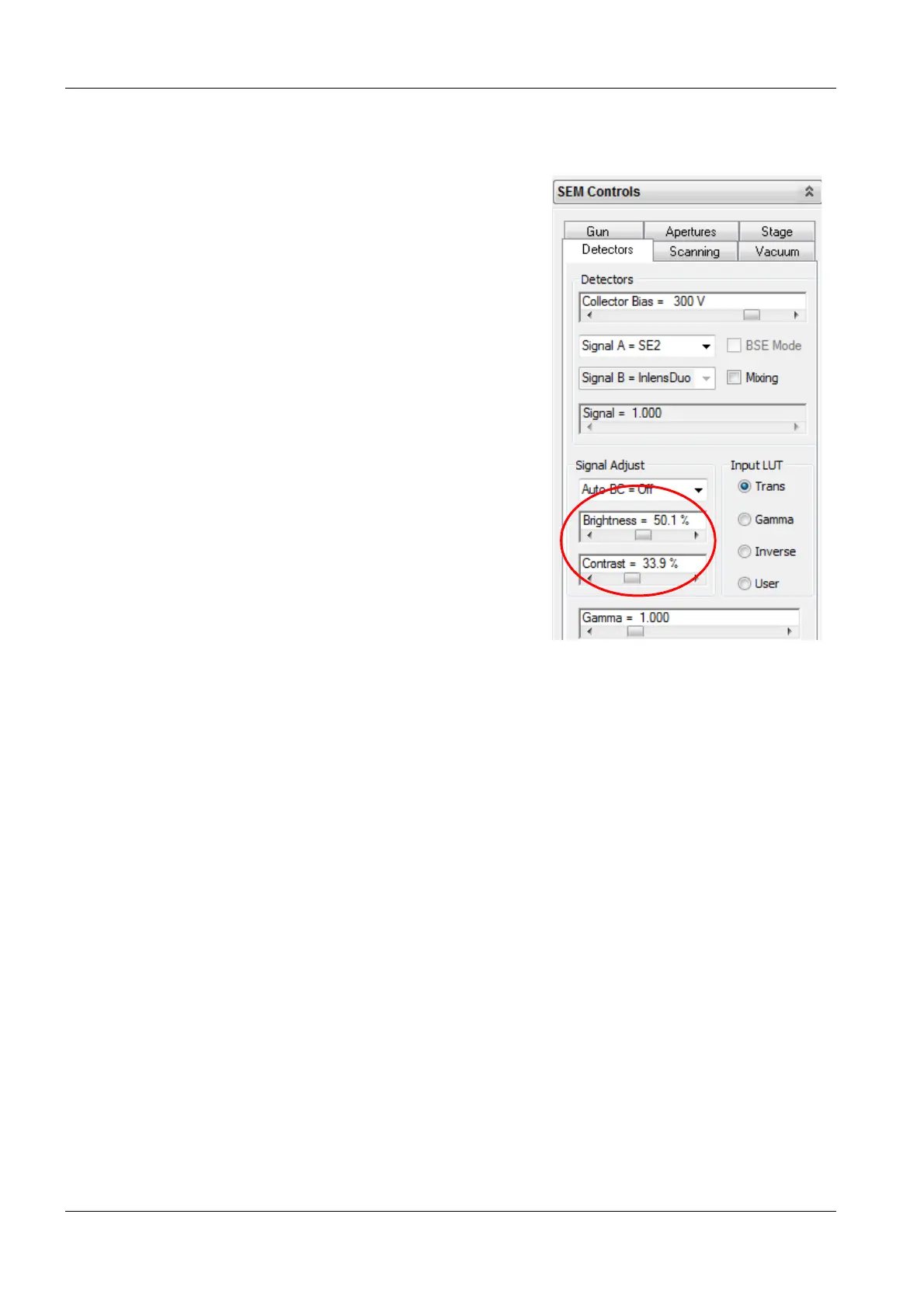
9 Adjust contrast and brightness.
a Select the Detectors tab.
bUse the Brightness and Contrast sliders.
10 Select a detail on the specimen surface.
11 Magnify and focus the detail.
12 Adjust contrast and brightness again.


 To Next Page