TQ=çÑ=NPQ fåëíêìÅíáçå=j~åì~ä=`êçëëÄÉ~ã=PQM=ÉåMOE`lo F
SK=léÉê~íáçå
lÄí~áåáåÖ=~=Ñáêëí=áã~ÖÉ
6.4.5. Switching on the EHT
To make the gun emit electrons, apply acceleration voltage (EHT).
Procedure
1 Set the acceleration voltage:
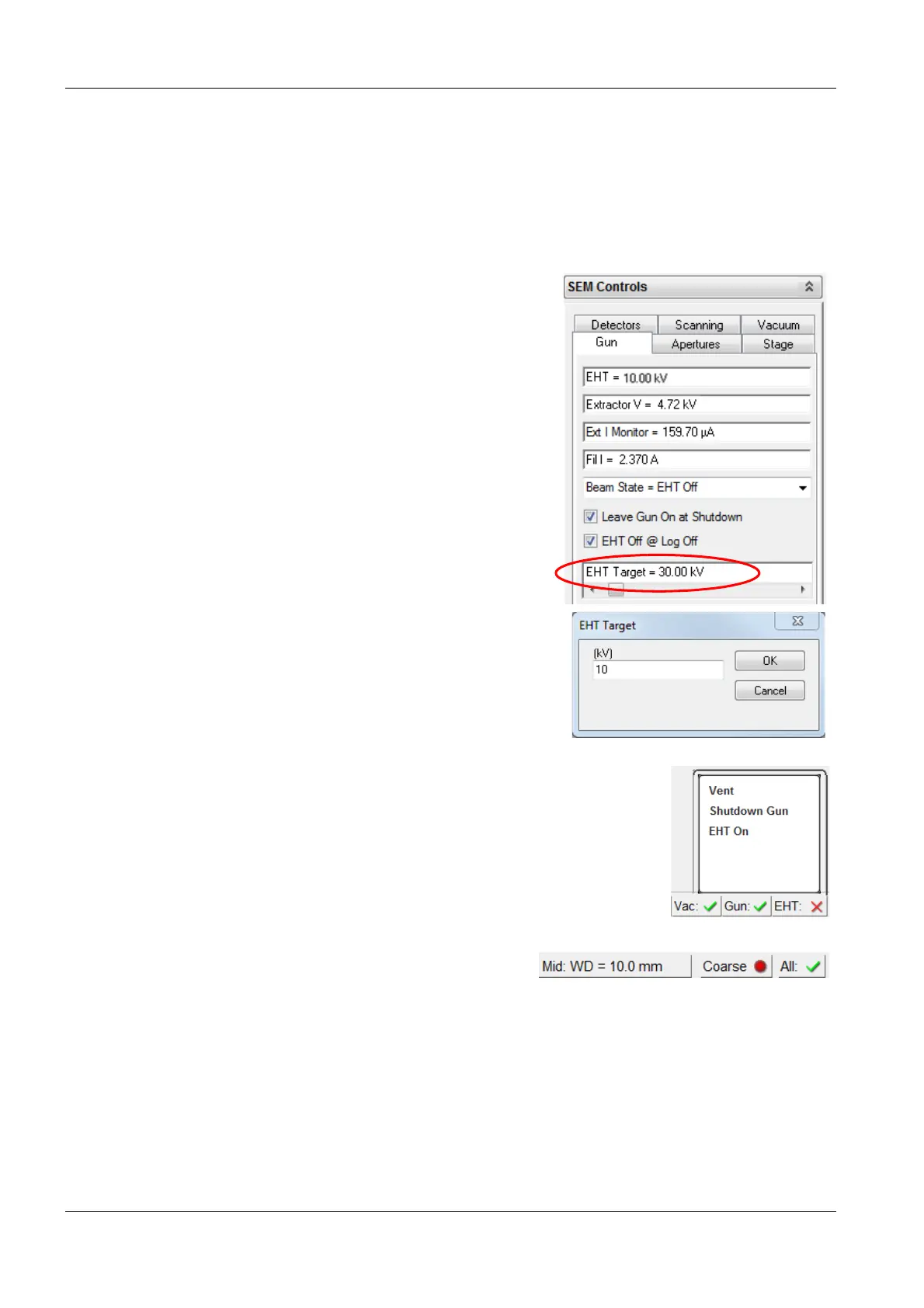
a In the Gun tab, double-click the EHT Tar-
get = field.
The EHT Target window apears.
b Enter 10 kV.
c Click OK.
2 Switch on the EHT:
a To open the pop-up menu, in the status
bar, click EHT.
b In the pop-up menu, select EHT On.
The EHT runs up to 10 kV.
The status bar buttons are merged into the
All: button.
Now, the electron beam is on.


 To Next Page