SK=léÉê~íáçå
fåëíêìÅíáçå=j~åì~ä=`êçëëÄÉ~ã=PQM=ÉåMOE`loF =TT=çÑ=N PQ
lÄí~áåáåÖ=~=Ñáêëí=áã~ÖÉ
6.4.7. Optimising the image
Procedure
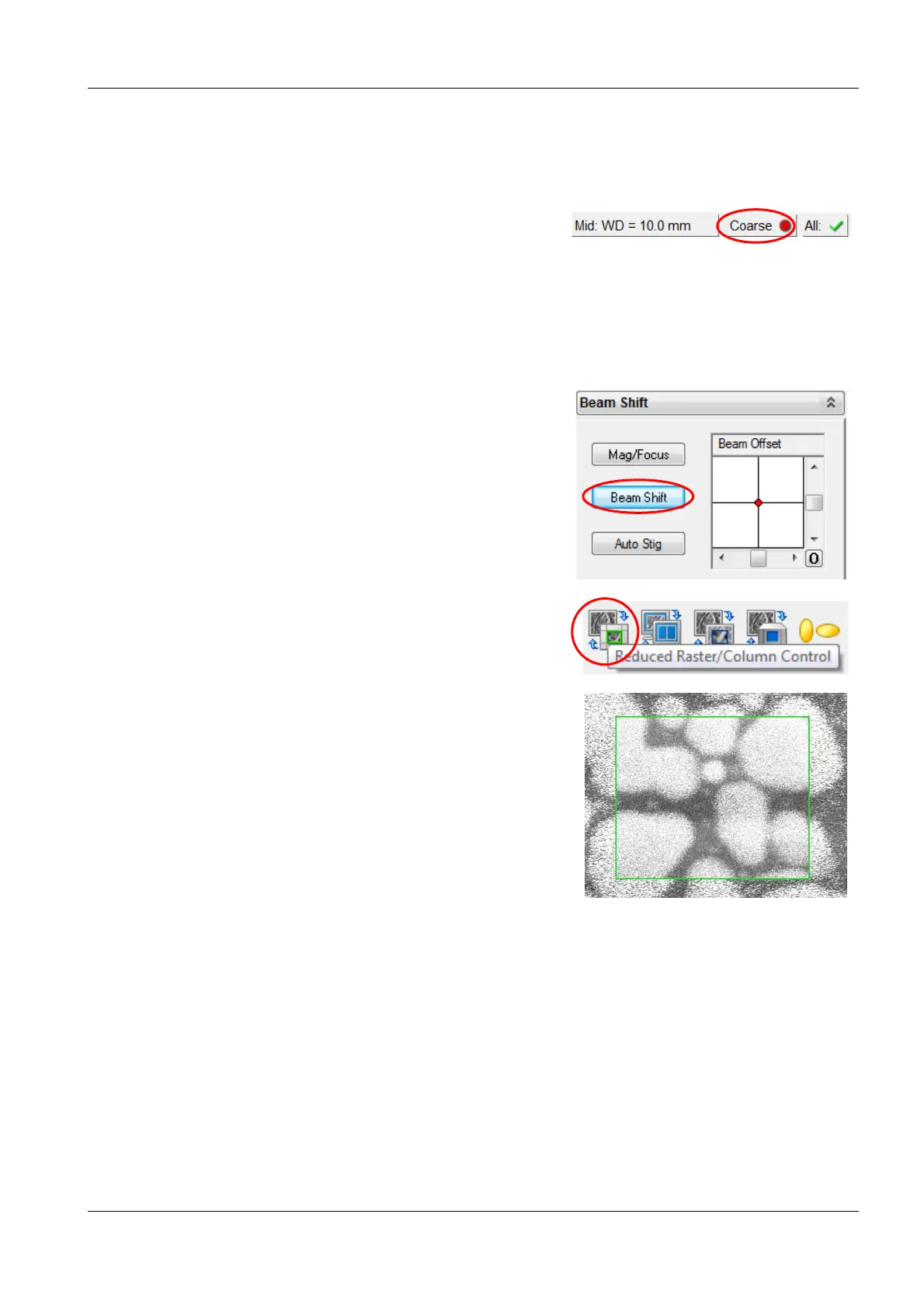
1 To switch from coarse to fine mode, in the status
bar, click the Coarse button.
2 Step by step, raise the magnification up to Mag
50.000 x and focus in between.
If you want to move the field of view at high mag-
nifications, we recommend using the Beam Shift
function instead of moving the stage.
3 Use the Beam shift function:
a Select the Column tab.
b Click Beam Shift.
c To shift the beam, use the slider or the red
marker.
4 In the toolbar, click the Reduced Raster icon.
A small scan frame is shown.
The image outside the scan frame is frozen.
5 To change the size and position of the scan
frame, drag and drop the frame using the
mouse.
6 Focus the image in the reduced raster.


 To Next Page