TU=çÑ=NPQ fåëíêìÅíáçå=j~åì~ä=`êçëëÄÉ~ã=PQM=ÉåMOE`lo F
SK=léÉê~íáçå
lÄí~áåáåÖ=~=Ñáêëí=áã~ÖÉ
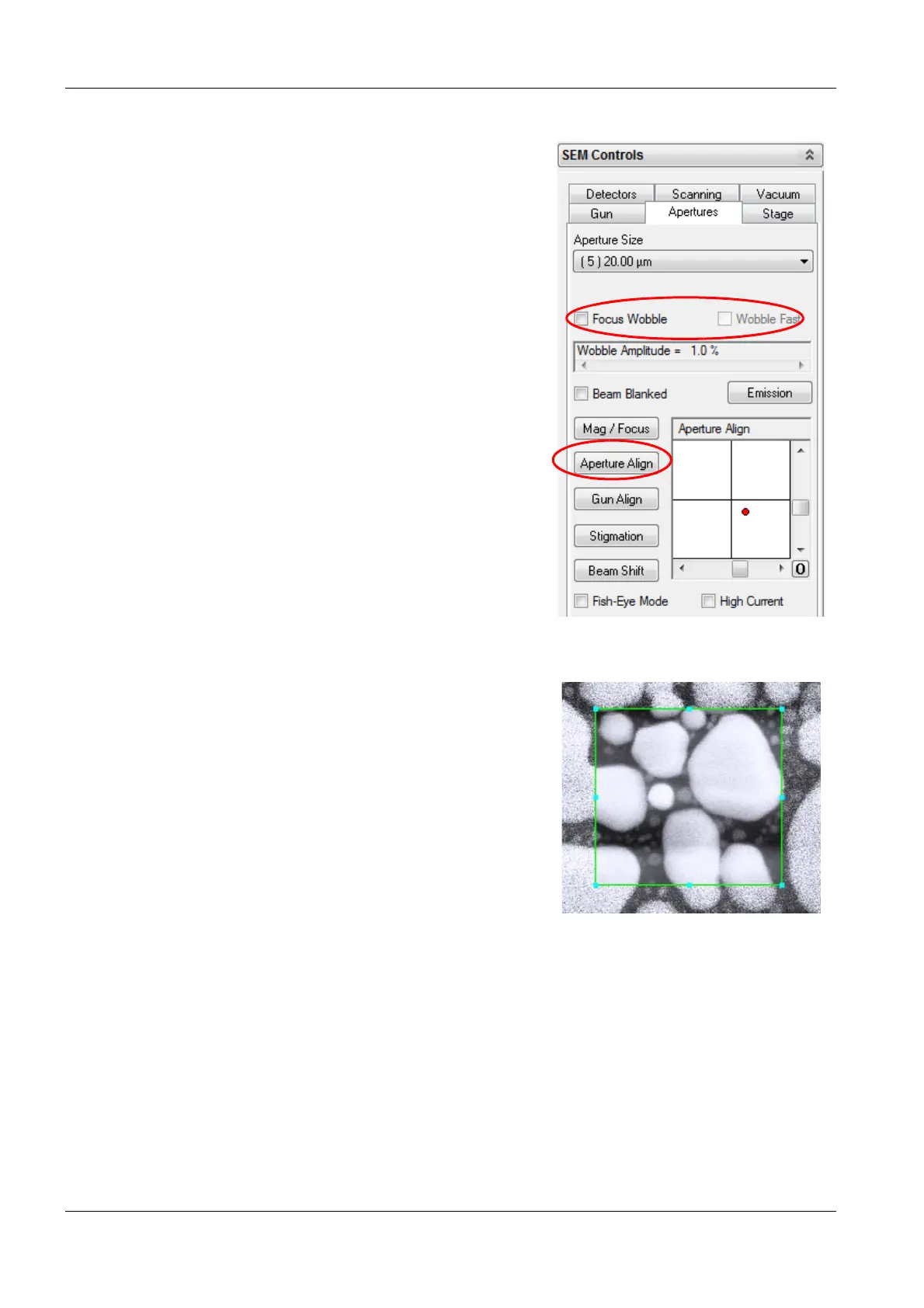
7 Align the aperture:
a In the Apertures tab, select the Focus
Wobble checkbox.
Focus Wobble is a function that sweeps the fo-
cus of the objective lens backwards and for-
wards through the focus on the specimen
plane. If the aperture is slightly misaligned, a
lateral shift can be observed.
b To adjust the wobble intensity, use the
Wobble Amplitude scroll bar.
c To accelerate the wobble speed, select the
Wobble Fast checkbox.
d Click Aperture Align.
e Use the vertical and horizontal slider of the
Aperture Align box until there is no move-
ment of the detail in X- and Y- direction.
The specimen detail should just be
pulsating without shifting.
f Clear the Focus Wobble checkbox.
8 In the Scanning tab, set Scan Speed = 7.
9 Bring the image into focus.
10 Correct astigmatism:
a Select a detail (e.g. a mark or an edge) on
the specimen surface.
b In the toolbar, click the Reduced Raster
icon.
Ensure the selected detail is in the raster.


 To Next Page