SK=léÉê~íáçå
fåëíêìÅíáçå=j~åì~ä=`êçëëÄÉ~ã=PQM=ÉåMOE`loF =TV=çÑ=N PQ
lÄí~áåáåÖ=~=Ñáêëí=áã~ÖÉ
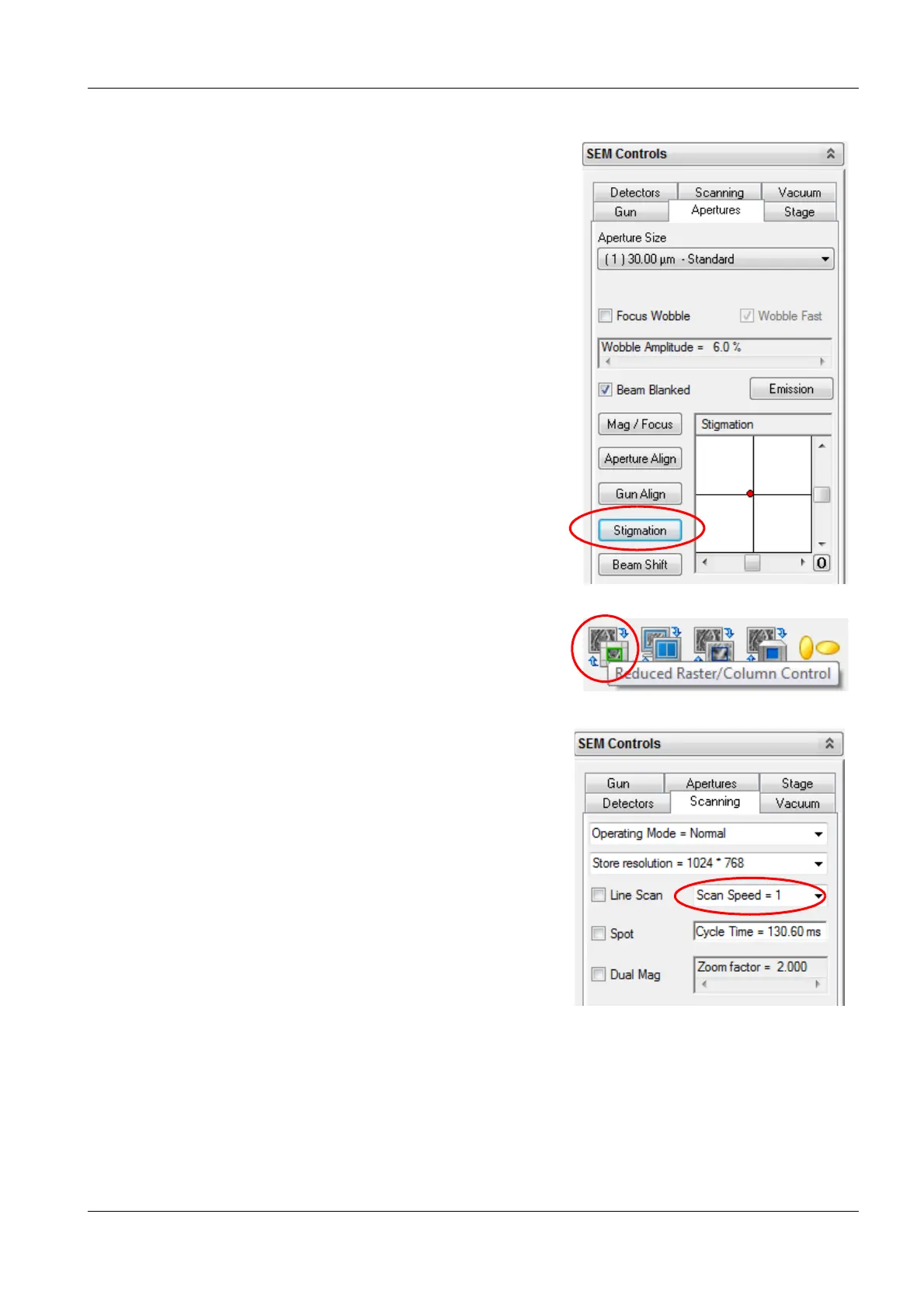
cn the Apertures tab, click Stigmation.
d To obtain the sharpest image, in the Stig-
mation box, use the vertical and horizontal
slider.
11 To deactivate the reduced raster, click the Re-
duced Raster icon.
12 To reduce image noise, in the Scanning tab,
select a scan speed between 6 and 8.


 To Next Page