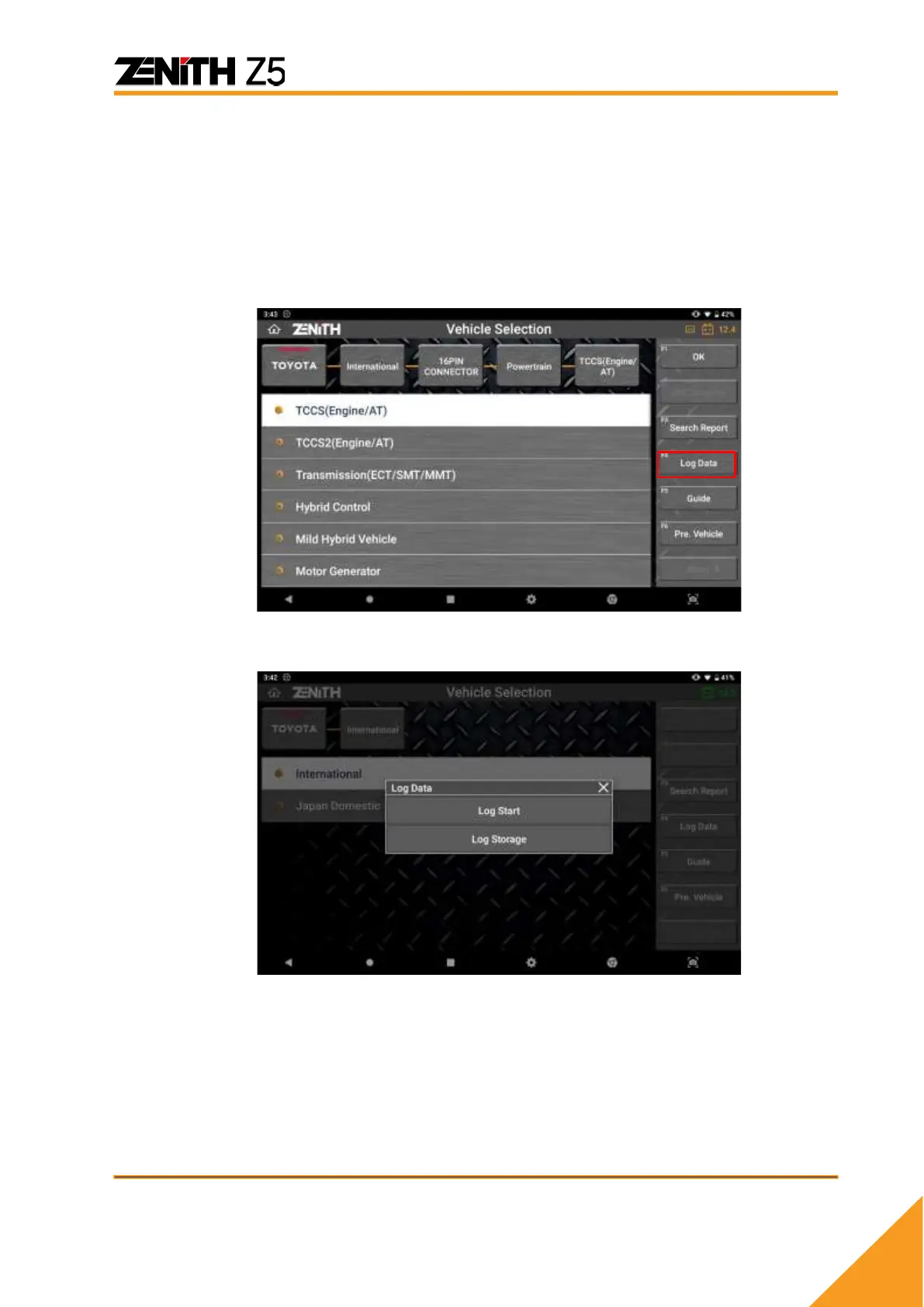
[Log Data] button is available on various levels of menu selection – the button
appears when you select a car manufacturer from the menu and remains there at
every step you make selections to specify the vehicle. It becomes no longer
available when you select a system and the diagnostic functions menu is
displayed.
So, if you experience function failure or an error, move back to upper level menu
and select [Log Data] button on the left of the screen, then the Data Log mode
begins.
When [Log Data] is selected, you can select either [LOG START] or [LOG
STORAGE] from the pop-up menu.
LOG START
Start Data Logging. When Z5 is logging data, this menu will change to [LOG
STOP]
LOG STORAGE
Go to the Log Data Storage where you can select a log data and send it to the
software developers.



 To Next Page