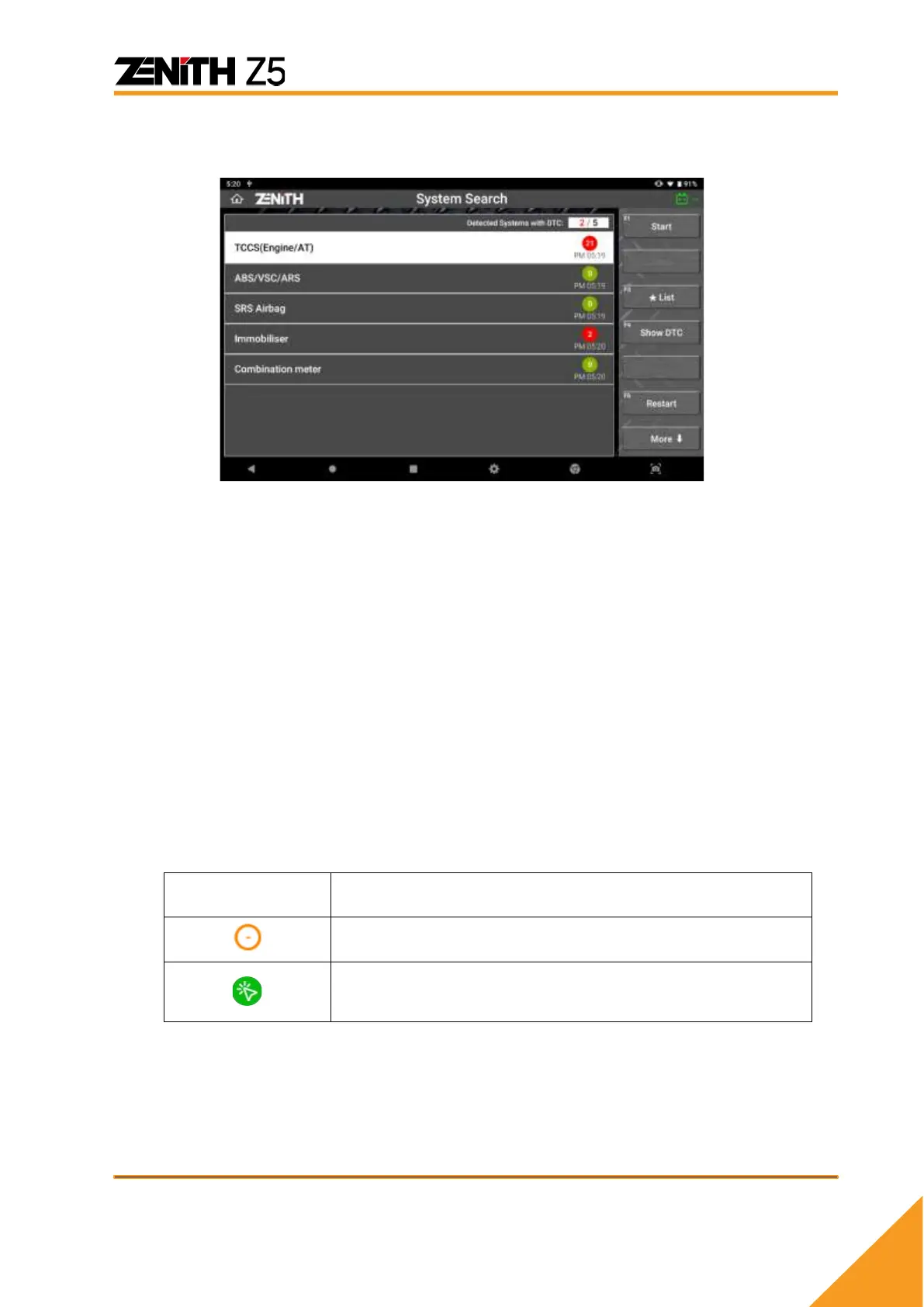
⚫ System Search Result
⚫ Systems found in the vehicle
The control systems with which Z5 could communicate and check the DTCs are listed
on the screen.
⚫ Number of DTCs
Z5 reads the DTCs from the vehicle’s control systems while conducting the system
search function and indicates the number of trouble codes found in each system.
However, some of the control systems such as SRS, IMM or BCM may not support
DTC Read and Erase functions. Some control modules may require Z5 to
communicate with the system individually to read the DTC.
In both cases, Z5 is unable to show the number of DTCs in the System Search
report, not because of its fault but because the system is designed in that way.
To avoid misunderstanding, Z5 indicates such exceptional cases with the marks
below:
The system needs to communicate individually. Please
select the system from the menu and check the DTC
individually.
In case of Mercedes Benz, System Search result shows [!] mark to indicate that
DTCs are found in the control system instead of showing the number of DTCs.



 To Next Page