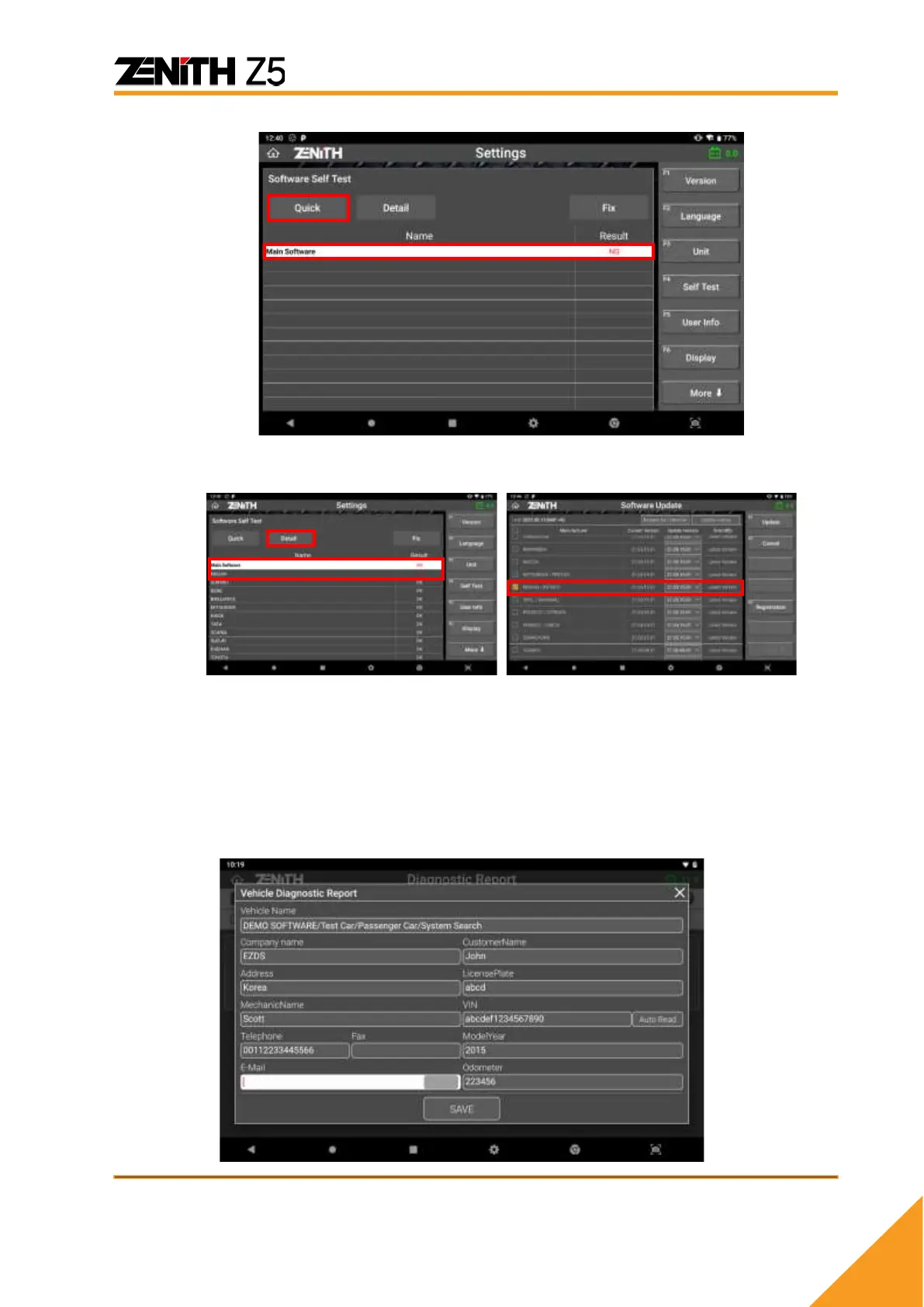
➢ Detailed: Checks software and database of Z5 for the individual automakers.
If the test result shows NG (No Good), [Fix] button will be activated. Pressing the
[Fix] button will direct to the software update screen for fresh download of the
latest software.
⚫ User Info
Type in your personal and workshop information and it will be used when printing
the Pre-Post diagnostic report and other forms. Be advised that User Info is
stored and used within the Z5 device only, and no personal information is
transferred to the server.



 To Next Page