Chapter 9. Update & Feedback
9.1 Software Update
⚫ Update List
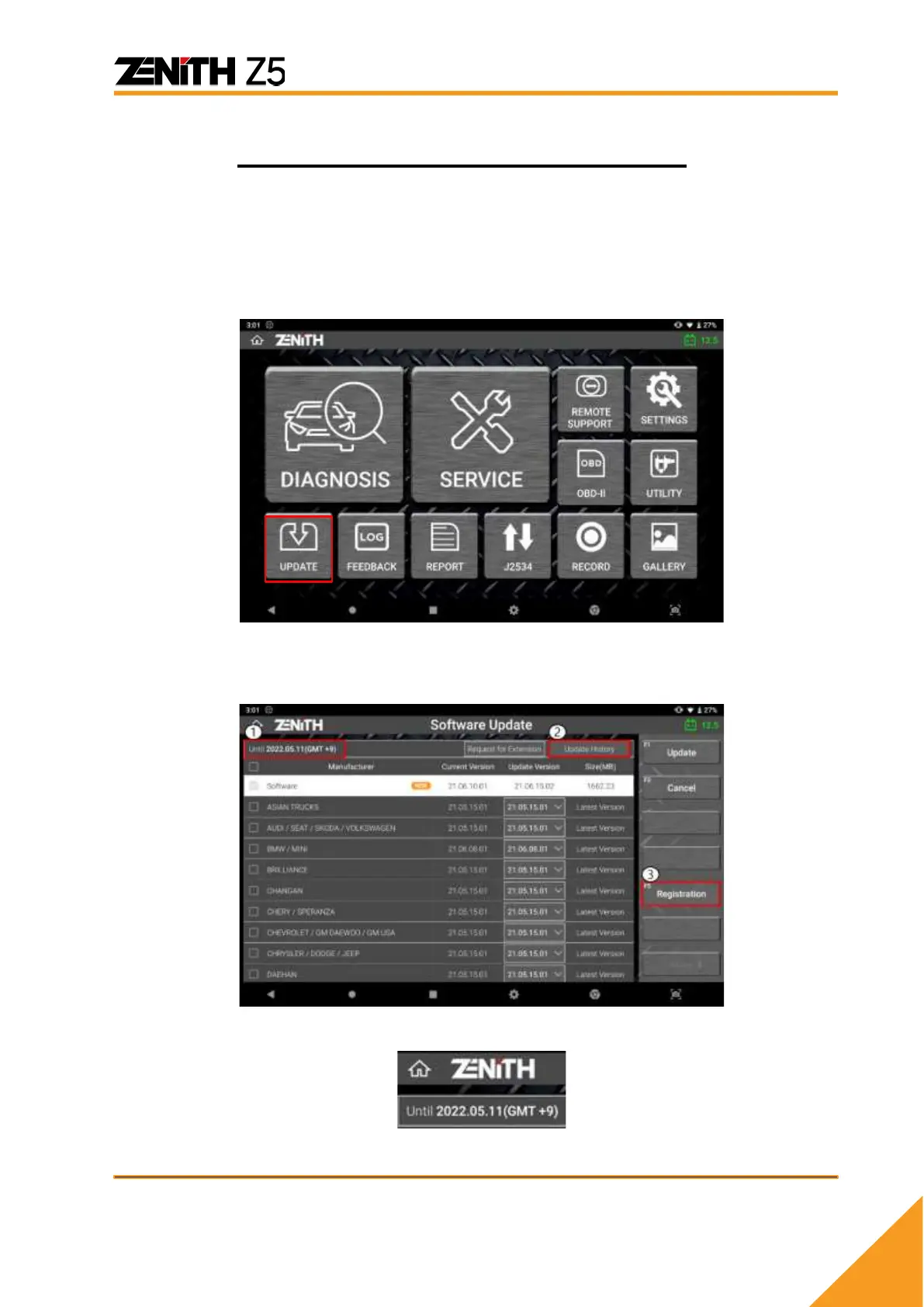
Select [Software Update] from the main menu to go to the software update list.
If Z5 is properly registered and activated, the software list will be displayed like below
and you can scroll up and down to navigate the list.
① Until: Date expiry date
Date indicated in top left corner of the screen with the prefix “Until” indicates the expiry
date of software update subscription.



 To Next Page