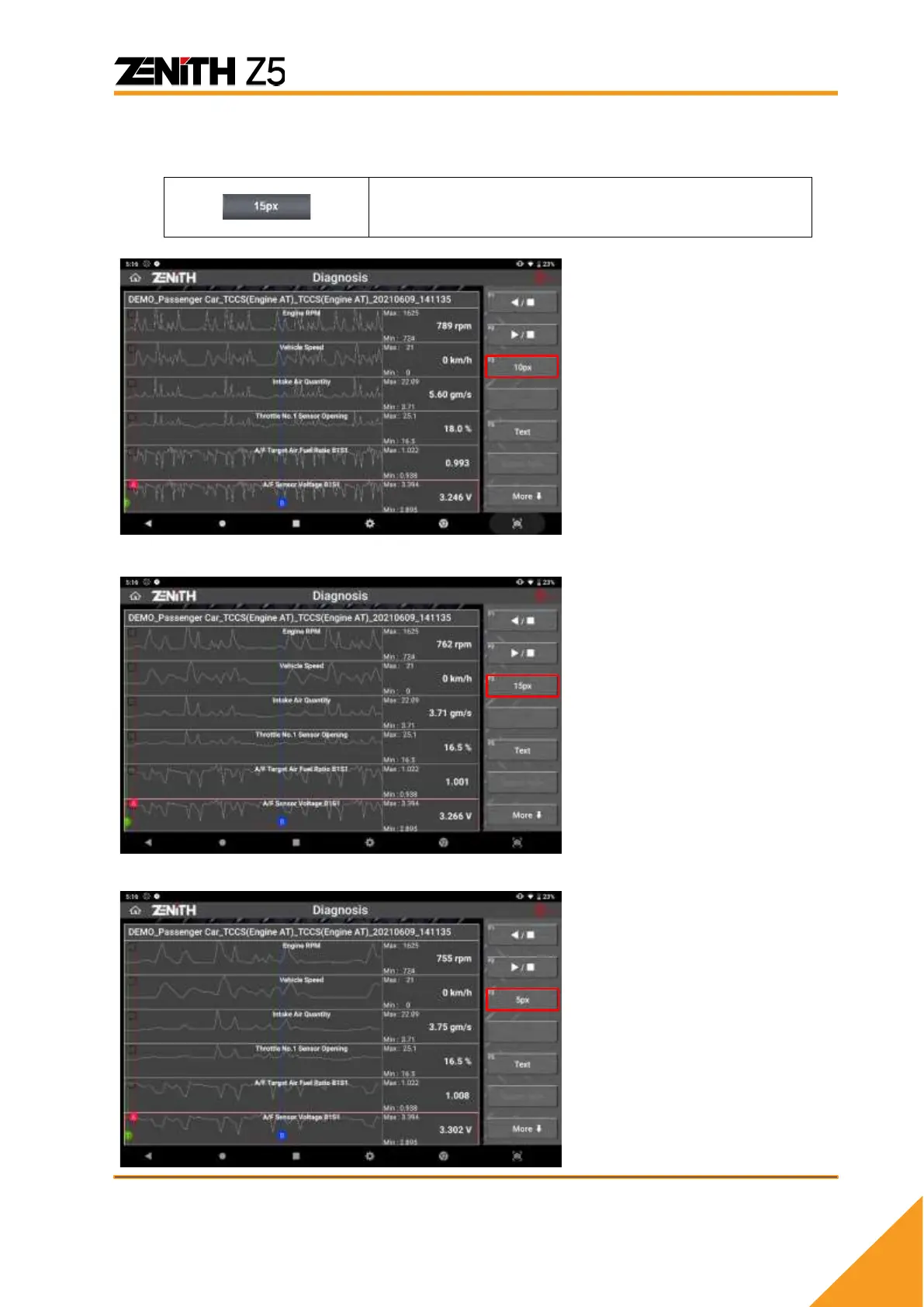
⚫ Graph Horizontal Scale Control
You can change the horizontal scale of the graphs or number.
Graph scale can be controlled by selecting the pixel
per frame (1px -> 5px -> 15px). The more pixels per
frame, the bigger the graphs, and vice versa.
Horizontally Smallest scale
when 5 pixels represent 1 frame
of data readings.
>> You can change the scale to
10 pixels per frame, which is 2x
bigger in width.
10 pixels represent 1 frame of
data readings.
>> You can change the scale to
15 pixels per frame, which is
1.5x bigger in width.
Largest scale graphs with 15
pixels per 1 frame.
>> You can go back to the
smallest scale of 5 pixels per
frame, which is 3x narrower in
width



 To Next Page