Chapter 4. Z5 Basic Operation
4.1. Main Menu and System Tools
Please be advised that the user interface including graphical output and menu structure
can be changed and updated without notice for the improvement of product
performance and usability.
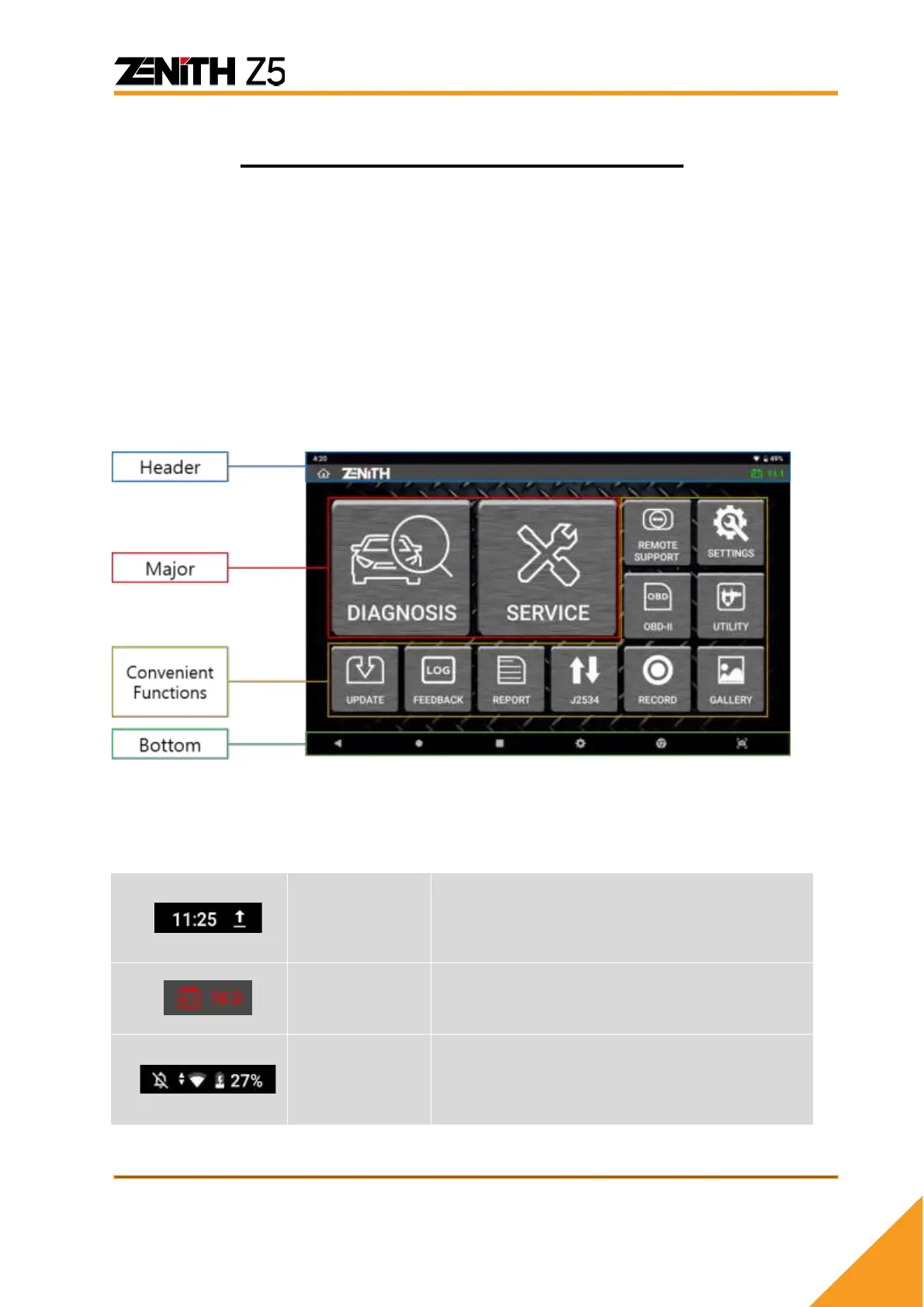
The main menu as shown below appears when Z5 is turned on or when Zenith
Application is selected among the applications list.
⚫ Main menu
The main menu of Zenith Z5 is consisted of 4 sections (header, major
functions ,convenient functions, bottom menu).
⚫ Header
The header shows different Z5 system status indicators.
In the left corner of the header, indicator
symbols appear when Z5 system detects any
changes or new development in the system
status that need to be notified to the user.
In the right of the header, vehicle battery
voltage is indicated when the power is supplied
from the vehicle.
In the right corner of the header, Z5 system
status including Wi-Fi or Bluetooth connection,
battery charging status.



 To Next Page