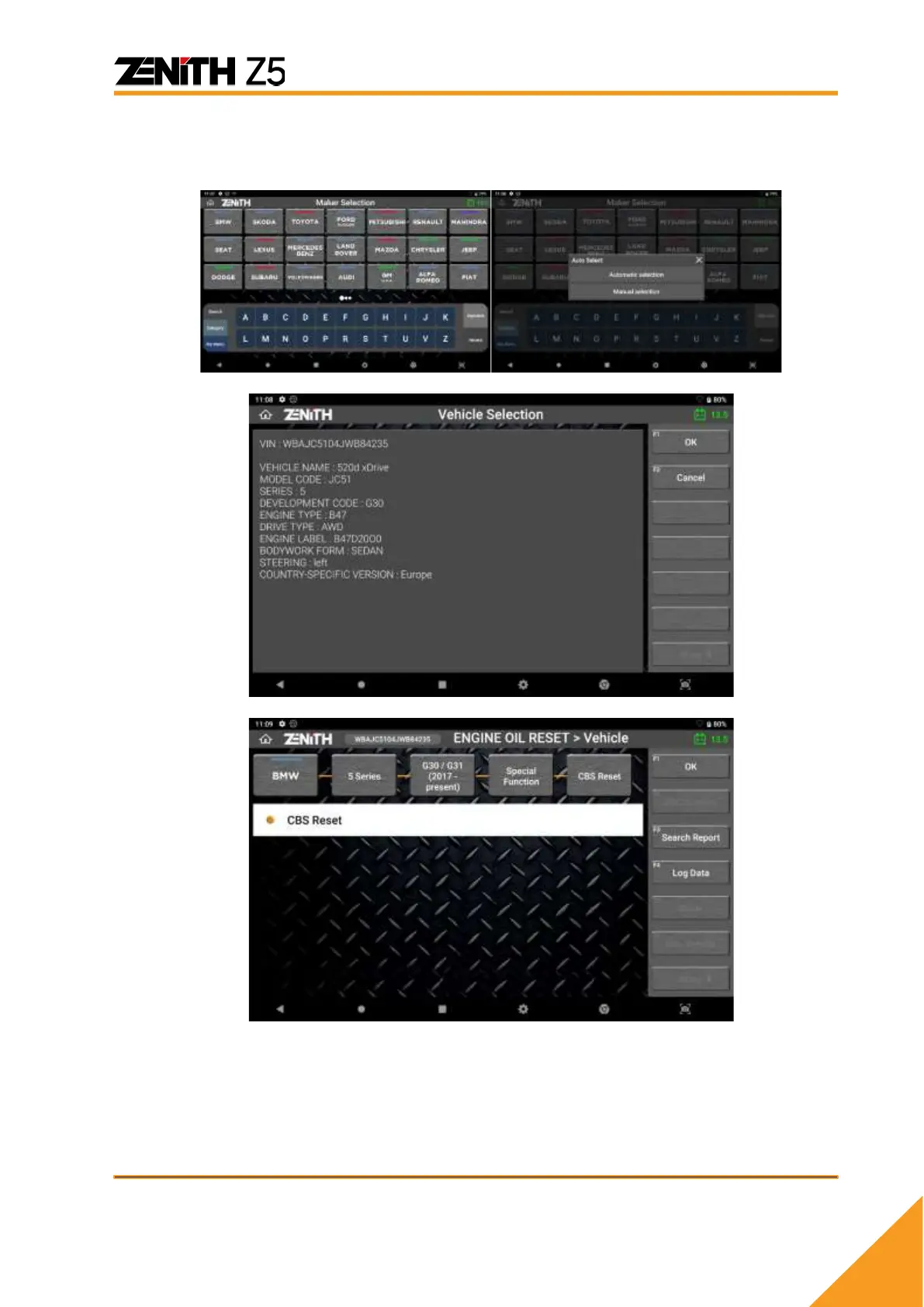
C. Select the carline you wish to diagnose.
(If Automatic selection is not available, vehicle model, year and engine type have to
be selected manually.)
Once the vehicle is detected automatically, confirm the vehicle information and press
[OK] button. To establish communication with the system, select [OK] button located
at the side menu.
➢ Note that certain models display one or more systems in the list and require two or
more special functions to complete the task.



 To Next Page