TYP
RvT
PDI
COL
MIX
Rv2 2.4
60
5
38
UTILITY
W
t
y
p
DES
CTL
(%)
SRC
Rv2 RvT
1-100
2
PARAMETER
1
PARAMETER
3
EFFECT
TYPE
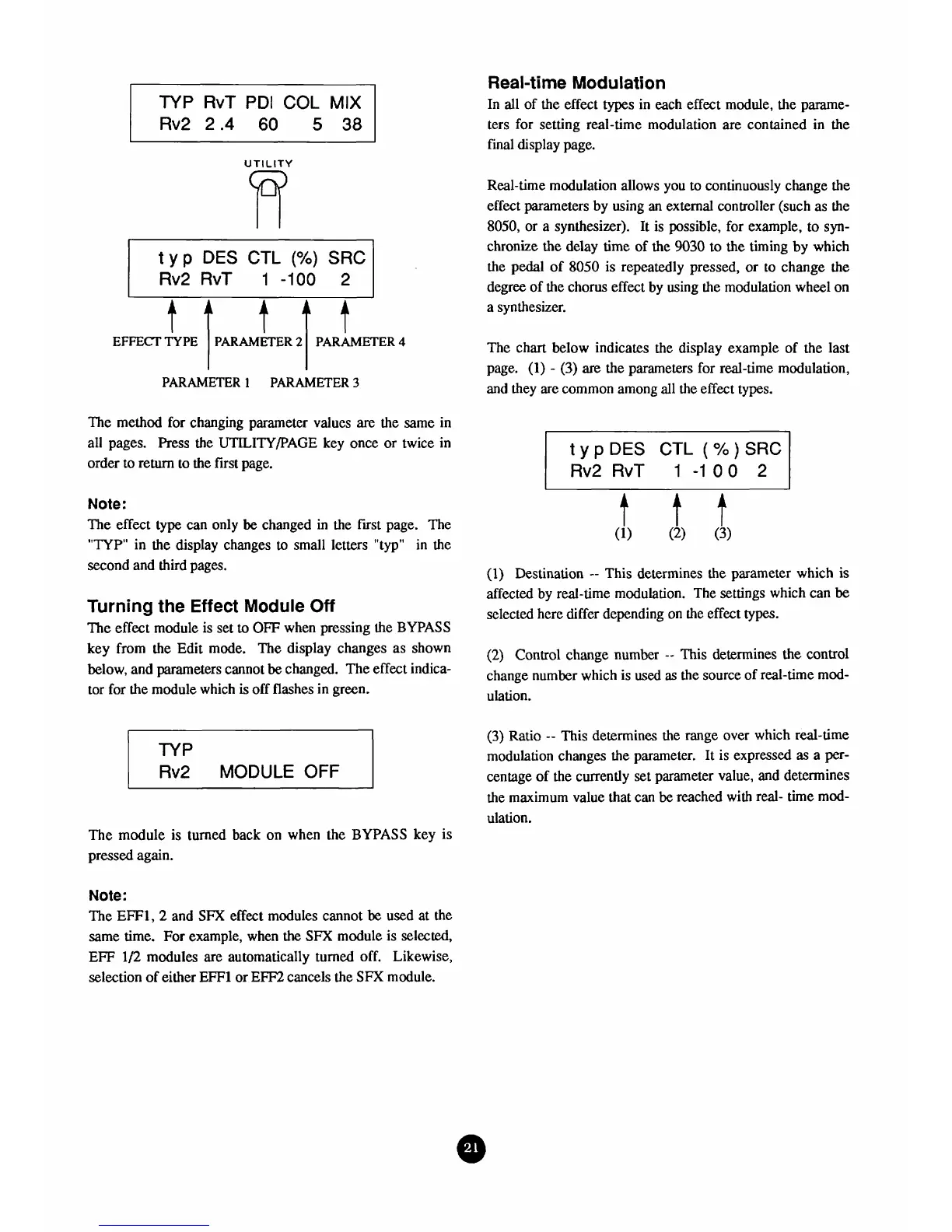
The method for changing parameter values
are
the same in
all pages. Press the
UTILITY/PAGE
key once or twice in
order to return to the first page.
Note:
The effect
type
can only
be
changed in the first page. The
"TYP"
in the display changes
to
small letters "typ" in the
second
and
third pages.
PARAMETER
2
Turning
the
Effect
Module
Off
The effect module is set
to
OFF
when pressing the
BYPASS
key from the Edit mode. The display changes as shown
below, and parameters cannot
be
changed. The effect indica-
tor for the module which
is
off flashes in green.
PARAMETER
4
Rv2
MODULE
OFF
i
IYP
The module is turned back on when the
BYPASS
key is
pressed again.
Real-time
Modulation
In all of the effect types in each effect module, the parame-
ters for setting real-time modulation are contained in the
final display page.
Real-time modulation allows you to continuously change the
effect parameters by using an external controller (such as the
8050,
or a synthesizer). It is possible, for example, to
syn-
chronize
the
delay time of the
9030
to the timing
by
which
the pedal of
8050
is repeatedly pressed, or to change the
degree of the chorus effect by using the modulation wheel on
a synthesizer.
The chart below indicates the display example of the last
page. (1)
-
(3)
are
the parameters for real-time modulation,
and
they are common among all the effect types.
typDES
CTL (%)SRC
Rv2 RvT
1 -1
00
2
(1)
Destination
--
This determines the parameter which is
affected by real-time modulation. The settings which can
be
selected here differ depending on the effect
types.
(2)
Control change number
--
This determines the control
change number which is
used
as
the source of real-time mod-
ulation.
(3)
Ratio
--
This determines the range over which real-time
modulation changes the parameter. It is expressed as
a
per-
centage of the currently set parameter value, and determines
the maximum value that can
be
reached with real- time mod-
ulation.
Note:
The EFF1,2 and
SFX
effect modules cannot be used at the
same time. For example, when
the
SFX
module is selected,
EFF
1/2
modules are automatically turned off. Likewise,
selection
of
either
EFFl
or
EFF2
cancels the
SFX
module.



 To Next Page